

ChatPDF
ChatPDF · Productivity · Chatbot
ChatPDF is an AI PDF chat tool that reads your documents and answers questions in plain language, with citations back to the source. You can start free without an account.
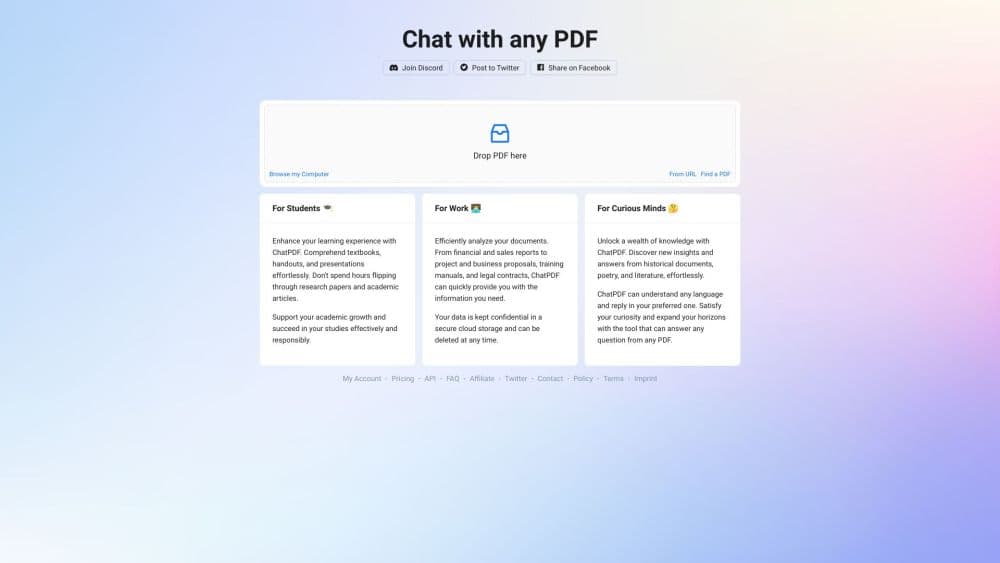
About ChatPDF
What Is ChatPDF
ChatPDF is an AI document assistant, built for anyone who needs to read past page one of a long PDF. You drop in a file, ask a question the way you'd ask a person, and it answers using the actual content of the document. Each reply carries a citation, so you can jump to the line it came from and check the claim yourself.
The tool reads more than PDFs. It opens Word, PowerPoint, Markdown and text files, and it handles documents in any language, including chats where you upload in one language and ask in another. It also has an AI Detector and an AI Resume Builder around the core reader.
The catch is the free tier. It caps you at 2 documents a day, where a document means one file with a set of questions attached. Power users hit that ceiling fast, and the paid Plus plan is what removes it. ChatPDF runs on GPT-4o and GPT-4o-mini, routed on the fly for speed versus depth.
Getting Started
- Open chatpdf.com and drop in a PDF, or paste a link. No account is required to try it.
- Wait a moment while ChatPDF maps the document and surfaces a few starter questions.
- Type your own question, or click a suggested one, and read the cited answer.
- Open a folder to add more files and query several documents in one thread.
- Sign up for a free account if you want saved history, or upgrade to Plus for unlimited analysis.
Product Information
A quick look at ChatPDF's pricing, supported platforms, and performance.
Best for
The users, tasks, and scenarios where this tool fits best.
Users
- Students
- Researchers
- Professionals
Tasks
- Summarizing a long PDF
- Asking questions to a PDF
- Comparing several documents
- Reading in another language
Scenarios
- Checking a figure before an exam or a meeting
- Working through a stack of research papers
- Reviewing a contract clause by clause
Key features
Cited Answers
Every response links back to the passage it drew from, so you can verify a claim instead of trusting it. The built-in citations anchor the answer to your PDF and end the page-by-page search that makes long documents painful. For work where a wrong number matters, this is the feature that earns its keep.
Multi-File Folder Chat
You create a folder, add several documents, and ChatPDF reads the relationships between them. Ask a question that references more than one file and it merges the relevant parts into a single answer. For a literature review or a bundle of reports, this beats opening each file on its own.
Broad File Format Support
The reader opens PDF, Word (.doc and .docx), PowerPoint (.ppt and .pptx), Markdown and plain text files. That covers academic papers, corporate decks and legal documents in one place, so you're not juggling a different tool for each format. It also reads any of them in any language.
GPT-4o Model Routing
ChatPDF routes each query between GPT-4o and GPT-4o-mini, trading speed against depth depending on the question. Light lookups come back fast, and harder questions lean on the stronger model. You don't pick the model yourself, which keeps the interface simple.
Multilingual Chat
Upload a document in any language and ask about it in your preferred one. You can also switch languages mid-conversation by just asking. For international research, that removes the need to translate a paper before you can question it.
AI Detector and Resume Tools
Beyond the core reader, ChatPDF ships an AI Detector for checking whether text was machine-written and an AI Resume Builder for drafting a CV. The free plan limits how many detections you get per day, while Plus lifts several of these caps.
Pros and cons
Pros
- Answers carry citations, so you can trace a fact back to its page instead of taking it on faith.
- Opens PDF, Word, PowerPoint, Markdown and text files in one place.
- Folder chats let you question several documents at once rather than one at a time.
- Works across devices in the browser and chats in any language.
- No account is needed to try it, and Plus starts around $5 a month.
Cons
- The free plan allows only 2 documents a day, which runs out quickly on real projects.
- Free uploads are capped by file size, so very large PDFs need the paid plan.
- Behind the tidy answers, accuracy still depends on the model, and dense tables or formulas can trip it up.
- It reads documents but doesn't edit them, so it's not a PDF editor.
Frequently asked questions
ChatPDF is a PDF AI and document assistant. You upload a document, ask questions to the PDF in plain language, and it answers from the content of your file with citations back to the source.
Related content
Explore related tools, skills, and articles for ChatPDF.
ChatPDF Alternatives

Base Code
Base44 (Wix) · Coding · ProductivityBase Code is a shared cloud development environment from Base44. Teammates describe changes to an existing GitHub codebase in chat, preview them live and send them back as pull requests.

Knocket
Knocket (Tencent RTC team) · Productivity · Business · ChatbotKnocket is a free live chat and contact page tool that lets visitors message you from your website, app, or a shareable link, with every reply handled from Telegram or one inbox.

FloorGen
Vinit Kumar (FloorGen) · Productivity · China AIFloorGen is a browser-based floor plan maker that turns a sentence or a sketch into an editable 2D plan and a 3D walkthrough. Export to PDF, DXF or video, and draw without an account.