

Checklist Genie
Tim Holmgren · Productivity
Checklist Genie is an AI checklist maker for iPhone, iPad and Apple Watch. It turns your voice or a photo into a structured to do list, then tracks routines, streaks and sharing as a routine tracker with streaks.
About Checklist Genie
What Is Checklist Genie
Checklist Genie is a checklist and routine app built by an independent developer, Tim Holmgren, and it runs mainly on Apple devices. The pitch is speed: instead of typing item after item, you speak your list or snap a picture of one, and the app builds the checklist for you. It works on iPhone, iPad and Apple Watch, with a web presence at checklistgenie.app.
The problem it goes after is the friction of keeping lists. Most people abandon to do apps because entering tasks takes longer than doing them. Checklist Genie leans on voice and photos to close that gap, then adds routines, streaks and shared lists so the app stays part of a daily habit rather than a graveyard of unchecked items.
Two limits are worth knowing up front. The free plan caps you at 15 lists with 30 items each, and voice and AI features sit behind the paid upgrade. The app is also Apple-first, so Android users are out, and the family tier tops out at six people.
Getting Started
- Download Checklist Genie from the App Store and start the 14-day trial if you want to test the premium features
- Tap the microphone and speak a list, or upload a photo of a handwritten one, to let the app build the checklist
- Open any item and set a repeat schedule, daily, weekly or monthly, to turn it into a routine
- Toggle on Add to Calendar, or open an item in Google Calendar, so due dates show up where you already look
- Share a checklist by text, email or QR code, then track progress and streaks in the app
Product Information
A quick look at Checklist Genie's pricing, supported platforms, and performance.
Best for
The users, tasks, and scenarios where this tool fits best.
Users
- Students juggling assignments and deadlines
- Busy professionals running recurring work tasks
- Families sharing chores and shopping
- People with ADHD or habit goals
- Apple Watch owners
Tasks
- Grocery and shopping lists
- Packing and trip prep
- Recurring chores and habits
- Work to do lists
- Event and project planning
Scenarios
- You remember tasks while driving or walking
- You have a handwritten list on paper
- You keep forgetting a weekly routine
- You split chores with a partner or roommate
- You want to build a habit but lose motivation
Key features
Voice-to-List Entry
Tap the mic and speak a list the way you would say it out loud, and Checklist Genie breaks it into separate items. It works for a quick grocery run or a long project breakdown, and it keeps your hands free while you drive, cook or walk. The point is to capture a thought the moment it arrives instead of waiting until you have your phone unlocked.
Image-to-Checklist with AI
The AI features turn a photo into a structured checklist. Snap a handwritten list, a recipe or a menu, and the app reads it and produces digital items you can edit. The App Store listing claims it can build lists of more than 100 items this way, which suits occasions where you already have something written down.
Routines, Streaks and Progress Tracking
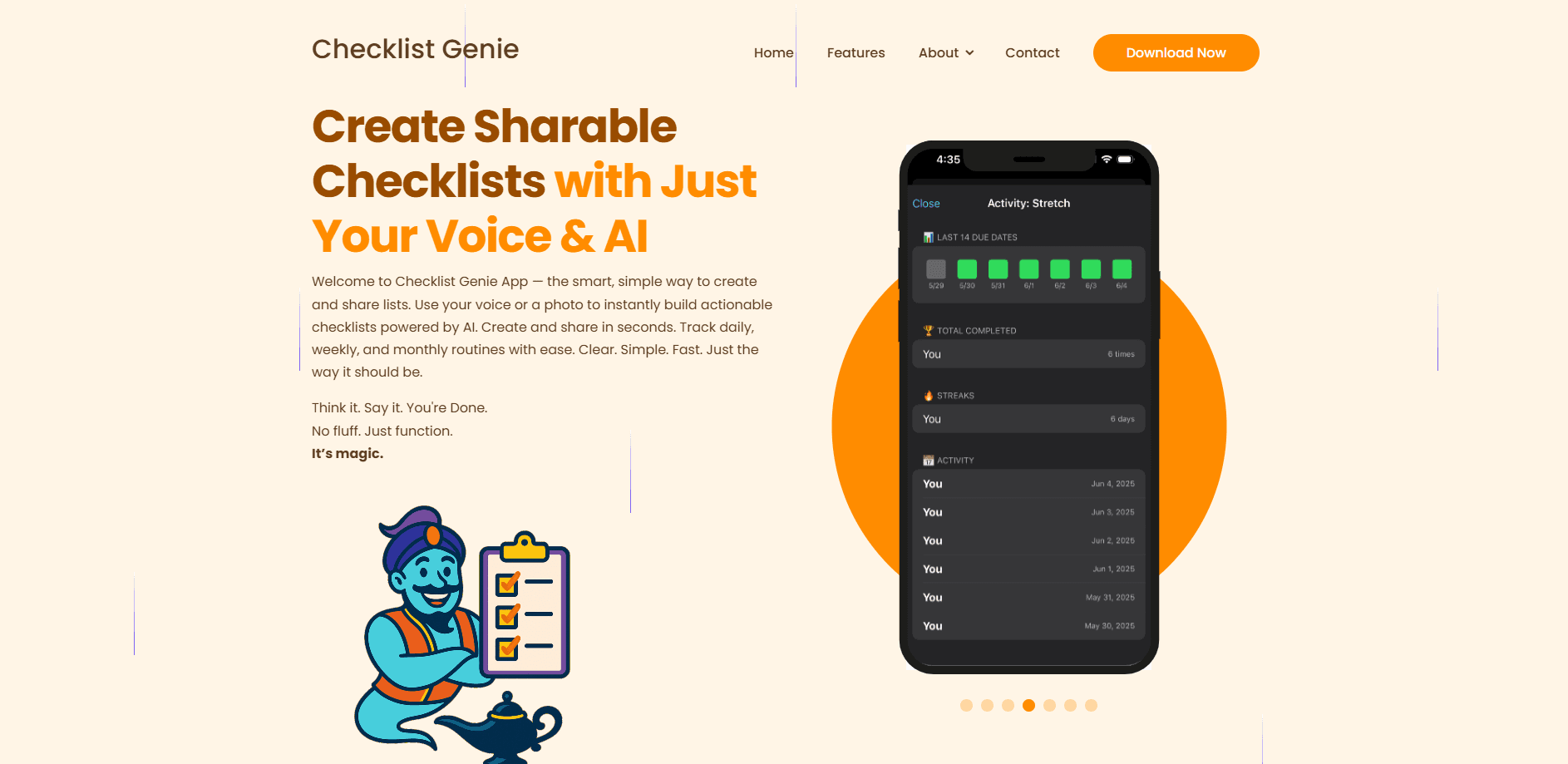
Any item can repeat on a schedule, daily, weekly with day selection, or monthly, and routine items only surface on the days they are due. A streak counter, completion history and progress charts show how consistent you have been. It is a simple loop, but seeing a streak build is often what keeps a habit alive past the first week.
Sharing and Family Collaboration
You can send a checklist through text, email or a QR code, and shared lists update in real time. The family tier covers up to six users under one subscription. For households splitting groceries or chores, it replaces the group chat where tasks get lost.
Calendar Sync
Toggle Add to Calendar on an item and its due date lands in your device calendar, with a direct option to open it in Google Calendar. This is what turns a passive list into something that reminds you, since the reminder lives where you already check your day.
Apple Watch and Home Screen Widgets
You can check off items and view routines from an Apple Watch, and home screen widgets surface your most important lists, routines and streaks without opening the app. Both features target the moments when reaching for the phone is inconvenient, like mid workout or with full hands.
Offline Access and Change History
Checklists stay usable offline, and changes sync back once you reconnect, which matters on flights or in spotty coverage. Every list also keeps an activity log showing what changed, when and by whom, useful for shared lists where you want to know who ticked what.
Pros and cons
Pros
- Voice and photo entry cut the typing that makes most to do apps tedious
- A free plan with 15 lists lets you test the core workflow before paying
- Routines, streaks and calendar sync combine habit tracking with a plain checklist in one app
- Shared lists and a six-person family tier fit households and small teams
- Apple Watch and widget support keep lists reachable without opening the phone
Cons
- Voice and AI features are locked behind the paid plan, so the headline feature is not in the free tier
- It is Apple-focused, which leaves Android users without a version to install
- No API is published, so there is no way to pull or push lists into other tools
- The free plan's 30-item cap is tight for larger projects, which pushes heavier users to subscribe
Frequently asked questions
Checklist Genie is a checklist and routine app for Apple devices. It builds lists from your voice or a photo, tracks recurring routines with streaks and progress charts, syncs due dates to your calendar and lets you share lists with other people.
Related content
Explore related tools, skills, and articles for Checklist Genie.
Checklist Genie Alternatives

Base Code
Base44 (Wix) · Coding · ProductivityBase Code is a shared cloud development environment from Base44. Teammates describe changes to an existing GitHub codebase in chat, preview them live and send them back as pull requests.

Knocket
Knocket (Tencent RTC team) · Productivity · Business · ChatbotKnocket is a free live chat and contact page tool that lets visitors message you from your website, app, or a shareable link, with every reply handled from Telegram or one inbox.

FloorGen
Vinit Kumar (FloorGen) · Productivity · China AIFloorGen is a browser-based floor plan maker that turns a sentence or a sketch into an editable 2D plan and a 3D walkthrough. Export to PDF, DXF or video, and draw without an account.