

ChefGPT: AI Meal Plans Tracker
MIU Digital Limited · AI Assistant
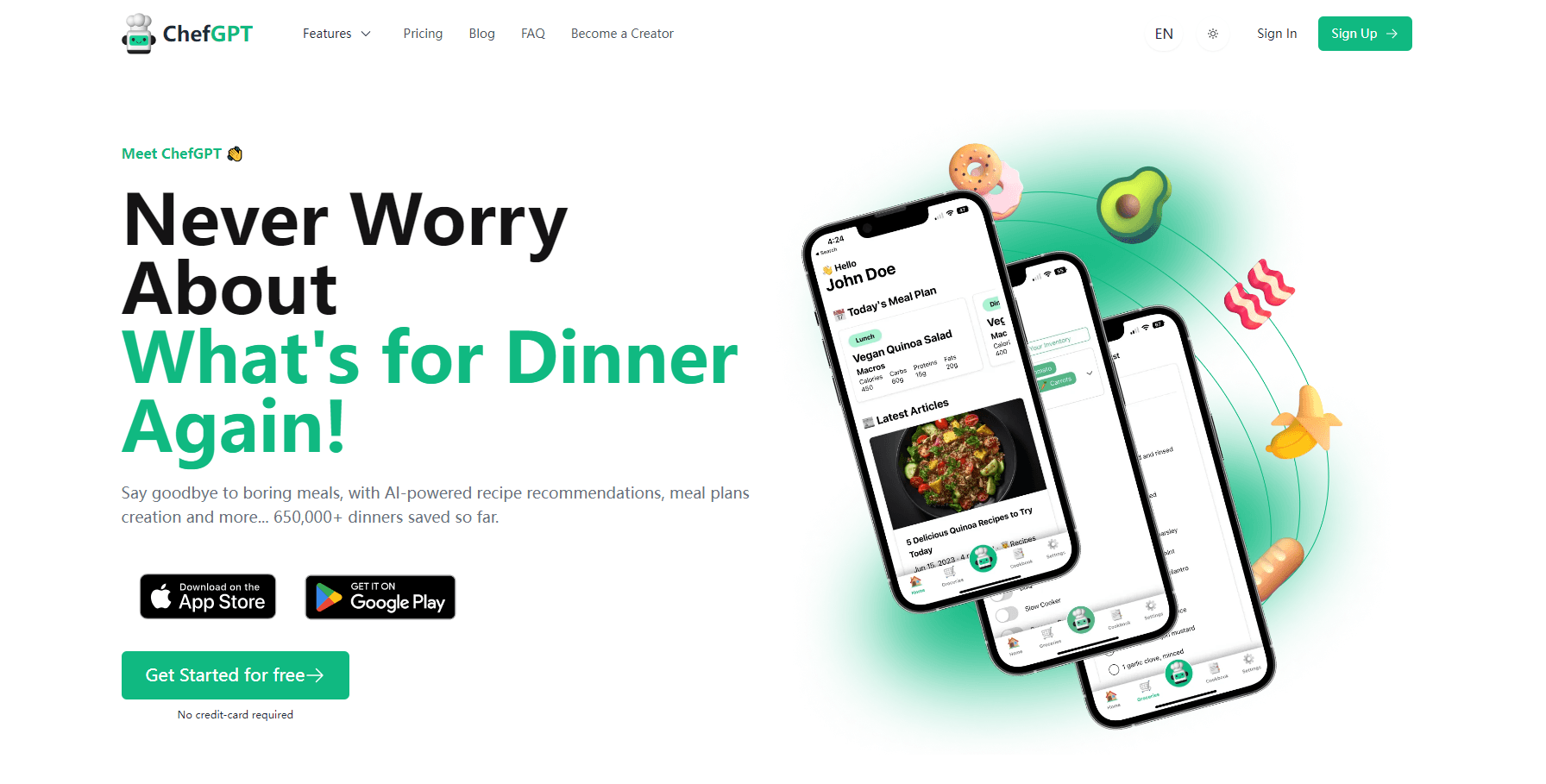
ChefGPT is an AI recipe and meal planning app that turns the food you already have into recipes, weekly plans, grocery lists, and calorie logs.
About ChefGPT: AI Meal Plans Tracker
What Is ChefGPT
ChefGPT is an AI recipe generator and AI meal planner from MIU Digital Limited, built around four generators. PantryChef works from the ingredients you list. MasterChef answers a request for a specific dish. MacrosChef builds around protein, carb, and fat targets. MealPlanChef spreads meals across a set number of days and hands back one consolidated shopping list. A photo logger sits on top and estimates calories from a picture of your plate.
The appeal is not recipe volume. It's the loop: what's in the fridge, what fits your goal, what to buy, what you actually ate. Most cooking apps stop at the first step and let you sort out the rest yourself.
The limits of an AI recipe generator matter just as much. Nutrition numbers are AI estimates, not lab measurements, and they drift when a photo is ambiguous or a portion is hidden under sauce. The app is a planning tool, not a dietitian, and it won't police allergens for you. Read labels yourself and treat every generated number as a starting point.
ChefGPT runs on iPhone, iPad, Mac, and Android, with a web app as well. The free tier gives you 3 recipes a month. Paid plans start at $1.99/mo, and the App Store listing notes that some features need an active subscription.
Getting Started
- Install the app or open chefgpt.io and create an account.
- Answer the lifestyle questions: age, measurements, activity level, goal, diet, and allergies. These feed MealPlanChef and MacrosChef.
- Pick a generator. List what's in your pantry, name a dish you want, set macro targets, or ask for a plan.
- Review the draft. Swap ingredients, change servings, or regenerate before you cook or shop.
- Log the meal with a photo if you want the daily calorie count to stay current.
Product Information
A quick look at ChefGPT: AI Meal Plans Tracker's pricing, supported platforms, and performance.
Best for
The users, tasks, and scenarios where this tool fits best.
Users
- Home cooks with a full fridge and no plan
- People counting calories or macros
- Busy households cooking for more than one person
Tasks
- Turning leftovers into dinner
- Drafting a week of meals
- Hitting a protein target
- Logging a restaurant plate
Scenarios
- Sunday planning before the weekly shop
- A cut or a bulk where meals repeat
- Cooking in a small kitchen with limited gear
Key features
PantryChef Builds From What You Have
You tick off ingredients you already own, set the meal type, the tools, the time, and your skill level, then generate. The pantry itself is stored in the app with expiration dates, so older items surface before they turn. This is the feature that separates ChefGPT from a recipe search box: the constraint comes first, the recipe second.
MasterChef Adapts a Named Dish
Ask for a dish by name and ChefGPT returns a version with amounts, steps, and timing. You can swap ingredients, change portions, and pick a different cooking method in the same request. It's the mode to use when you know what you want and need the details filled in, not inspiration.
MacrosChef Works Backwards From Numbers
Enter target grams of protein, carbohydrate, and fat, plus diet preferences, and the app proposes meals that aim at those numbers. Useful during a cut or a bulk when the daily total matters more than the dish. The output still needs checking against real brands and weighed portions.
MealPlanChef Plans Days and Builds the List
Give it your goal, diet, allergies, and how many days you want covered, and it drafts a plan across breakfast, lunch, and dinner. Ingredients roll up into one grocery shopping list, so you shop once. Plan quality depends on how specific your inputs are, especially allergies.
Photo Calorie Tracking
Snap a picture of a meal and the app estimates ingredients, calories, and macros, then adds the result to your daily log. It handles simple plates well and struggles with mixed bowls where components are hidden. Treat the number as a rough entry and edit it.
An API and Widgets for Developers
ChefGPT sells API access separately from the consumer app, with endpoints for recipes from ingredients, macro recipes, variations, images, wine and beer pairings, and meal plans. Embeddable widgets let a site offer the same tools with a few lines of code. Plans run from a low request cap up to unlimited enterprise volume.
Pros and cons
Pros
- Four generators cover the whole cooking loop, from pantry to plate to grocery list, instead of one narrow trick.
- Pantry tracking with expiration dates is genuinely useful and rarely bundled into recipe apps.
- Photo logging removes the most tedious part of calorie counting for simple meals.
- The free tier and the $1.99 entry plan make it cheap to test on real meals.
- A public API with widgets means the same engine can power a site or an app of your own.
Cons
- Nutrition and calorie figures are estimates. Over a month, small photo errors add up and can hide real progress or exaggerate it.
- The App Store listing states that access to features requires a paid subscription, which sits oddly next to the advertised free tier. Check the in-app paywall in your region before committing.
- Generated recipes can miss an allergen or suggest a substitution that doesn't fit your diet. You still have to read every label.
- Meal plans lean on the answers you gave at setup. Vague goals produce vague weeks, and you'll be editing.
Frequently asked questions
Partly. The official pricing page lists a free tier with 3 recipes a month, then Basic at $1.99/mo for 14 recipes and Pro at $12/mo for unlimited generation. The App Store description warns that some features need an active paid subscription, so confirm the current limits on the paywall before you rely on the free plan.
Related content
Explore related tools, skills, and articles for ChefGPT: AI Meal Plans Tracker.
ChefGPT: AI Meal Plans Tracker Alternatives
Agibot
Agibot · Productivity · AI Assistant · ChatbotAgibot is a personal AI agent for Mac that keeps running after you close the window, runs routines on a schedule, and works from Telegram or Slack with your own API keys.

Foley
Hanamori Labs, LLC · Voice & Language · Productivity · AI AssistantFoley is a voice to-do list that turns a spoken sentence into a filed task, complete with project, date and time, then helps you plan the day around what is already there.

Ghost Core
Ghost · Productivity · AI AssistantGhost Core is a $3,499 screenless personal AI computer that runs local AI models on its own hardware, builds context from your apps and devices, and acts without waiting for a prompt.