
Chess Scanner
Chess Scanner · Image
Chess Scanner is a mobile app that uses AI text recognition to turn handwritten chess score sheets into digital games you can store, export as PGN, or analyze on Lichess and Chess.com.
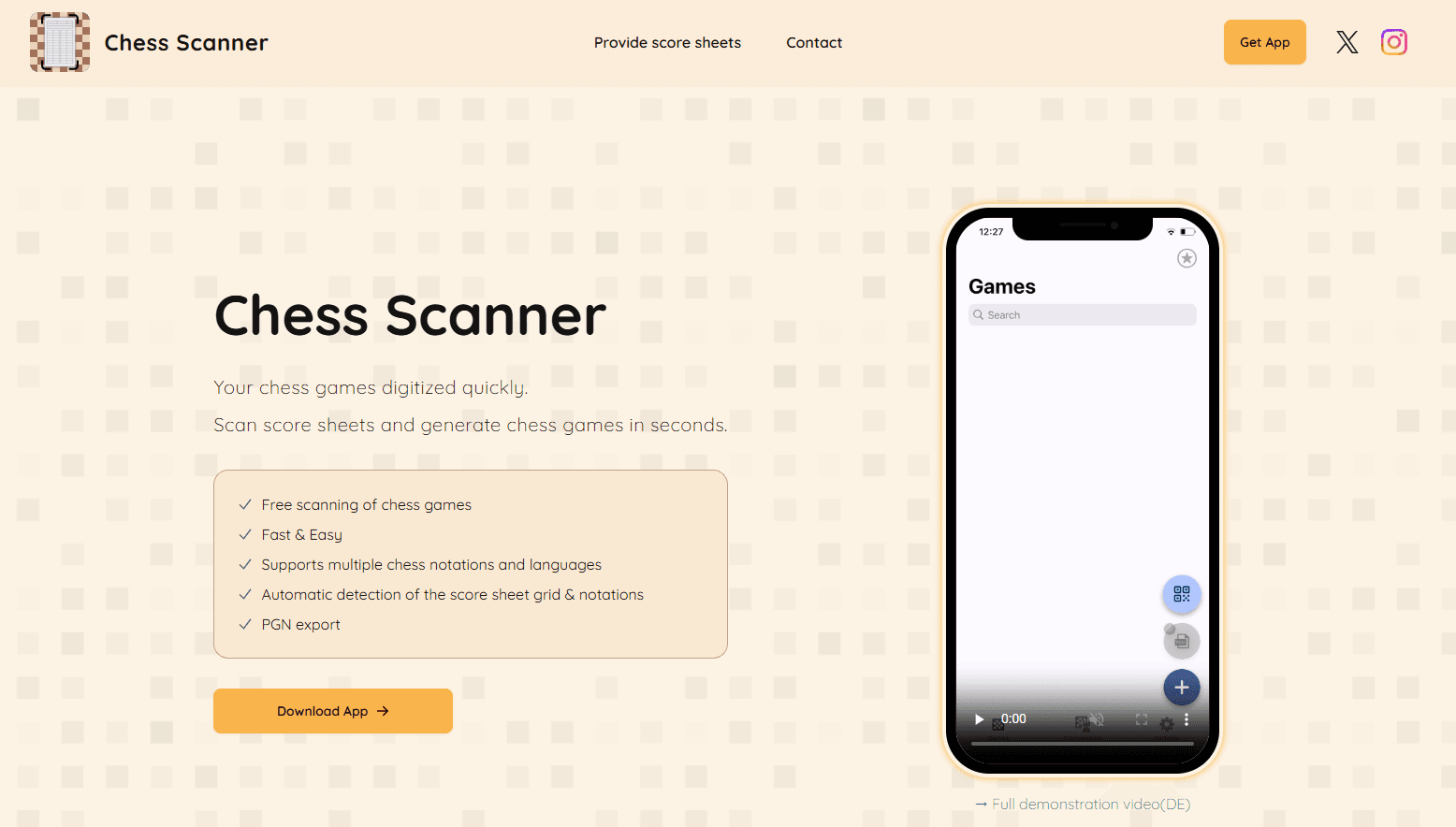
About Chess Scanner
What Is Chess Scanner
Chess Scanner takes the paper trail out of your chess games. It works as a chess score sheet scanner first: you photograph a completed sheet, and the chess notation OCR reads the handwritten moves and rebuilds the whole game as a digital file. No typing moves in one at a time, and no transcription errors slipping past you.
The approach is narrow on purpose. This is not a play-and-analyze app in the way Lichess or Chess.com are. It solves one job: getting a game that already happened on paper into a format a computer can use. From there you filter your games, share them, export PGN, or open them straight in your usual analysis tool.
The limits matter. Handwriting recognition is strong but not flawless, so messy or abbreviated score sheets need correction. Export, import and analysis sit behind the paid plan. Saving and filtering stay free. Official figures put accuracy above 95 percent. That still leaves room for the occasional misread move you should check.
Getting Started
- Download Chess Scanner from the App Store or Google Play, or open the web version in a browser.
- Sign in and grant camera access, then photograph your completed score sheet so the whole grid is in frame.
- Let the app detect the sheet, read the notation and build the digital game, then fix any moves it misread.
- Save the game to your library, then export it as PGN or open it on Lichess or Chess.com if you are on a paid plan.
Product Information
A quick look at Chess Scanner's pricing, supported platforms, and performance.
Best for
The users, tasks, and scenarios where this tool fits best.
Users
- Tournament players with a stack of paper score sheets
- Club players who want a personal archive
- Coaches and clubs building shared records
Tasks
- Digitizing a game from a handwritten sheet
- Exporting to PGN
- Opening a game on Lichess or Chess.com
Scenarios
- Archiving a tournament weekend
- Recording over-the-board club matches
- Keeping games in sync across devices
Key features
AI score sheet recognition
The core of the app reads handwritten chess notation with neural networks and rebuilds the game move by move. The developer states accuracy above 95 percent across supported notations. Because handwriting varies, you get an edit step after every scan, so a misread move is a quick fix rather than a lost game.
Score sheet scanning for both players
You photograph a completed sheet and the app detects its boundaries and prepares the image before processing. There is no need to scan chessboard squares or set up anything physical, since the sheet carries the whole game. The paid plan adds the ability to scan the second player's sheet too, which helps when two players wrote down the same game in different handwriting.
Export as PGN
Games leave the app as PGN files, the standard format chess software reads. This is what makes Chess Scanner useful as an archiving front end rather than a closed library. PGN export is premium, so free users stay inside the app.
Direct analysis on Lichess and Chess.com
On the paid plan you can open a scanned game on Lichess or Chess.com without exporting and re-importing. It removes the step between having a game and studying it, which is the whole point of getting the sheet off paper.
Library with filtering and sharing
Every game lives in a library you can filter and share. Free users get unlimited scans and this storage. The developer states scanned games stay on your device, with no cloud upload and no account needed for the free tier.
Cross-device sync and club databases
The mobile app pairs with the web version so games stay in sync across iOS, Android and the browser. A club can also build a shared database where members store and sync games into one central library.
Pros and cons
Pros
- Cuts a single game from a ten-minute manual entry to about a minute of scanning and quick correction.
- Free plan covers unlimited scans, saving, filtering and sharing. Archiving costs nothing.
- PGN export and direct Lichess and Chess.com opening cover the two paths most players actually want.
- Scanned games sit on your device with no cloud upload, and the image is deleted from the processing server right after the game is built.
Cons
- Export, import and analysis all sit behind the paid plan, so free users cannot get games out as files.
- Handwriting recognition is good but not perfect, and faded or sloppy score sheets mean more manual fixing.
- The sync and club features lean on the web account, so a very offline workflow gets less out of the app.
- Price is quoted as around $18 per year and varies by platform and country, so the exact figure is not fixed.
Frequently asked questions
Chess Scanner converts chess score sheets into digital games. You photograph a handwritten sheet, and AI text recognition reads the notation and rebuilds the moves. You can then save the game, export it as PGN, or open it on Lichess or Chess.com.
Related content
Explore related tools, skills, and articles for Chess Scanner.
Chess Scanner Alternatives

Google EmbeddingGemma 2
Google DeepMind · Writing · Image · CodingGoogle EmbeddingGemma 2 is a 740M-parameter open model that turns text, code, images, audio, and video frames into vectors in one 768-dimension space, running on phones and laptops.

Tractionwave
TractionWave · Image · MarketingTractionWave is an AI attention heatmap tool for static ads. Upload a PNG or JPG and it returns predicted attention, ranked hotspots, and fixes before you spend budget.

Imejis.io
Imejis.io · Image · MarketingImejis.io is an AI design studio for agents and marketing teams. Describe an image in plain words, and it writes the copy, builds the layout, reflows it to every size, then exports a finished file.