
Chord
Chord · Productivity · Chatbot
Chord is a multiplayer AI chat platform where each person talks one-on-one with an AI facilitator that routes context between them in real time, so groups reach decisions without a meeting.
About Chord
What Is Chord
Chord reworks the group discussion itself. Instead of one call where everyone hears the same thing, each participant holds a private one-on-one chat with an AI facilitator. The facilitator passes relevant information and viewpoints between people as the thread moves, so the group stays aligned without sitting through a call.
The pitch is simple. A conversation that runs in series takes longer with every person you add, and most of what a meeting broadcasts isn't useful to most of the room. Chord works as an AI meeting alternative for teams that can't keep booking calls. Chord parallelizes the exchange so everyone talks at once and each person hears the parts that matter to them. When the thread settles, the group gets a written consensus statement as the record of the decision. As an AI group chat, it also keeps the whole exchange in one place instead of scattered across apps.
The limits matter too. Chord depends on people showing up to type their thoughts, so it fits asynchronous, opinion-driven decisions better than fast back-and-forth work. Every participant also has to endorse the consensus before it's final.
Getting Started
- Sign in at chord.team with an email or a Google account.
- Start a new discussion, describe the decision your team needs to make or the topic you want consensus on, then copy the shared link.
- Drop the link into a Zoom chat, a Slack channel, or an email so each teammate can join.
- Let everyone chat one-on-one with the facilitator, which tailors its questions to each person's context.
- Once the group agrees, approve the consensus statement that Chord writes as the record.
Product Information
A quick look at Chord's pricing, supported platforms, and performance.
Best for
The users, tasks, and scenarios where this tool fits best.
Users
- Remote product teams
- Founders and operators
- Research and design leads
Tasks
- Turning a debate into a written decision
- Sharing research context across a team
- Working through a disagreement
Scenarios
- A pricing call with four stakeholders in three time zones
- A retrospective that keeps going in circles
- The early planning of an initiative
Key features
Parallel one-on-one chats
Every participant gets a private thread with the AI facilitator, and all of them run at the same time. Nobody waits for a turn, which is the main thing that separates this parallel discussion platform from a group call.
Real-time context routing
The facilitator decides what each person needs to hear from the others and passes it along as the discussion develops. That keeps everyone current without a summary at the end. Run well, a shared context chat means fewer "wait, what changed?" moments.
Consensus statements
When the group converges, Chord writes up the decision as a consensus statement, and each participant endorses it. The result is a document the team can keep, not just a chat that scrolls away.
Shared chat with multiple LLMs
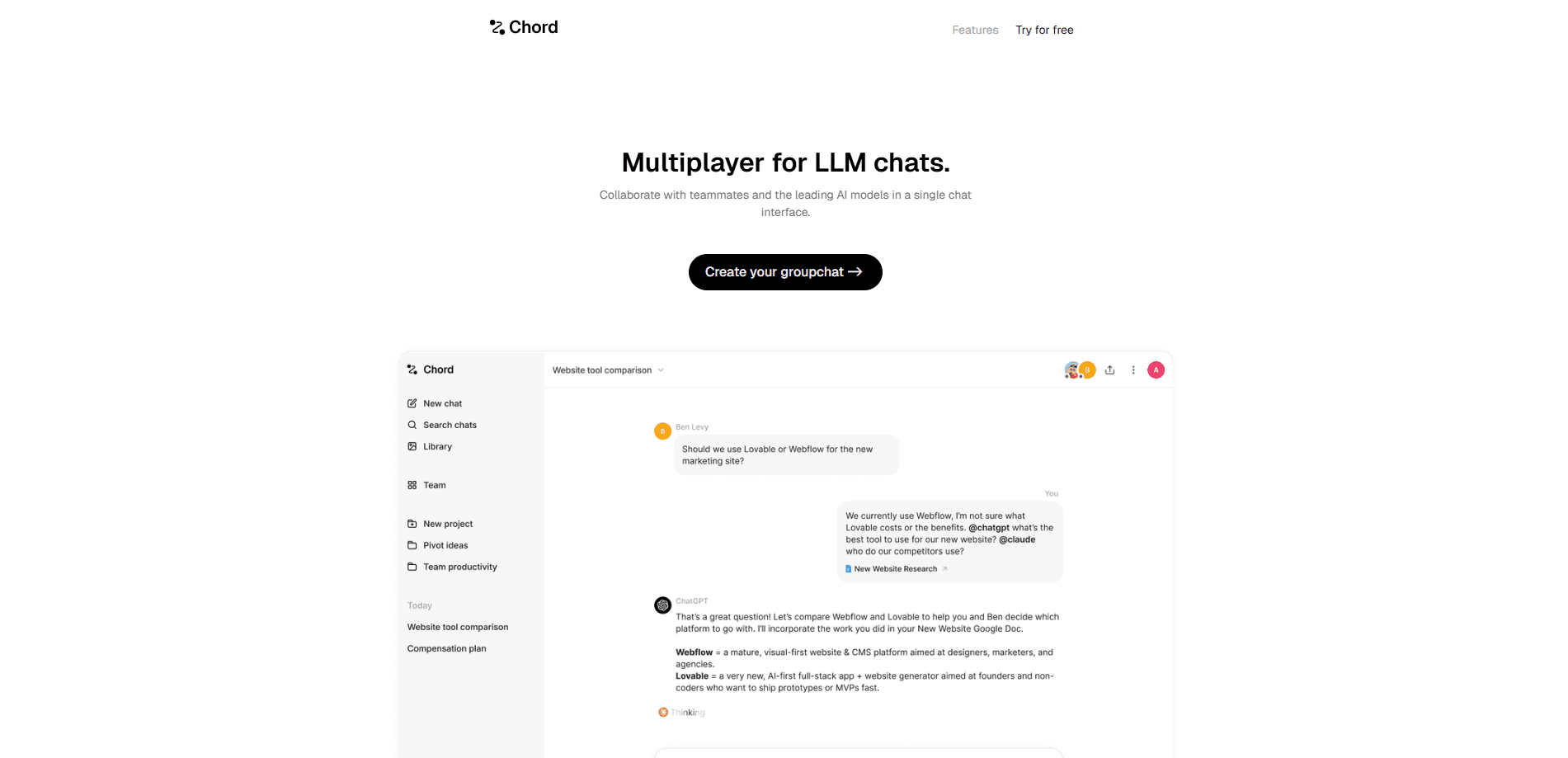
A separate mode puts up to 20 people and several AI models in one shared thread. You tag OpenAI, Anthropic, Gemini, or a local open-source model and mix humans and agents in the same chat.
Context import
You can paste an earlier LLM conversation into a Chord thread and it joins as context, so a discussion can pick up where a previous session left off. Documents can be brought in the same way.
Bring your own key
You can connect your own API keys or use the provider's proxy, and tagged models keep their full tool access inside the chat.
Pros and cons
Pros
- Cuts meeting time for decisions that don't need everyone live at once.
- The consensus statement leaves a clear record of why the group landed where it did.
- Context routing means each person reads less irrelevant back-and-forth.
- The shared mode supports up to 20 people and mixes several LLMs in one thread.
- You can plug in your own API keys instead of being locked to one provider.
Cons
- It depends on people actually participating, so a quiet teammate can stall the thread.
- Typing out your thinking takes longer than talking, which can slow down quick tactical debates.
- There's no public pricing on the site, so you have to sign up to learn what a paid plan costs.
- Consensus still needs everyone's explicit endorsement, which adds a step for decisive teams.
Frequently asked questions
Chord is built for group decisions and discussions. Each person chats privately with an AI facilitator, and the tool routes their context between everyone until the group settles on a consensus it can record.
Related content
Explore related tools, skills, and articles for Chord.
Chord Alternatives

Udon
Udon · Coding · ProductivityUdon turns an Apple Silicon Mac into a home server you run from a browser, with container controls, file shares, and an optional AI sysadmin.

offstage
offstage cloud · Coding · Productivityoffstage gives AI coding agents and CI jobs a real Mac: a fresh macOS account on Apple silicon, driven over an API and billed by the second.

BotBus
Chengdu Tuyang Tusen Technology Co., Ltd. · Coding · ProductivityBotBus lets you control AI coding agents from your phone and watch: approve commands, start tasks and read results while the code stays on your desktop.