

CirclePanel
Circle Panel · Productivity · Business
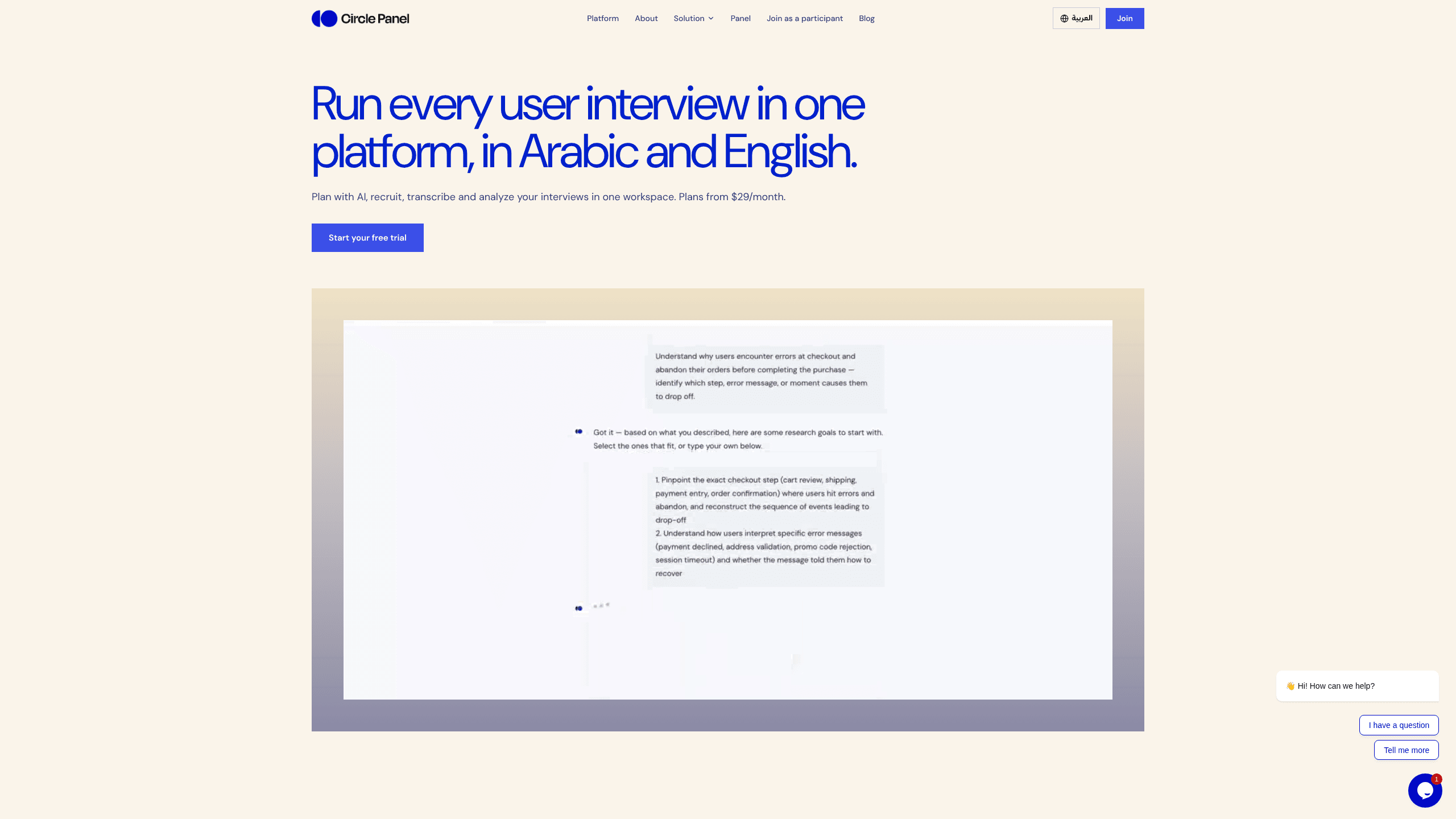
Circle Panel is an AI user research platform that plans studies, recruits participants, runs moderated interviews and turns each session into ranked, shareable insights.
About CirclePanel
What Is Circle Panel
Circle Panel is a browser-based research workspace for teams that talk to users for a living. Study design, participant recruitment, the interview, transcription and analysis sit in one account instead of five tabs. The product is built around qualitative work: moderated conversations, not form fills.
The AI layer sits at both ends of a study. Before sessions, a builder drafts the screener and discussion guides from a short brief. After sessions, it writes a debrief, groups quotes into themes and ranks the findings. A researcher still decides what matters. The AI removes the transcription and highlighting hours in between.
Two limits shape who gets value here. Plans meter interview sessions and AI credits each month, so a heavy quarter can hit a ceiling. And the interface ships in English and Arabic only, which makes it a harder sell for teams spread across other markets.
Getting Started
- Create a workspace at circlepanel.com with a work email. The free plan starts without a card.
- Describe the study in the AI study builder: audience, question and what you want to learn. It drafts a screener and discussion guides you can edit.
- Fill the sessions. Share a booking link with your own list, or invite people from your participant panel.
- Run the interview in the interview room, then open the debrief. Read the themes, check the ranked insights and share a summary link with the team.
Product Information
A quick look at CirclePanel's pricing, supported platforms, and performance.
Best for
The users, tasks, and scenarios where this tool fits best.
Users
- Solo researchers
- Product teams running continuous discovery
- Research operations leads
Tasks
- Writing a screener and discussion guides
- Running moderated interviews
- Turning transcripts into a decision
Scenarios
- A discovery sprint with a deadline
- A monthly research cadence
- Sharing findings with people who weren't in the room
Key features
AI Study Builder and Discussion Guides
Describe the study in plain language and the builder drafts a screener and discussion guides. You edit the questions, reorder sections and reuse the structure for the next round, which cuts the blank-page stage from an afternoon to a few minutes.
Participant Panel and Booking Links
Circle Panel keeps two recruiting paths in one place. Invite from your own participant panel, where profiles, languages and past sessions sit together, or send a booking link and let people pick a slot. Incentive tracking and persona notes live next to the same records, so you know who was paid and what they told you.
Moderated Interview Room
Sessions run in the browser. The interview room holds the call, the guide and the recording, and the transcript lands in the study when the call ends. There's no separate meeting tool and no file to download.
AI Debrief, Themes and Insight Ranking
After the last session the platform writes a debrief and groups what participants said into themes. Insights arrive with an insight ranking, so the loudest finding and the most repeated one are easy to tell apart. You can open the quotes behind any theme and check the claim yourself.
Research Repository
Every study stays in the workspace with its transcript, notes and clips. Search across past sessions when a new decision needs evidence, which is the difference between a research repository and a folder of recordings.
Share Links for Stakeholders
Two levels of sharing: a summary link for a quick read and a full public link with the detail. Viewers don't need a paid seat, which matters when the people making the decision aren't the people running the study.
Pros and cons
Pros
- Study design, recruiting, interviews and analysis share one workspace, so nothing has to be exported between tools.
- The AI builder produces a usable screener and discussion guides in minutes, which makes small studies worth running.
- Recruiting runs on your own participant panel or a booking link, so you don't need a separate panel vendor for every project.
- AI debrief and insight ranking cut the transcript-reading hours that usually delay a readout.
- Unlimited viewers on paid plans let stakeholders read sessions without buying a seat.
Cons
- Interview sessions and AI credits are metered per plan, so a busy research quarter can push a team into an upgrade.
- The interface is English and Arabic only, a real constraint for teams working in other languages, even if interviews themselves can run in many.
- Circle Panel doesn't publish API documentation, so findings can't be pushed into a warehouse or a product analytics tool automatically.
- Plan prices appear at checkout in local currency, which makes comparison shopping awkward before you sign up.
Frequently asked questions
Circle Panel handles qualitative user research from start to finish: writing the screener and discussion guides, recruiting participants, running moderated interviews in the browser, transcribing them, then producing a debrief with themes and ranked insights.
Related content
Explore related tools, skills, and articles for CirclePanel.
CirclePanel Alternatives

Base Code
Base44 (Wix) · Coding · ProductivityBase Code is a shared cloud development environment from Base44. Teammates describe changes to an existing GitHub codebase in chat, preview them live and send them back as pull requests.

Knocket
Knocket (Tencent RTC team) · Productivity · Business · ChatbotKnocket is a free live chat and contact page tool that lets visitors message you from your website, app, or a shareable link, with every reply handled from Telegram or one inbox.

FloorGen
Vinit Kumar (FloorGen) · Productivity · China AIFloorGen is a browser-based floor plan maker that turns a sentence or a sketch into an editable 2D plan and a 3D walkthrough. Export to PDF, DXF or video, and draw without an account.