

Claap
Claap (part of lemlist) · Productivity · Marketing
Claap is an AI sales call recorder for teams that captures calls, in-person meetings and emails, then writes structured fields, scores and next steps straight into your CRM.
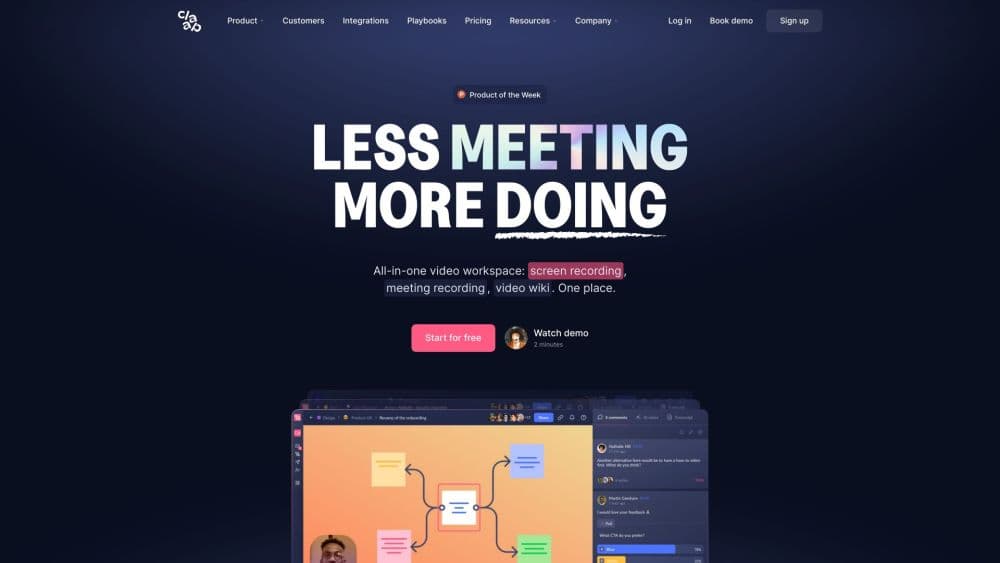
About Claap
What Is Claap
Claap is an AI meeting recorder and conversation intelligence platform for revenue teams. It records the conversations a sales team already has, online calls, dialer calls, in-person meetings and the emails around them, and then reads them back as structured data: qualification fields, objections, competitor mentions, next steps and a score against your sales methodology.
The output goes somewhere useful. Instead of dropping a wall of text into a note, Claap writes those fields into your CRM as custom objects, so Salesforce or HubSpot ends up with the deal context a rep would never fill in by hand. The same extracted data is exposed through a native MCP connector, which means Claude, ChatGPT or an agent you build can query it directly.
The catch is scope. Claap is built for sales and revenue work, not for general note taking or academic meetings. Teams that just want a transcript are paying for a CRM layer they will not use, and the cheapest plan caps video count and recording minutes hard. The pricing is also per seat, so a large team that only needs recordings should compare it with simpler recorders before signing.
Getting Started
- Create a workspace at claap.io and pick a licence type. The Basic licence is free; Pro and Business unlock unlimited recordings and the AI features.
- Install the Chrome extension or the macOS desktop app, or connect your calendar so recordings start on their own when a meeting begins.
- Record a call. The recorder works from your desktop without a bot joining, or you can add a visible bot if your team prefers that.
- Review the transcript, chapters and AI summary after the call, and correct any speaker or terminology errors before the data flows onward.
- Connect your CRM or an agent. Map the fields you want Claap to fill, then let it write meeting type, next steps and deal metadata automatically.
Product Information
A quick look at Claap's pricing, supported platforms, and performance.
Best for
The users, tasks, and scenarios where this tool fits best.
Users
- Account executives
- Sales managers and revenue leaders
- RevOps teams
Tasks
- Filling the CRM after calls
- Reviewing a rep's calls
- Bringing phone and in-person conversations into one place
- Feeding your own AI agents
Scenarios
- A renewals team that needs a reliable record of what was promised
- Replacing an expensive legacy recorder
- A mixed sales and customer success org with high turnover
Key features
Recording Without a Bot
Claap records Zoom, Google Meet and Microsoft Teams calls from a Chrome extension or a macOS desktop app, so the prospect sees a normal meeting with nothing extra joining. If your team would rather be transparent, a visible bot is available on every plan. Calendar sync and auto-record rules start recordings on their own, which removes the usual failure mode where somebody forgets to hit record.
CRM Auto-Complete
This is the feature that separates Claap from a plain note taker. After a call, it writes meeting type, budget, next steps, objections and competitor mentions into custom CRM objects in Salesforce or HubSpot, not into one blob of text. You decide which fields sync and when. The practical effect is a pipeline that updates itself. The field mapping takes an afternoon to set up properly.
Coaching and Methodology Scoring
Call scoring runs on scorecards for MEDDIC, MEDDPICC, BANT and SPICED, and you can write your own criteria. Each call gets a score per element, and the platform quotes the moment in the transcript that produced it, so a manager can check the reasoning instead of trusting a number. You can keep separate scorecards for account executives, sales engineers and customer success.
ClaapAgent and the MCP Connector
ClaapAgent runs across meetings rather than inside one: a daily recap in Slack, a weekly comparison of won and lost deals, a battlecard built from real prospect quotes. Through the MCP connector, Claude or ChatGPT can query your saved views with your permissions, and Zapier, Make, n8n or a webhook can trigger the same workflows without custom code.
Transcription in 99+ Languages
Meeting transcription covers more than 99 languages, with automatic chapters, speaker labels and topic splits, so a multilingual team gets the same quality of transcript and CRM fields as an English-only one. Transcripts do not consume AI credits, which matters if you record a lot and only run scoring on some calls.
In-Person, Dialer and Email Capture
The mobile app records meetings held in a room and returns them as structured notes. Audio capture handles calls from your dialer, and Aircall, Ringover and lemlist VoIP calls import automatically from the Pro plan up. Emails sit on the same deal timeline as the calls, so the record of a negotiation is not split across three tools.
Pros and cons
Pros
- Recording runs without a bot in the call, which avoids the awkward conversation when a prospect objects to being recorded.
- The CRM step writes real fields into custom objects, so reports and forecasts read from data someone did not have to type.
- Scorecards come ready for MEDDIC, MEDDPICC, BANT and SPICED and stay editable, so coaching follows your process instead of a vendor's.
- The MCP connector and API expose labeled fields to Claude, ChatGPT or your own agent, which is more reliable than handing a model raw transcripts.
- Basic licences are free and paid licences are reassignable, so mixed teams do not pay for every seat.
Cons
- The free Basic plan stops at 10 videos per user and 300 total recording minutes, so it works as a trial more than a permanent tier.
- Pro at $40 per seat is priced for unlimited recording but only 1,000 minutes a month and 500 AI credits, and heavy users can hit that ceiling.
- CRM auto-complete and coaching sit on the Business plan at $75 per seat, which roughly doubles the entry cost for a sales team.
- Setup takes real work: field mapping, scorecard criteria and which calls auto-record all need decisions before the data is trustworthy.
- Recording consent rules differ by country, and Claap leaves that compliance question to your legal team.
Frequently asked questions
Claap records sales calls, in-person meetings and emails, then extracts structure from them: qualification fields, risks, next steps and a score against your sales methodology. Those fields are written into your CRM automatically, and the same data is available to AI agents through an MCP connector and an API.
Related content
Explore related tools, skills, and articles for Claap.
Claap Alternatives

Base Code
Base44 (Wix) · Coding · ProductivityBase Code is a shared cloud development environment from Base44. Teammates describe changes to an existing GitHub codebase in chat, preview them live and send them back as pull requests.

Knocket
Knocket (Tencent RTC team) · Productivity · Business · ChatbotKnocket is a free live chat and contact page tool that lets visitors message you from your website, app, or a shareable link, with every reply handled from Telegram or one inbox.

FloorGen
Vinit Kumar (FloorGen) · Productivity · China AIFloorGen is a browser-based floor plan maker that turns a sentence or a sketch into an editable 2D plan and a 3D walkthrough. Export to PDF, DXF or video, and draw without an account.