

Clarify
Clarify · Productivity · Marketing
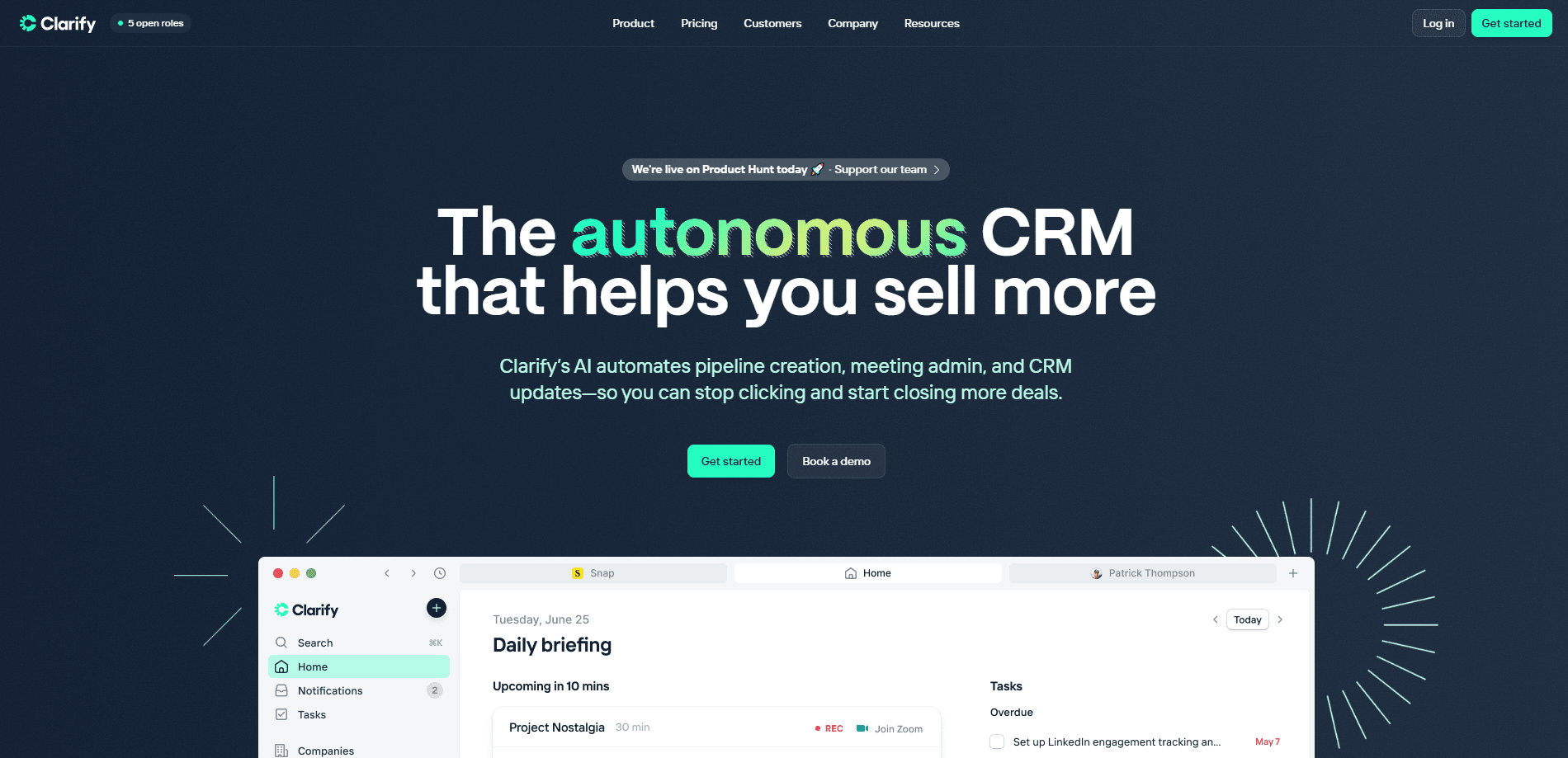
Clarify is an AI-native CRM that builds pipelines, takes meeting notes, and updates records on its own, so sales teams spend time closing deals instead of typing data.
About Clarify
What Is Clarify
Clarify is an AI-native CRM built for revenue teams that are tired of maintaining their own database. Instead of asking reps to log every call and move every deal stage by hand, the platform watches the work as it happens and fills in the record for them. Emails, meetings, and calls flow in from the tools you already use, and the CRM keeps accounts, contacts, and opportunities current without anyone typing an update.
The thinking behind Clarify is that a traditional CRM is one more chore layered onto a sales job. Clarify flips that: you run your day the way you normally would, and the system captures what happened. It plugs into Gmail, Outlook, Google Calendar, Microsoft 365, HubSpot, and Salesforce, and it reads LinkedIn activity too. A built-in agent called Rep can research accounts, draft outreach, and answer questions about your pipeline, and an MCP server lets external AI assistants work with the same data.
The limits are mostly about scope. The platform runs in the browser, so there's no offline mode, and hosting is US-only for now, with EU hosting still on the roadmap. The deeper automation, like the AI agent, the higher credit allowances, and HIPAA and GDPR paperwork, sits behind the Growth plan and above, which starts at $1,000 per month. Smaller teams can start free but will feel those ceilings quickly.
Getting Started
- Sign up on the Clarify website and connect the email and calendar accounts your team already uses.
- Sync your existing CRM, or import contacts, companies, and open deals.
- Let Clarify read recent activity and rebuild the pipeline from your real email and meeting history.
- Turn on the AI agent so it can enrich records, research accounts, and draft follow-ups.
- Review the dashboard, adjust your stages, and invite the rest of the revenue team.
Product Information
A quick look at Clarify's pricing, supported platforms, and performance.
Best for
The users, tasks, and scenarios where this tool fits best.
Users
- Sales reps
- Sales leaders
- Revenue operations teams
- Founders running lean teams
Tasks
- Building a pipeline from scratch
- Capturing call and meeting notes
- Enriching dead records
- Drafting outreach
Scenarios
- A small team with no admin
- Teams switching from a legacy CRM
- Client-facing work where context matters
- Companies weighing AI tools for sales
Key features
Autonomous pipeline building
Clarify watches the activity that already happens and turns it into deals. This autonomous pipeline building is the core promise of the AI CRM. It reads email threads and meeting transcripts, spots the accounts and opportunities inside them, and creates the pipeline for you. For a team that never kept its CRM current, that's the difference between an empty database and one that reflects what actually happened.
An AI sales agent called Rep
Rep is the agent that lives inside the CRM, so Clarify Rep handles the research and drafting that used to sit with a human rep. It researches accounts, pulls together what it knows from past conversations and enrichment sources, drafts outreach, and answers questions about your pipeline in plain language. The point is to take the lookup-and-type work off a rep's plate, not to replace the rep's judgment on a deal.
Meeting and call intelligence
Clarify captures meetings through Google Meet, Microsoft 365, and note-taking tools like Granola and Circleback, then files the summary and action items on the right account. You get a searchable record of what was said, and the CRM updates itself from that record. The tool also works with call platforms through the same integration layer.
Two-way CRM sync
Native connectors keep Clarify and your existing system aligned. With Salesforce and HubSpot, changes flow both ways, so contacts, companies, and opportunities stay consistent across both tools. That matters most for teams that can't rip out their old CRM in a single weekend and need the two to run side by side.
Enrichment from your whole stack
The platform pulls signals from Gmail, Outlook, LinkedIn, and product analytics tools like Amplitude and PostHog into each record. Account health, recent product usage, and past conversations all sit next to the deal, so a rep knows the state of an account without opening five tabs. Webhooks and tools like Zapier and Pipedream extend the reach to thousands of other apps.
MCP server for AI assistants
Clarify ships a Model Context Protocol server, so assistants like Claude and ChatGPT can read and act on your CRM data with permission. That turns the CRM into a source other AI tools can query directly, which fits teams already running assistants in their day-to-day work.
Pros and cons
Pros
- Self-maintaining records cut the busywork of manual CRM entry, which is the task reps most often skip.
- Native two-way sync with Salesforce and HubSpot lets teams migrate gradually instead of switching overnight.
- A free plan and a $50 per month Starter tier make it cheap to test before committing to the automated agent.
- Enterprise controls, including SSO, SAML, audit logging, and SOC 2 Type 2 compliance, cover the security questions larger buyers ask.
- The MCP server opens the CRM to external AI assistants, an unusual option for a CRM at this price.
Cons
- The full AI agent, larger credit allowances, and HIPAA and GDPR agreements require the Growth plan, which starts at $1,000 per month.
- Hosting is US-only right now, so teams with strict EU data residency rules have to wait for the planned EU region.
- It runs only in the browser, so there's no desktop or mobile app for teams that prefer working offline.
Frequently asked questions
Clarify is a CRM that fills itself in. It reads your email and meetings, builds and updates the pipeline, and uses an AI agent to research accounts and draft outreach, so you spend less time maintaining the database.
Related content
Explore related tools, skills, and articles for Clarify.
Clarify Alternatives

Udon
Udon · Coding · ProductivityUdon turns an Apple Silicon Mac into a home server you run from a browser, with container controls, file shares, and an optional AI sysadmin.

offstage
offstage cloud · Coding · Productivityoffstage gives AI coding agents and CI jobs a real Mac: a fresh macOS account on Apple silicon, driven over an API and billed by the second.

BotBus
Chengdu Tuyang Tusen Technology Co., Ltd. · Coding · ProductivityBotBus lets you control AI coding agents from your phone and watch: approve commands, start tasks and read results while the code stays on your desktop.