

Clarify AI
Clarify AI · Productivity · Leaning
Clarify AI turns vague business problems into structured issue trees, adds targeted research, and builds actionable notebooks for consultants and managers.
About Clarify AI
What Is Clarify AI
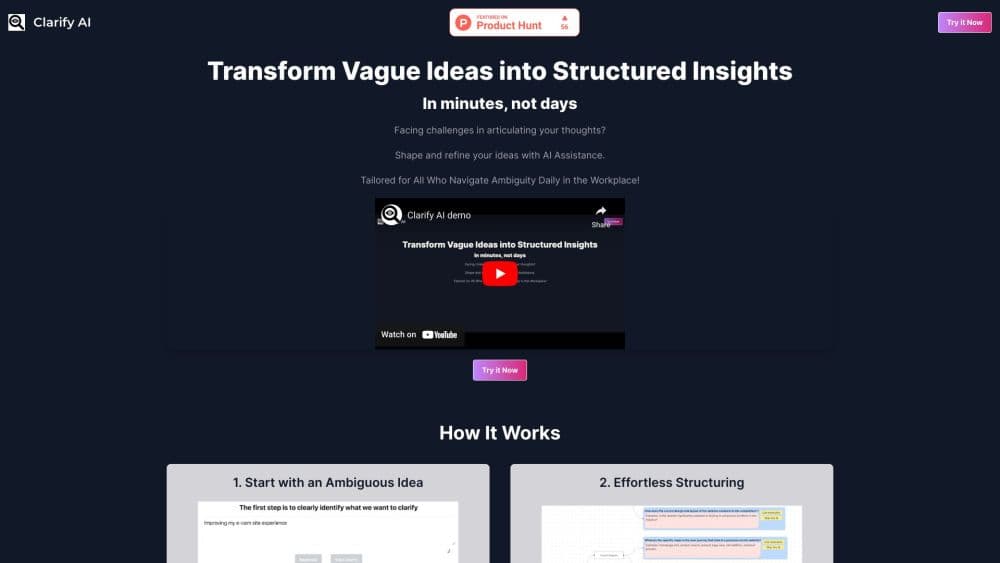
Clarify AI is a web app for the moment before the slide deck. You bring a half formed question, the kind you would normally talk through with a colleague, and the tool pushes back with clarifying questions until the problem is stated in plain terms. Then it builds an issue tree: a branching map of the sub questions that have to be answered.
The pitch is borrowed from consulting. Strategy teams break a big question into smaller ones that don't overlap and together cover the whole problem, which is where the MECE issue tree idea comes from. Clarify AI automates that first pass, so the structure exists before you spend a day in a workshop. The maker has been open that the product is a thin layer over large language models, and the value sits in the workflow around the model rather than the model itself.
The limits matter as much as the features. There's no published pricing page, no public API and no team workspace to speak of. Output quality depends on how much context you feed it, and a generated tree can look convincing while resting on weak assumptions. Treat it as a first draft of your thinking, not the final answer.
Getting Started
- Open clarify-ai.com and click Try It Now. The app runs in the browser and needs an account.
- Type the problem as you would say it out loud. One or two sentences is enough to start.
- Answer the follow up questions the tool asks. This step is where the vague version becomes a usable brief.
- Review the generated issue tree, then edit branches, add your own insights or run targeted research on a branch that looks thin.
- Turn the finished structure into an AI notebook with curated prompts, then copy the material into your doc, deck or another model.
Product Information
A quick look at Clarify AI's pricing, supported platforms, and performance.
Best for
The users, tasks, and scenarios where this tool fits best.
Users
- Consultants and analysts
- Product and strategy managers
- Founders and solo operators
Tasks
- Framing a market entry question
- Turning a messy brainstorm into a plan
- Preparing an interview or workshop guide
Scenarios
- The night before a case interview
- A weekly strategy review with no analyst support
- Handing work to another AI tool
Key features
Clarifying Questions Before Structure
Clarify AI doesn't accept your first sentence as the brief. It asks what you mean, who the answer is for and what would count as a good outcome, then restates the problem. That restatement is often the most useful artifact in the whole session, because it exposes assumptions you didn't notice.
Automatic Issue Tree Generation
Once the problem is framed, the tool builds a branching structure of sub questions and shows it as a tree. It works as an issue tree generator, and each branch can be opened, renamed or removed. This is the core of the AI issue tree workflow, and it moves the blank page problem out of the way in under a minute.
Targeted Research per Branch
You can send a single branch out for research instead of asking about the whole problem. Results come back attached to that branch, which keeps evidence where it belongs. The tool is acting as a lightweight research assistant here, not as a source you should cite without checking.
Editable Structure
Every node is yours to change. Add a branch the model missed, merge two that overlap, or delete a line of thinking that doesn't hold. The AI problem structuring is a starting point, and the editing step is where most of the value gets created.
Actionable Notebooks
The final output is a notebook: your context, the tree and a set of curated prompts arranged so you can produce a document section by section. Think of it as an AI notebook that carries the reasoning forward instead of a chat transcript you have to reread.
Prompt Library Built In
The tool ships prompts matched to common consulting outputs, such as a situation summary, a hypothesis list or an analysis plan. You don't have to write them from scratch, which is the main reason the notebook step beats opening a blank chat window.
Pros and cons
Pros
- The clarifying step catches a badly stated question early, which is cheaper than discovering it after the research.
- Issue tree output is editable and fast, so you get a structure to argue with in minutes.
- Research stays attached to specific branches, which makes it easier to see which claim supports which conclusion.
- Notebooks preserve context, so handing the work to ChatGPT or Claude later doesn't restart the thinking.
Cons
- No published pricing anywhere on the site. You can try the tool, but you can't budget for it or compare plans before signing up.
- The output is only as good as your input. A thin brief produces a generic tree that looks tidy and says little.
- No public API, so the workflow can't be wired into your own tools or automated.
- Research results can read as confident even when the underlying source is weak. Every claim still needs a check.
Frequently asked questions
It takes a vague problem statement and turns it into a structured issue tree, then helps you research the branches and write up the result. The product is aimed at the framing stage of a project, not at delivery.
Related content
Explore related tools, skills, and articles for Clarify AI.
Clarify AI Alternatives

Base Code
Base44 (Wix) · Coding · ProductivityBase Code is a shared cloud development environment from Base44. Teammates describe changes to an existing GitHub codebase in chat, preview them live and send them back as pull requests.

Knocket
Knocket (Tencent RTC team) · Productivity · Business · ChatbotKnocket is a free live chat and contact page tool that lets visitors message you from your website, app, or a shareable link, with every reply handled from Telegram or one inbox.

FloorGen
Vinit Kumar (FloorGen) · Productivity · China AIFloorGen is a browser-based floor plan maker that turns a sentence or a sketch into an editable 2D plan and a 3D walkthrough. Export to PDF, DXF or video, and draw without an account.