

ClarityIntroducing Clarity Intelligence
Nexus Nexus Ltd · Leaning · AI Assistant
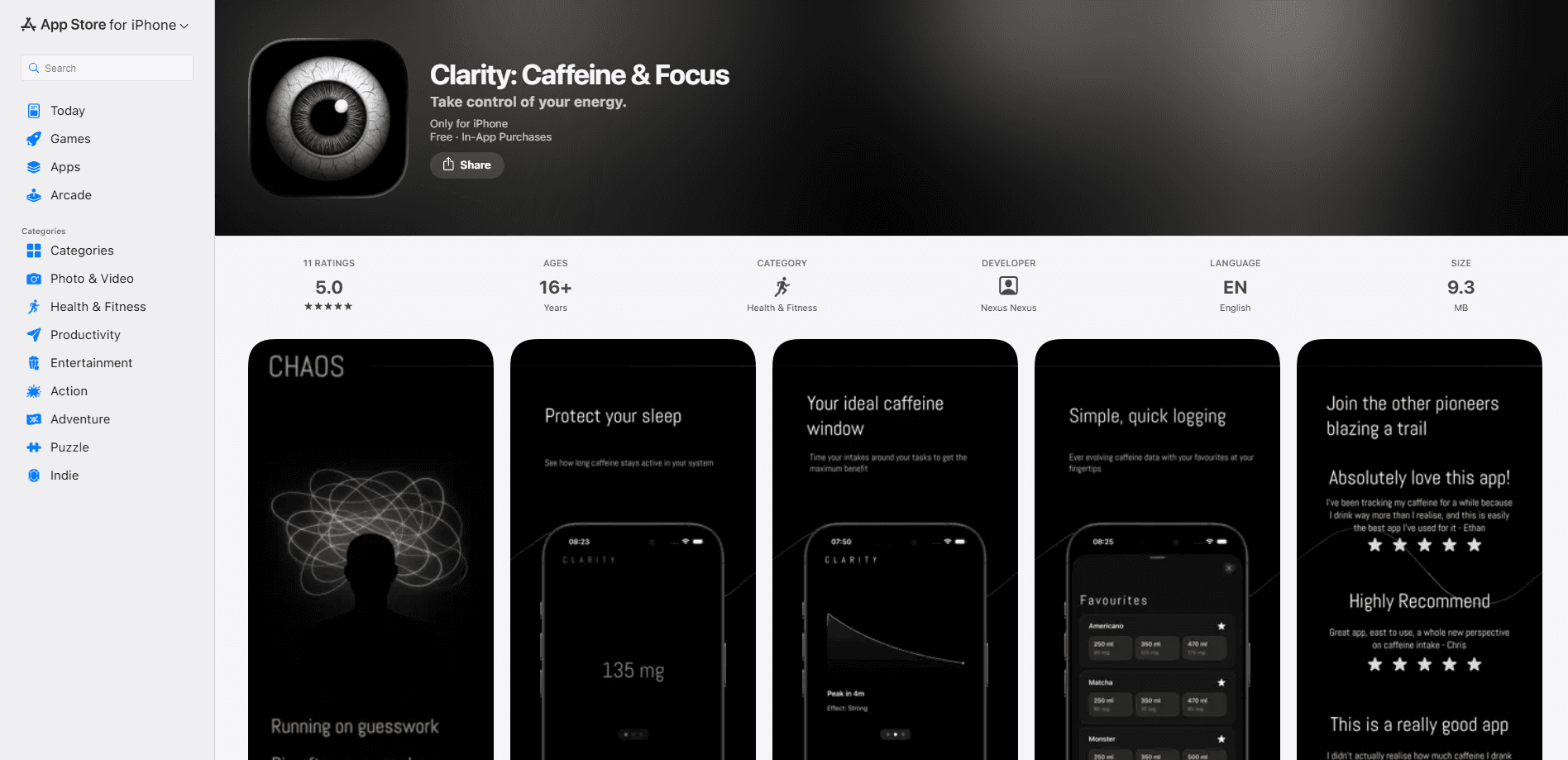
Clarity: Caffeine Tracker is a Health & Fitness app that logs what you drink and shows how caffeine moves through your body over the course of a day. Instead of just totaling milligrams, it models caffeine half-life so you can see when your afternoon coffee still lingers at bedtime, when your energy will dip, and how to time your last cup without wrecking your night. It suits anyone who drinks coffee, tea, or energy drinks and wants to use those drinks deliberately rather than by accident. No more guessing. The app handles the math, and you decide when to stop.
About ClarityIntroducing Clarity Intelligence
What Is Clarity: Caffeine Tracker
Clarity: Caffeine Tracker is built around one idea: caffeine stays in your system longer than most people assume. Log a drink and the app builds a running picture of how much caffeine is active right now, when it peaks, and how much is still circulating when you try to fall asleep.
The app targets a common frustration. People know caffeine affects them, but they can't tell which drink caused a restless night or a mid-afternoon crash. Clarity turns those guesses into a visible curve. The connection between your 2 PM coffee and your 2 AM wake-up stops being a mystery, and your energy levels stop feeling random.
The main limitation is scope. Clarity is a tracking and prediction tool, not a medical device, and its numbers are estimates based on typical caffeine decay rather than a personal lab measurement. It also runs on iPhone only, so Android users need a different app. So why bother tracking at all? Because a curve you can see beats a feeling you can't pin down.
Getting Started
- Install Clarity: Caffeine Tracker from the App Store and open the app.
- Set up a basic profile with details like your typical caffeine sensitivity so predictions fit you better.
- Log your usual drinks by picking from the built-in list or entering a custom caffeine amount.
- Open the daily view to watch your active caffeine level rise and fall across the day.
- Set a target bedtime so the app can flag when a late drink is likely to sit with you overnight.
Product Information
A quick look at ClarityIntroducing Clarity Intelligence's pricing, supported platforms, and performance.
Best for
The users, tasks, and scenarios where this tool fits best.
Users
- Coffee and tea drinkers who get wired or jittery in the afternoon and want to know which drink is to blame, provided they're willing to log cups for a week or two before patterns show up.
- Athletes and gym-goers who care about how caffeine affects recovery and sleep, since the app surfaces how much is still active when training or rest matters.
- Shift workers and students who rely on caffeine at odd hours and need to see when a late dose will still be holding them back at bedtime.
Tasks
- Timing your last cup of the day
- Cutting back without quitting
- Understanding the afternoon crash
Scenarios
- Getting ready for an early meeting after a late coffee
- Training days when you dose caffeine for performance
- Building a repeatable morning routine
Key features
Caffeine Half-Life Tracking and Prediction
Clarity doesn't just add up milligrams. It models how fast caffeine leaves your body and projects the decline over the following hours. That lets you see your current active level, when it will peak, and roughly when you'll be clear. For anyone who has ever blamed the wrong drink for a bad night, this is the part that matters most. Simple, and useful.
Fast Drink Logging With a Built-In Library
Logging a coffee or energy drink takes a few taps. The app includes common drinks with preset caffeine amounts, and you can add custom entries when your usual order doesn't match anything on the list. Friction is low enough that daily tracking doesn't feel like a chore, which is usually what kills intake apps after the first week. Fewer taps, more consistency.
Sleep Impact Estimates
The app ties your caffeine to your sleep window. Set a target bedtime and Clarity estimates how much caffeine will still be active when you try to fall asleep, so a late latte stops being a surprise. This is guidance, not a diagnosis, but it turns a vague worry into something you can actually see and act on. No more guessing at midnight.
Daily and Weekly Energy and Focus Insights
Beyond a single day, Clarity rolls your intake into daily and week-by-week views. You can spot the days your caffeine ran high, tie them to how your focus and energy felt, and adjust. Patterns that are invisible drink by drink become obvious once they're lined up over a month. That's the payoff.
Custom Drink Amounts
Not every cup is standard. Clarity lets you enter exact caffeine amounts for home brews, specialty drinks, or supplements, so the curve reflects what you actually consumed rather than a generic average. That matters if you drink strong espresso, cold brew, or pre-workout blends with widely varying caffeine content. Numbers in, real picture out.
Pros and cons
Pros
- Clear visual curve that shows active caffeine instead of a flat daily total, so the timing of a drink's effect is easy to read.
- Fast logging with a preset drink library lowers the effort needed to keep tracking going day after day.
- Sleep impact estimates connect late caffeine to bedtime, which is the connection most people miss.
- Weekly views help you spot habits like a regular late-coffee routine that a single day's log would hide.
Cons
- iPhone only, so Android users can't use it and need an alternative.
- Predictions rely on typical caffeine decay rather than your personal metabolism, so the curve is an estimate, not a measurement.
- It tracks and predicts but doesn't coach you through cutting back, which some rival apps do.
Frequently asked questions
It tracks your caffeine intake and shows how that caffeine moves through your body over time. You log what you drink, and the app estimates your active level, when it peaks, and when it will clear so you can plan around sleep and focus.
Related content
Explore related tools, skills, and articles for ClarityIntroducing Clarity Intelligence.
ClarityIntroducing Clarity Intelligence Alternatives

Kaggle AI
Google · Coding · LeaningKaggle AI is a community platform where people build, test, and compare machine learning models against shared data. It combines data science competitions, tens of thousands of public datasets, and free cloud notebooks with GPU and TPU access, so anyone with a browser can train a model without buying hardware. Google owns the platform, and joining costs nothing.

Bunch
Bunch AI · Leaning · BusinessBunch is an AI leadership coaching app that turns a few spare minutes a day into real management practice. It hands you one short, personalized tip each day, tracks how you respond, and lets you compare notes with peers inside private groups. The pitch is simple: you lead better by practicing a little, often, instead of sitting through a weekend seminar. Think of it as a leadership training app you actually open.

AI Mock Interview
SQLPad · Coding · LeaningAI Mock Interview is a practice tool built into SQLPad that simulates real job interviews and gives you instant feedback on both what you say and how you say it. You pick a role template or upload a job description, answer questions out loud in real time, and then review a transcript with notes on structure, clarity, and grammar. It's aimed at data professionals prepping for SQL, Python, data engineering, machine learning, and system design roles, and it works entirely in the browser. No install needed.