

Claunnector
Claunnector · Productivity
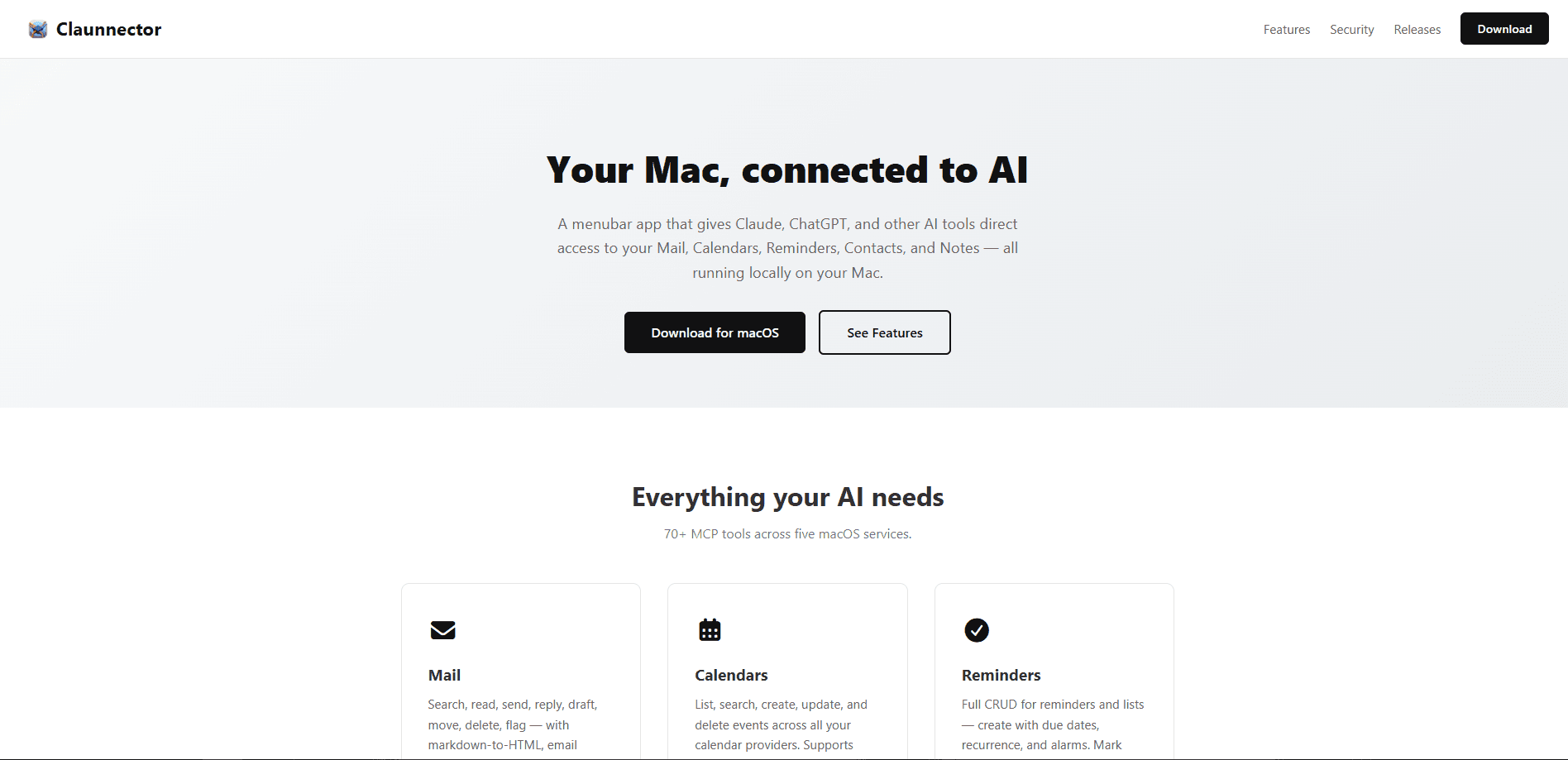
Claunnector is a native macOS menubar app that connects AI tools like Claude, ChatGPT, and other MCP-compatible clients to your Mac's Mail, Calendars, Reminders, Contacts, and Notes. It ships 95+ local tools across Apple apps, Google Workspace, and local services. Everything runs on your machine, not on a remote server. Want an AI email assistant that reads your inbox or drafts a calendar invite without shipping your data to a third party? That's what this bridge is for.
About Claunnector
What Is Claunnector
Claunnector is a macOS connector that turns your AI client into something closer to an assistant with hands. Instead of copying text between apps, you give Claude, ChatGPT, or another MCP client for Mac direct access to the apps already on your Mac. Then you let it act on your behalf.
The core idea is control. You decide which email accounts, calendars, and apps each AI client can reach. You also decide what stays off limits. Because the server runs locally and the tools talk to Apple's own frameworks (EventKit, Contacts, and so on), your mail, notes, and contacts don't get uploaded to a separate cloud service to be processed.
The biggest limitation is scope. Claunnector is macOS only, so Windows and Linux users are out of luck. It also expects you to understand what an MCP client is, at least loosely. Never configured an AI tool beyond a chat window? The setup will feel more technical than signing into a normal app.
Getting Started
- Download the Claunnector DMG from the official site and drag the app into Applications.
- Launch it and start the local server from the menubar icon.
- Add the email accounts and connect the apps you want the AI to reach, then grant macOS permissions when prompted.
- Create a client profile for each AI tool so you control which apps it can automate.
- Use the 1-click install to add Claunnector to Claude Desktop, Claude Code, or another MCP client, then start asking questions about your mail, calendar, or notes.
Product Information
A quick look at Claunnector's pricing, supported platforms, and performance.
Best for
The users, tasks, and scenarios where this tool fits best.
Users
- Mac owners who already pay for Claude or ChatGPT and want those tools to touch real data
- Privacy-conscious professionals
- Small teams without IT support
Tasks
- Sorting and replying to email
- Scheduling
- Filing notes and reminders
Scenarios
- Morning inbox triage
- Meeting prep
- Research filing
Key features
95+ Local MCP Tools
Claunnector gives AI clients access to more than 95 tools spread across your Mac's built-in apps, Google Workspace, and local services. That range is the real selling point. It acts as a single Claude MCP server plus a bridge for other clients. One connection covers Mail, Calendars, Reminders, Contacts, Notes, Google Drive, Google Forms, notifications, and app automation, so you don't chain together a dozen separate servers.
Email That Actually Sends
The Mail tools handle search, read, send, reply, draft, move, delete, and flag, with markdown-to-HTML conversion, threading, and SPF/DKIM/DMARC authentication. It works with Gmail via OAuth and any standard IMAP/SMTP account. One catch matters here. These are accounts you add inside Claunnector, not the accounts sitting in Apple's Mail app.
App Automation via AppleScript
A single run_applescript tool lets the AI drive Music, Pages, Numbers, and Keynote. Clients pull per-app reference docs on demand, and profiles keep each client inside the apps you allow. No wild access. It's a clean way to have Claude build a spreadsheet or automate playback without giving it the keys to everything.
Local Services and HTTP Requests
One http_request tool reaches local services on your Mac, like Anki, Ollama, or a dev server, plus allow-listed external APIs. Loopback requests always work, and request bodies pass through verbatim. If you run models locally, this is how your AI client reaches them.
Client Profiles and Privacy Controls
Every AI client gets its own profile, so you can grant Claude access to your calendar while blocking it from your notes. An audit log records what happened, and you control retention. That matters. Profiles are the layer that makes sharing your Mac with an AI feel less like an all-or-nothing decision.
1-Click Client Installation
The app manages installations for Claude Desktop, Claude Code, and Claude Cowork without manual config files. Launch at login keeps the server ready. The menubar handles start, stop, settings, and notifications from one icon.
Pros and cons
Pros
- Runs locally, so your mail, notes, and contacts stay on your Mac instead of a vendor cloud.
- The tool count is high enough to cover most daily admin work without extra servers.
- Per-client profiles let you limit each AI tool to specific apps and accounts.
- Google Drive downloads land on disk with a path handed to the AI, so large files and binaries work.
- The 1-click install for Claude clients skips the usual JSON config editing.
Cons
- macOS only, which rules out Windows and Linux users entirely.
- The Mail tools don't read accounts already set up in Apple's Mail app, so you re-add each account.
- Sharing from Google Drive is deliberately left to you, meaning the AI won't post a link on its own.
- You need to grasp MCP concepts before the setup makes sense.
Frequently asked questions
It connects AI tools like Claude and ChatGPT to your Mac's apps through 95+ local MCP tools. Your AI client can then search your email, manage calendars, file notes, and automate apps, all running on your machine.
Related content
Explore related tools, skills, and articles for Claunnector.
Claunnector Alternatives

Base Code
Base44 (Wix) · Coding · ProductivityBase Code is a shared cloud development environment from Base44. Teammates describe changes to an existing GitHub codebase in chat, preview them live and send them back as pull requests.

Knocket
Knocket (Tencent RTC team) · Productivity · Business · ChatbotKnocket is a free live chat and contact page tool that lets visitors message you from your website, app, or a shareable link, with every reply handled from Telegram or one inbox.

FloorGen
Vinit Kumar (FloorGen) · Productivity · China AIFloorGen is a browser-based floor plan maker that turns a sentence or a sketch into an editable 2D plan and a 3D walkthrough. Export to PDF, DXF or video, and draw without an account.