
ClawEase
MytePro Technology Limited · Productivity · Marketing
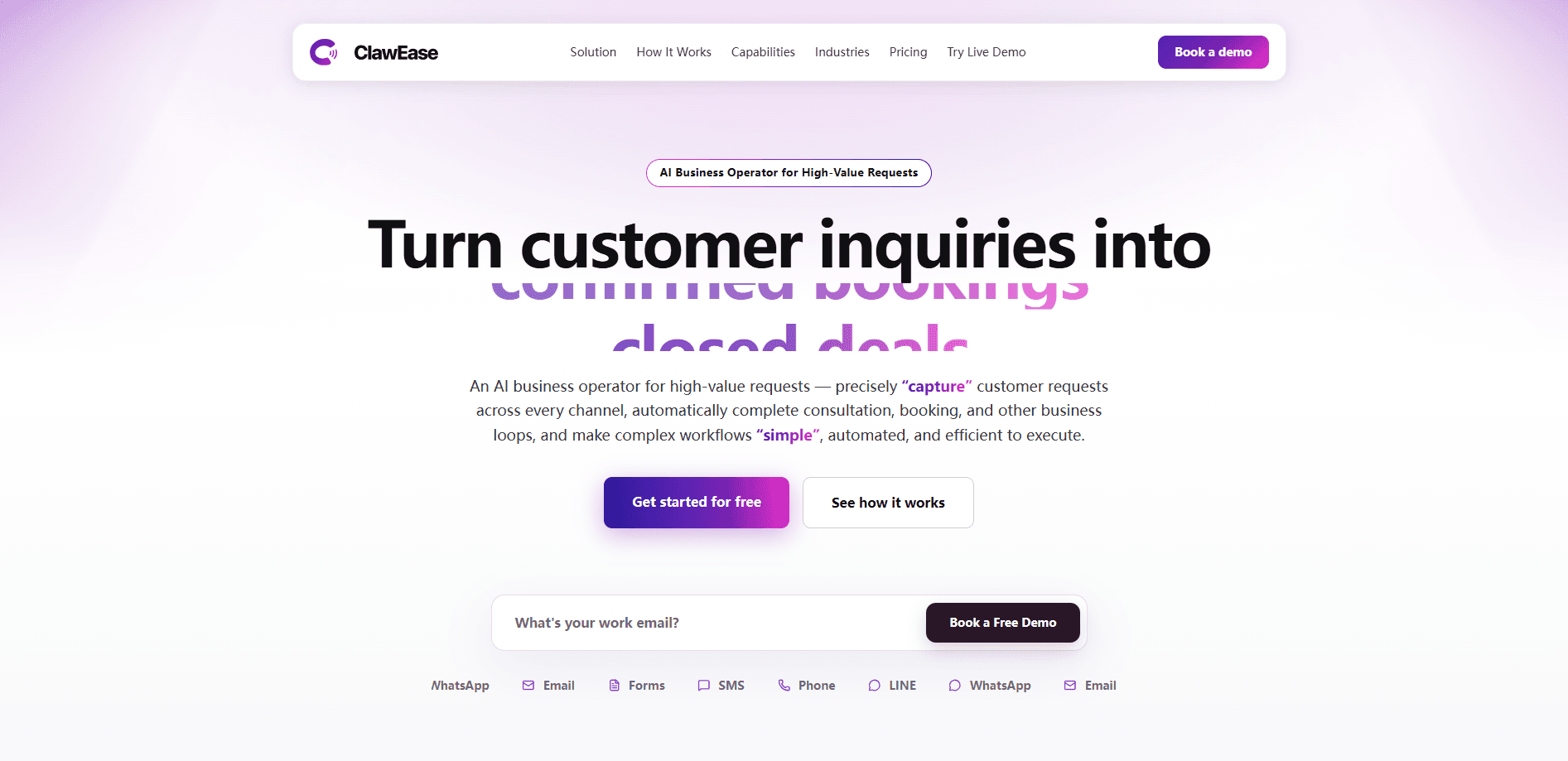
ClawEase is an AI business operator and AI receptionist that handles high-value customer inquiries across phone, WhatsApp or LINE, email, and web forms. It doesn't just answer questions. It completes whole workflows, like running a consultation or locking in a booking, by operating the web systems you already use. No API rebuild. No code changes. Small teams that live on inbound requests get the most from it, especially clinics, service shops, and appointment-based businesses that can't afford to miss a lead after hours.
About ClawEase
What Is ClawEase
ClawEase is an AI receptionist and workflow automation service built for businesses whose revenue depends on converting inquiries into confirmed bookings. Instead of routing every message to a human, it listens for customer intent, answers questions, fills web forms, and submits requests on its own. The pitch is simple: it "faithfully simulates real staff operations," so the lightest integration path is enough to run even complex processes.
The problem it solves is the gap between a good question and a finished task. A chatbot can tell a caller your hours. ClawEase is meant to take that same caller all the way to a booked slot, a submitted form, or a follow-up message, using the tools your team already runs. That matters for anyone measuring missed calls against lost revenue. So which businesses feel that gap most? The ones where every inquiry has a dollar figure attached.
The catch is where it works. ClawEase automates existing web systems rather than plugging into a public API, so results depend on how stable and screen-based those systems are. If your backend changes often or blocks automation, expect rough edges. That's the real risk.
Getting Started
- Create a free account. New users get starter credits for exploring ClawEase on real online inquiry workflows.
- Add your business information so the AI can answer customer questions accurately.
- Connect your inquiry channels, starting with email, phone, and web, then add WhatsApp or LINE when you move to a paid plan.
- Pick or describe the workflow you want handled, such as consultation, booking, or follow-up.
- Test it on live inquiries, then upgrade to Pro or Team as your volume grows.
Product Information
A quick look at ClawEase's pricing, supported platforms, and performance.
Best for
The users, tasks, and scenarios where this tool fits best.
Users
- Clinic and practice staff
- Service shops and small business owners
Tasks
- Appointment booking
- AI phone answering
- WhatsApp booking automation
- Customer inquiry automation
- Follow-up
Scenarios
- After-hours coverage
- Multilingual customer service
- Peak-season overflow
Key features
Multichannel inquiry handling
ClawEase answers customers on phone, WhatsApp or LINE, email, and web forms from one workflow. You don't stitch together four separate tools, and customers reach you on the channel they already use. WhatsApp and extra endpoints are unlocked through custom channels on paid plans.
End-to-end task completion
Most AI tools stop at answering. ClawEase fills web forms and submits requests by operating your existing systems, so a question about availability can end as a confirmed booking. That's the difference between a helpful chatbot and a working receptionist. One answers. The other finishes.
No-API integration
ClawEase runs on top of the web tools you already use rather than requiring an API rebuild or code changes. For small teams without developers, that's the whole point. Setup is meant to be a config task, not a software project. Big difference.
Booking management
Paid tiers add a full booking management system, and the Team plan connects with professional PMS platforms. You get a place to see and manage what the AI booked, not just a log of messages it sent.
Automatic follow-up
After an inquiry, ClawEase can follow up on its own to keep customers moving toward a decision. This is where a lot of lost revenue hides, since most leads don't convert on first contact.
Multilingual support
The AI handles English- and Chinese-speaking customers out of the box, and the paid plans deliver a consistent inquiry experience across more languages. Useful if your customer base is mixed and your staff isn't.
Team collaboration
The Team plan shares usage credits, customer conversations, and results across three members. Everyone sees the same pipeline instead of working from separate inboxes. No more guessing.
Outcome reporting
Team-plan reporting summarizes key outcomes and keeps the group informed, so you can tell whether the AI is actually converting inquiries or just answering them.
Pros and cons
Pros
- Turns inquiries into finished tasks like bookings and submitted forms, not just replies.
- Works on top of existing web systems, so there's no API rebuild or code work.
- Covers phone, WhatsApp or LINE, email, and web forms in one place.
- Free tier with starter credits lets you test it on real inquiries before paying.
- Automatic follow-up catches leads that would otherwise go cold.
Cons
- No public API means you can't build deep custom integrations around it.
- Automation depends on screen-based web systems, so unstable backends or bot-blocking can break workflows.
- Pricing isn't listed as a plain monthly figure; the $39 and $79 tiers are annual rates with 20% off monthly billing, so you need to read the fine print.
- WhatsApp and extra channels sit behind paid plans, which limits free-tier testing.
Frequently asked questions
It's an AI receptionist and business operator that answers customer inquiries and then completes the task behind them, such as booking an appointment or submitting a web form. It covers phone, WhatsApp or LINE, email, and web forms.
Related content
Explore related tools, skills, and articles for ClawEase.
ClawEase Alternatives

Base Code
Base44 (Wix) · Coding · ProductivityBase Code is a shared cloud development environment from Base44. Teammates describe changes to an existing GitHub codebase in chat, preview them live and send them back as pull requests.

Knocket
Knocket (Tencent RTC team) · Productivity · Business · ChatbotKnocket is a free live chat and contact page tool that lets visitors message you from your website, app, or a shareable link, with every reply handled from Telegram or one inbox.

FloorGen
Vinit Kumar (FloorGen) · Productivity · China AIFloorGen is a browser-based floor plan maker that turns a sentence or a sketch into an editable 2D plan and a 3D walkthrough. Export to PDF, DXF or video, and draw without an account.