

Clawi.ai
Clawi.ai · AI Assistant
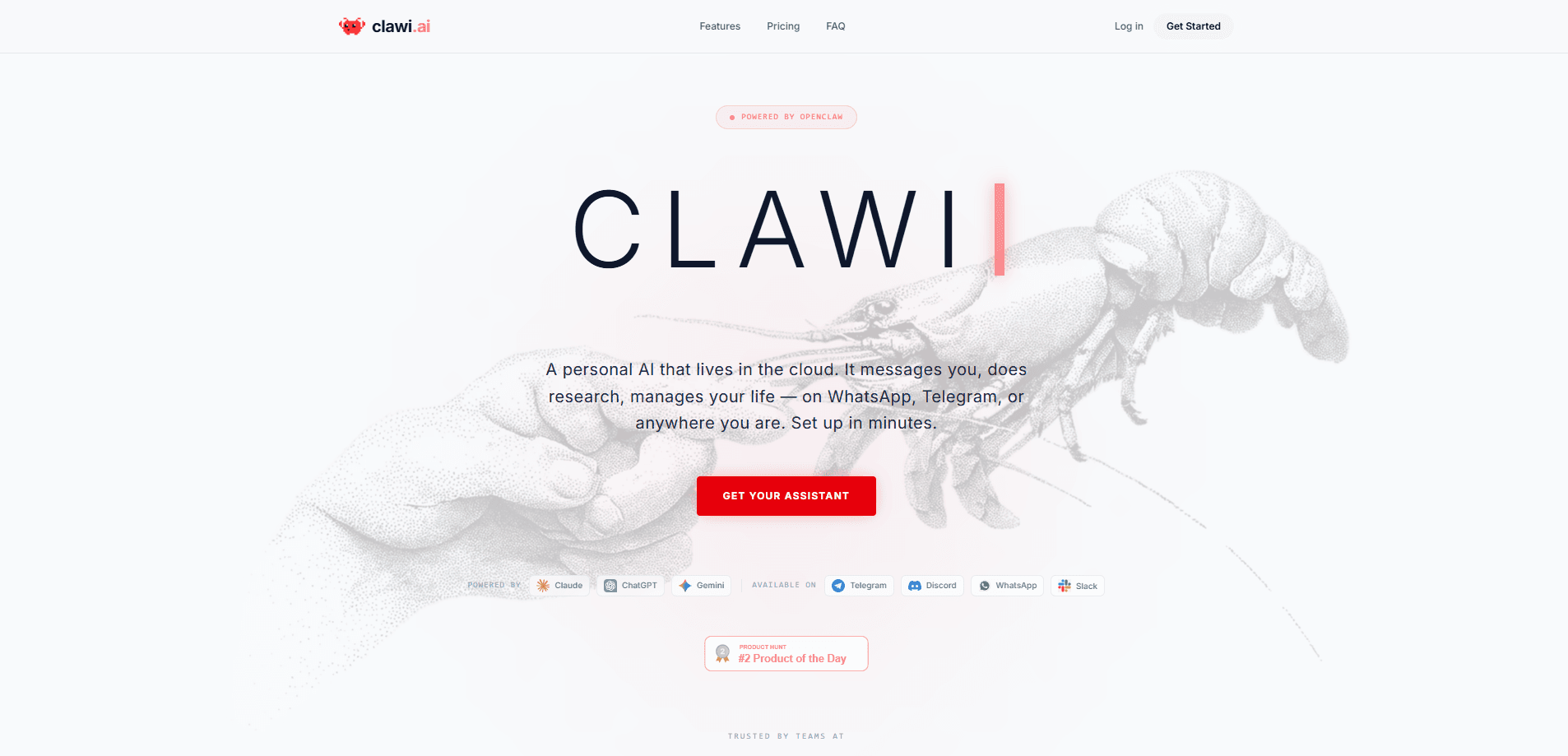
Clawi.ai is a managed cloud platform that gives you a personal AI assistant powered by OpenClaw and running 24/7 in its own secure environment. You reach it from a browser or from WhatsApp, Telegram, Discord, and Slack, so the assistant follows you across the apps you already use. Instead of installing and babysitting OpenClaw on your own machine, Clawi.ai handles the hosting, keeps the agent online, and hands you a web Command Center for monitoring tokens and settings.
About Clawi.ai
What Is Clawi.ai
Clawi.ai is managed hosting for a personal AI assistant. It runs open-source agent software under the hood, then adds the parts that are tedious to set up yourself: an always-on cloud server, secure isolation for each agent, and a dashboard for watching what the assistant is doing.
The product targets people who want an assistant that texts them back rather than another browser tab to check. You sign up, pick an agent, connect a messaging app, and the assistant comes online. No server to rent. No Node.js to install. Nothing to keep running overnight on your laptop.
The main limitation is control. Because Clawi.ai manages the environment, you get less freedom to install arbitrary skills or tinker with the runtime than you would with a self-hosted OpenClaw setup. If you want deep customization, this trade-off is the one to weigh before you pay. Everything else is smooth. Control is the catch.
Getting Started
- Create an account with your email and choose an agent from the available options.
- Connect a messenger by linking WhatsApp or Telegram to your account.
- Start chatting. Your assistant comes online right away and answers from the connected app.
- Open the Command Center in your browser to review token usage, manage contexts, and adjust model parameters.
Product Information
A quick look at Clawi.ai's pricing, supported platforms, and performance.
Best for
The users, tasks, and scenarios where this tool fits best.
Users
- People without a server
- Messaging-first users
- Small teams
Tasks
- Research and summaries
- Drafting and editing
- Coding help
Scenarios
- Handling questions while away from a computer
- Keeping one shared assistant for a work group
- Covering odd hours
Key features
Three agents to choose from
Clawi.ai ships with three open-source agents that cover different needs. OpenClaw is the community-powered generalist, Hermes is described as self-improving, and OpenCode is aimed at coding. Picking the right one up front shapes how the assistant behaves day to day, so it's worth matching the agent to your main use before you commit.
Chat through your existing messengers
The assistant lives in WhatsApp, Telegram, Discord, and Slack rather than a separate app you have to remember to open. That's the point of the product. You message it the way you'd message a colleague, and the reply lands in the same thread. If you're already juggling too many tools, staying inside one chat app is a real time saver.
Command Center dashboard
The web Command Center gives you visibility into the assistant's brain, and it covers the three things most people worry about: how many tokens are being used, which contexts are active, and how the model is configured. You can watch token usage, manage active contexts, and change model parameters in real time. Burning through tokens on a long thread? This is where you'd notice and step in.
Cloud-hosted and always online
Each agent runs in its own secure environment in the cloud, so it doesn't depend on your laptop staying awake. The assistant keeps answering when your computer is off or you're on mobile data. That always-on behavior is the main reason to pay for hosting instead of running OpenClaw locally. Your laptop can sleep. The agent won't.
Teams and shared agents
The Teams feature lets you create a team, invite coworkers, and share agents across the organization. A shared research agent or a shared work assistant means the whole group benefits from one configured setup, and it's a simple way to avoid everyone building their own version from scratch. Fewer duplicates, less drift.
Setup in about three minutes
Clawi.ai advertises an onboarding flow that takes roughly three minutes: sign up, connect a messenger, start chatting. There's no server provisioning step and no dependency install, which is the main contrast with a self-hosted OpenClaw deployment. The speed comes from the platform doing the heavy lifting behind the scenes. That's the whole pitch.
Pros and cons
Pros
- No server setup or software install, which removes the biggest barrier to running an OpenClaw-based assistant.
- Works inside WhatsApp, Telegram, Discord, and Slack, so you don't add another app to your day.
- Always online in the cloud, meaning the assistant still replies when your own devices are offline.
- Command Center gives clear visibility into token use and model settings without digging through logs.
Cons
- No free plan, so you can't test the assistant before paying.
- Because the environment is managed, you get less freedom to install custom skills than with self-hosting.
- Each agent runs in an isolated environment, which can limit workflows that need two agents to hand work to one another.
- I couldn't confirm API access from the public site, so developers should verify before planning an integration.
Frequently asked questions
Clawi.ai hosts a personal AI assistant in the cloud and connects it to your messaging apps. You use it to ask questions, draft text, run research, and get coding help from WhatsApp, Telegram, Discord, Slack, or a browser, without hosting the agent yourself.
Related content
Explore related tools, skills, and articles for Clawi.ai.
Clawi.ai Alternatives

Iplan AI
Iplan AI · Productivity · AI AssistantIplan AI is an AI travel planner that turns a few trip details into a full day-by-day itinerary in seconds. You answer questions about your destination, interests, budget, and travel companions, and the tool builds a plan you can edit, share, and carry with you on any device. It targets travelers who want a solid draft without spending hours in spreadsheets and browser tabs. Think of it as an itinerary generator that does the tedious part for you.

Screenhelp
Screenhelp · Productivity · AI AssistantScreenhelp is an AI screen assistant that turns a single keyboard shortcut into real-time help. You press Ctrl+Shift+Space, it captures what's on your screen, and it streams an answer into a private panel in about two seconds. Think of it as an AI screenshot helper you trigger on demand. It runs on Mac, Windows, and the web, starts free with 30 answers a month, and stays invisible during screen sharing on Zoom, Teams, and Google Meet.

Rainbow
Rainbow · AI AssistantRainbow is an AI weather forecast app built around short-term precipitation nowcasting. Its engine pushes min-by-min rain and snow predictions up to four hours ahead, blending live satellite and radar feeds into hyperlocal forecasts. The app adds live rain radar, a seven-day outlook, precipitation alerts, home-screen widgets, and a hurricane tracker, and it runs on both Android and iOS with a free tier plus paid upgrades.