

Clawnify
Clawnify · Productivity · Business
Clawnify is a managed AI agent platform where teams run agents in Slack, Teams or WhatsApp, turn AI prototypes into live apps, and keep one company knowledge base.
About Clawnify
What Is Clawnify
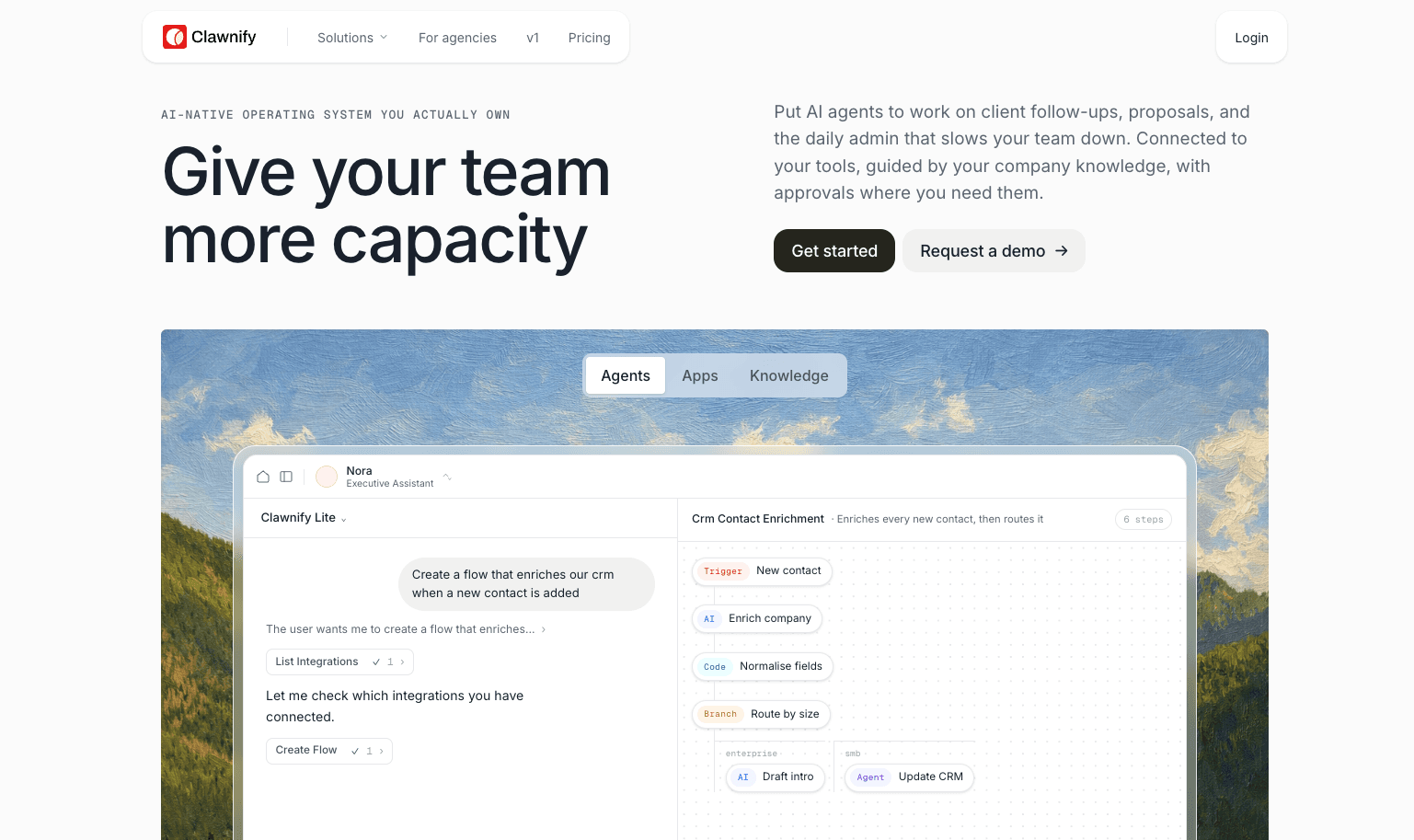
Clawnify is a managed AI agent platform for companies that want agent work to end up in software the team already uses. You get an AI agent for Slack and Teams, plus WhatsApp, email and phone, and a runtime for the apps that agent needs to read and write.
Most teams start with a prototype from Claude Code or a spreadsheet someone built by hand. Then comes the part nobody budgets for: a database, a login, permissions, a live URL, backups, and a server that stays up on a Sunday. Clawnify sells that plumbing as a subscription and runs each workspace on its own isolated agent server.
There's no free tier. Self-serve plans meter model use in credits, the entry plan includes one agent and two users, and only Team and above get a dedicated server. Agents can pause before risky actions, which means a person still has to approve the quote, the refund or the outbound email.
Getting Started
- Sign up at clawnify.com and choose where your data lives, the EU or the US. Every self-serve plan opens with a 3-day trial and 2,000 credits, and a card is required.
- Pick a starting point: paste a prototype you built in Claude or Codex, upload a spreadsheet, add an agent to Slack or Teams, or load company documents into the knowledge base.
- Connect the tools the work touches. Gmail, HubSpot, Stripe, Google Ads and other services authorize once, and each connection can be limited to specific agents.
- Set the actions that need approval. A quote above your limit, an invoice or a client email can wait for a click in Slack.
- Invite the team, assign roles and groups, then publish. Apps get a live URL, the agent answers in the channels you connected, and every step lands in the log.
Product Information
A quick look at Clawnify's pricing, supported platforms, and performance.
Best for
The users, tasks, and scenarios where this tool fits best.
Users
- Small teams without an ops engineer
- Agencies that deliver AI to clients
- Teams already paying for Claude, ChatGPT or Cursor
- Operators in sales, accounting or property management
Tasks
- Drafting quotes and invoices
- Building internal tools
- Chasing missing information
- Answering policy questions
Scenarios
- Replacing the spreadsheet the team runs on
- Running an agent with no server to maintain
- White-label delivery for agencies
Key features
An Agent That Lives in the Channels You Already Use
The agent answers in Slack and Microsoft Teams, and it also takes WhatsApp and Telegram messages, email, and phone calls through Twilio or Telnyx. A real browser is part of the setup, so it can sign into a supplier portal or fill a form when no API exists. Context carries across channels, which matters when a request arrives in WhatsApp and the answer belongs in a Slack thread.
Apps With a Database, Login and Live URL
An AI prototype usually stops at a local preview. Clawnify gives each app its own database, file storage, live URL and an API the agent calls directly. Roles and groups decide who sees which records, app by app, so the team works against one set of data instead of passing files around.
Company Knowledge and Per-Client Memory
Policies, pricing and playbooks sit in one company knowledge base that agents query on demand. Client work gets its own memory of calls, notes and decisions. Those stores stay apart, so one client's context never drifts into another's. Claude, ChatGPT and Cursor can read the same knowledge through the MCP gateway.
Approval Gates and an Audit Log
You choose the actions that need a human first. A quote above a set amount, a refund or an outbound email waits for approval inside the chat, and every tool call is logged with time, step and result. That record makes an agent reviewable by someone who wasn't watching it work.
MCP Gateway, CLI and HTTP API
The gateway at mcp.clawnify.com gives any MCP client typed access to the workspace: apps, integrations, knowledge, memory, tasks and flows. Developers deploy a local project with npx clawnify@latest deploy, run code on the agent, and wire their own systems through the OpenAPI 3.1 document.
Flows, Schedules and Voice
ClawFlow builds visual automations that start from a webhook, a schedule or a channel event, so recurring work runs without a person typing a prompt. The voice plugin places and answers calls, which covers appointment reminders and first-line support questions.
Pros and cons
Pros
- The agent, the apps it uses and the knowledge behind them share one login and one permission model, so there's no glue code between products.
- Channels cover Slack, Teams, WhatsApp, email and phone, which is wider than most agent platforms at this price.
- Approval rules and a full step log let a cautious team hand over real work and still check it later.
- Bring-your-own-key runs at 0% markup, data is never used to train models, and you choose the EU or the US at signup.
- The Team plan adds a dedicated server, SSO and GitHub sync for $99 a month billed yearly, below most enterprise agent platforms.
Cons
- No free tier. The 3-day trial needs a card and turns into a paid plan on day three.
- Credits meter model use, so a chatty agent can push the monthly bill past the listed price.
- The entry plan allows one agent and two users, which is tight for a team of five.
- Customization stops at the product settings. Anything outside the app platform and flows needs the CLI or the API.
Frequently asked questions
It runs AI agents that draft quotes, chase missing documents, update a CRM and answer policy questions. It also hosts the internal apps those agents read and write. People reach the agent from Slack, Teams, WhatsApp or email instead of a separate dashboard.
Related content
Explore related tools, skills, and articles for Clawnify.
Clawnify Alternatives

Base Code
Base44 (Wix) · Coding · ProductivityBase Code is a shared cloud development environment from Base44. Teammates describe changes to an existing GitHub codebase in chat, preview them live and send them back as pull requests.

Knocket
Knocket (Tencent RTC team) · Productivity · Business · ChatbotKnocket is a free live chat and contact page tool that lets visitors message you from your website, app, or a shareable link, with every reply handled from Telegram or one inbox.

FloorGen
Vinit Kumar (FloorGen) · Productivity · China AIFloorGen is a browser-based floor plan maker that turns a sentence or a sketch into an editable 2D plan and a 3D walkthrough. Export to PDF, DXF or video, and draw without an account.