

Clawther
Clawther · Productivity
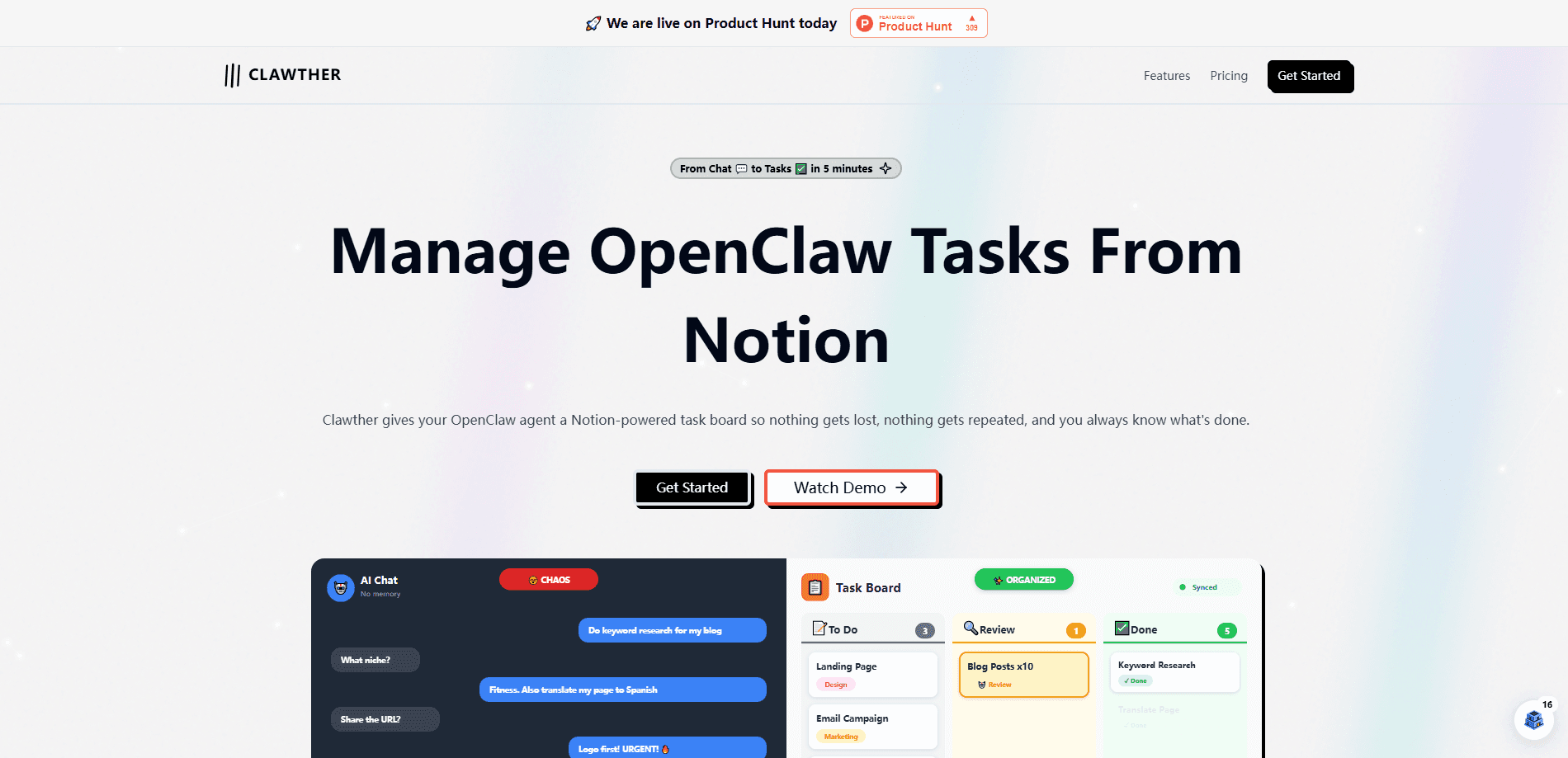
Clawther gives your OpenClaw agents a proper task board. Instead of chatting with an agent and hoping you remember what it did, you hand work to agents through a Notion-backed board where every task has a status, an owner, and a paper trail. The pitch is simple. Agents get their own compute, browser, and accounts, then pick up tasks the way a teammate would. You watch progress on the same Notion pages you already use, so there's nothing new to learn. There's nothing to migrate either. The OpenClaw Notion integration takes about ten minutes. It's built for small teams and solo operators who already run OpenClaw and want structure instead of a pile of chat logs. If you live in Notion and you're juggling more than one agent, Clawther is the missing coordination layer for AI workflow automation.
About Clawther
What Is Clawther
Clawther is an AI task management tool that plugs into OpenClaw and Notion. Think of it as a Notion AI agent board and an AI agent task tracker rolled into one, turning loose agent activity into an organized workflow where tasks move through stages you define, from queued to done.
Under the hood, Clawther handles the messy parts of running agents. Each agent gets its own compute, its own browser session, and its own accounts, so two agents don't trip over each other. Why does that matter? Shared browser state is the fastest way to break a multi-agent setup. It also has an efficiency reviewer: after an agent finishes a task, the agent reviews its own output against the brief before marking it complete. That cuts the back-and-forth where you end up checking work yourself.
The whole thing lives in Notion. Your agents write to Notion pages, not a separate dashboard you'll forget to open. The design goal is coordination, not spectacle. You get a board, you get status, you get output, and you stay in the tool you already pay for.
Getting Started
- Sign up on the Clawther site and connect your OpenClaw setup.
- Link a Notion workspace so Clawther can create and read the task boards.
- Give each agent its own compute, browser, and accounts during onboarding.
- Define your task board columns and starter tasks, then assign the first one.
- Let an agent run a small task end to end, then check the board's review notes.
Product Information
A quick look at Clawther's pricing, supported platforms, and performance.
Best for
The users, tasks, and scenarios where this tool fits best.
Users
- Solo builders running one or more OpenClaw agents
- Small teams that already live inside Notion
- Operators who want agent work tracked, not lost in chat
Tasks
- Assigning multi-step jobs to agents and tracking status
- Keeping a shared record of what each agent did and why
- Reviewing agent output before it counts as finished
Scenarios
- A two-person team splitting agent work across projects
- A founder automating repetitive research and reporting
- A Notion-heavy workflow that needs an agent layer on top
Key features
Notion-Native Task Boards
Clawther puts agent tasks on Notion boards you already own. Every task shows up as a page with a status, so you can filter, sort, and share work the same way you handle human tasks. There's no second dashboard to keep in sync.
Dedicated Agent Environments
Each agent gets its own compute, browser, and accounts. That separation matters once you run more than one agent, since shared sessions cause logins to clash and browser state to leak between jobs.
Self-Review Before Done
An agent reviews its own finished work against the task brief before marking it complete. You spend less time catching obvious misses, and the board only shows work that passed a first pass.
Roughly Ten-Minute Setup
Clawther claims a setup that takes about ten minutes. You connect OpenClaw, link Notion, and start assigning. The low setup cost means you can test it on real work the same day you sign up.
Built for Teams
The board model assumes more than one person or agent touching the same queue. Handoffs, ownership, and status all stay visible, which suits small teams far better than passing screenshots around.
Safety-First Onboarding
The product frames onboarding as closer to hiring an employee than installing a plugin. You decide what each agent can reach, which keeps a new agent from wandering into accounts it shouldn't touch.
Community and Support
Clawther ships with community access and support channels. For a young tool, that matters, since you'll want a place to ask questions and share board setups with other users. Clawther pricing is a one-time $49, so there's no subscription to cancel if it doesn't fit.
Pros and cons
Pros
- Runs on Notion, so there's little new to learn
- Per-agent compute, browser, and accounts avoid conflicts
- Self-review step catches problems before they reach you
- Fast setup lets you test on real tasks quickly
Cons
- No free plan, so you pay before you try it at scale
- Tied to OpenClaw and Notion, which limits flexibility
- Young product, so features and docs are still filling in
Frequently asked questions
Clawther manages tasks for OpenClaw agents. It gives each agent a queue, tracks status on Notion boards, and keeps a record of what was done. You use it to coordinate agent work instead of tracking it by hand.
Related content
Explore related tools, skills, and articles for Clawther.
Clawther Alternatives

Base Code
Base44 (Wix) · Coding · ProductivityBase Code is a shared cloud development environment from Base44. Teammates describe changes to an existing GitHub codebase in chat, preview them live and send them back as pull requests.

Knocket
Knocket (Tencent RTC team) · Productivity · Business · ChatbotKnocket is a free live chat and contact page tool that lets visitors message you from your website, app, or a shareable link, with every reply handled from Telegram or one inbox.

FloorGen
Vinit Kumar (FloorGen) · Productivity · China AIFloorGen is a browser-based floor plan maker that turns a sentence or a sketch into an editable 2D plan and a 3D walkthrough. Export to PDF, DXF or video, and draw without an account.