

Cleana: iPhone Storage Cleaner
Xeplin Yazilim Hizmetleri A.S. · Productivity
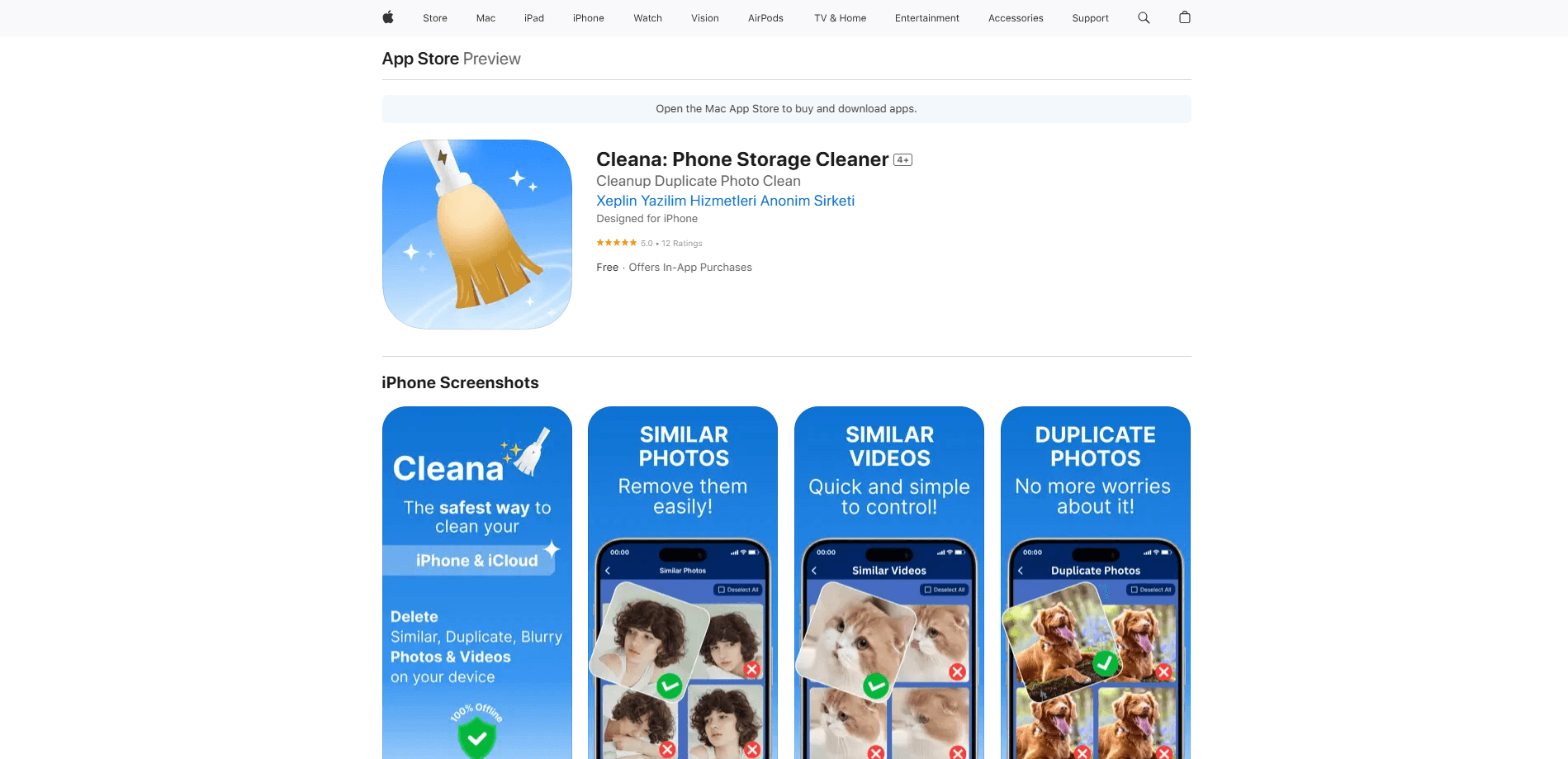
Cleana is an AI iPhone storage cleaner that finds duplicate photos, similar shots, and large videos, then clears them in a few taps. It runs entirely on your device, so nothing gets uploaded.
About Cleana: iPhone Storage Cleaner
What Is Cleana
Cleana is an AI photo cleaner and phone storage cleaner app for iPhone, built by the Istanbul studio Xeplin. It scans your camera roll, groups the photos that look nearly identical, and points out the videos and junk eating up space, so you can reclaim storage without sorting thousands of shots by hand.
The pitch is that the storage problem is rarely what you think. It's usually not apps or a phone that's too small, but the ten shots of the same moment, the burst frames, the forgotten screenshots, and the 4K clips that ran three minutes and cost three gigabytes. Cleana does the tedious comparing for you: it ranks each group by sharpness, framing, and whether anyone blinked, then suggests the one to keep.
The main limit is scope. Cleana cleans photos, videos, and contacts, but it can't clear iOS System Data or storage locked inside other apps, which is a chunk Apple keeps off limits. Android users are out of luck too, since the app is iPhone and iPad only.
Getting Started
- Download Cleana from the App Store and open it.
- Let the app scan your photo library so the AI can group duplicates, similar shots, and large videos.
- Review each group, where your best photo is pre-selected, and approve or change the pick.
- Swipe right to keep a photo and left to delete it, then confirm the cleanup.
- Optionally set up the Secret Photo Vault with a PIN and Face ID, and merge duplicate contacts.
Product Information
A quick look at Cleana: iPhone Storage Cleaner's pricing, supported platforms, and performance.
Best for
The users, tasks, and scenarios where this tool fits best.
Users
- iPhone owners who keep seeing "Storage Almost Full"
- Parents with a camera roll full of kid photos
- Anyone who wants private photos off the main gallery
Tasks
- Removing duplicate photos
- Freeing up space from large videos
- Cleaning up contacts
Scenarios
- Getting a warning before a trip
- Moving photos you don't want on your phone
- Tidying before a phone upgrade
Key features
AI Best Photo Selection
Cleana doesn't just flag duplicates. It studies every group of similar shots and marks the sharpest, best-framed one, weighing sharpness, composition, facial expressions, and your editing history. You can always overrule the pick, but it usually matches what you'd choose by hand.
Duplicate and Similar Photo Detection
The app scans your whole library like a duplicate photo remover, finding exact copies, re-uploaded backups, and near-identical frames. It works as a similar photos finder too, grouping the shots that look almost the same so you can compare them side by side. It shows every group before anything is removed, so you approve what goes. This is the core of the iPhone storage cleaner, and it's where most of the reclaimed space comes from.
Large Video Finder and Compression
Videos are often the biggest single files on an iPhone. The large video finder lists them by size, and a built-in video compressor shrinks the file without losing visible quality, so you can delete the ones you'll never watch or squeeze the rest down. For people shooting 4K, this is usually the fastest way to free up gigabytes.
Smart Swipe Cleaning
You review your library one photo at a time, swiping right to keep and left to delete. It's a quick, low-effort way to work through hundreds of shots in minutes, and it puts the final call in your hands rather than the AI's.
Secret Photo Vault
The vault moves private photos and videos into a locked space protected by a PIN and Face ID. Vaulted items disappear from your main library and the Photos app, stay encrypted on your device, and never touch a cloud. You can move them back out whenever you want.
Contacts Cleanup
Beyond photos, Cleana works as a contact cleaner: it finds duplicate contact records, entries with missing names or numbers, and empty cards, then merges or removes them. It's a small feature, but it fixes an address book that's grown messy over years of syncs.
Works Fully Offline
Every scan, analysis, and cleanup runs on the phone itself, so Cleana works in airplane mode and never uploads your photos to a server. There's no account and no sync, which matters when the library you're cleaning holds holidays, family, and documents.
Pros and cons
Pros
- Finds duplicate and similar photos and pre-selects the best shot
- Lists large videos and can compress them to save space
- Runs 100% offline with no cloud uploads or account
- Nothing is deleted without your approval, and removals stay recoverable for 30 days
- Lightweight app that stays under 50 MB
Cons
- iPhone and iPad only, with no Android or web version
- Can't clear iOS System Data or storage held inside other apps
- The deepest features, like the vault, sit behind a Pro subscription
Frequently asked questions
Cleana is an iPhone storage cleaner and AI photo cleaner that finds duplicate photos, similar shots, and large videos, then helps you delete them. It also merges duplicate contacts and hides private photos in a vault. Everything runs on your device, so your media never leaves your iPhone.
Related content
Explore related tools, skills, and articles for Cleana: iPhone Storage Cleaner.
Cleana: iPhone Storage Cleaner Alternatives

Base Code
Base44 (Wix) · Coding · ProductivityBase Code is a shared cloud development environment from Base44. Teammates describe changes to an existing GitHub codebase in chat, preview them live and send them back as pull requests.

Knocket
Knocket (Tencent RTC team) · Productivity · Business · ChatbotKnocket is a free live chat and contact page tool that lets visitors message you from your website, app, or a shareable link, with every reply handled from Telegram or one inbox.

FloorGen
Vinit Kumar (FloorGen) · Productivity · China AIFloorGen is a browser-based floor plan maker that turns a sentence or a sketch into an editable 2D plan and a 3D walkthrough. Export to PDF, DXF or video, and draw without an account.