

Co-Desk
Co-Desk · Productivity
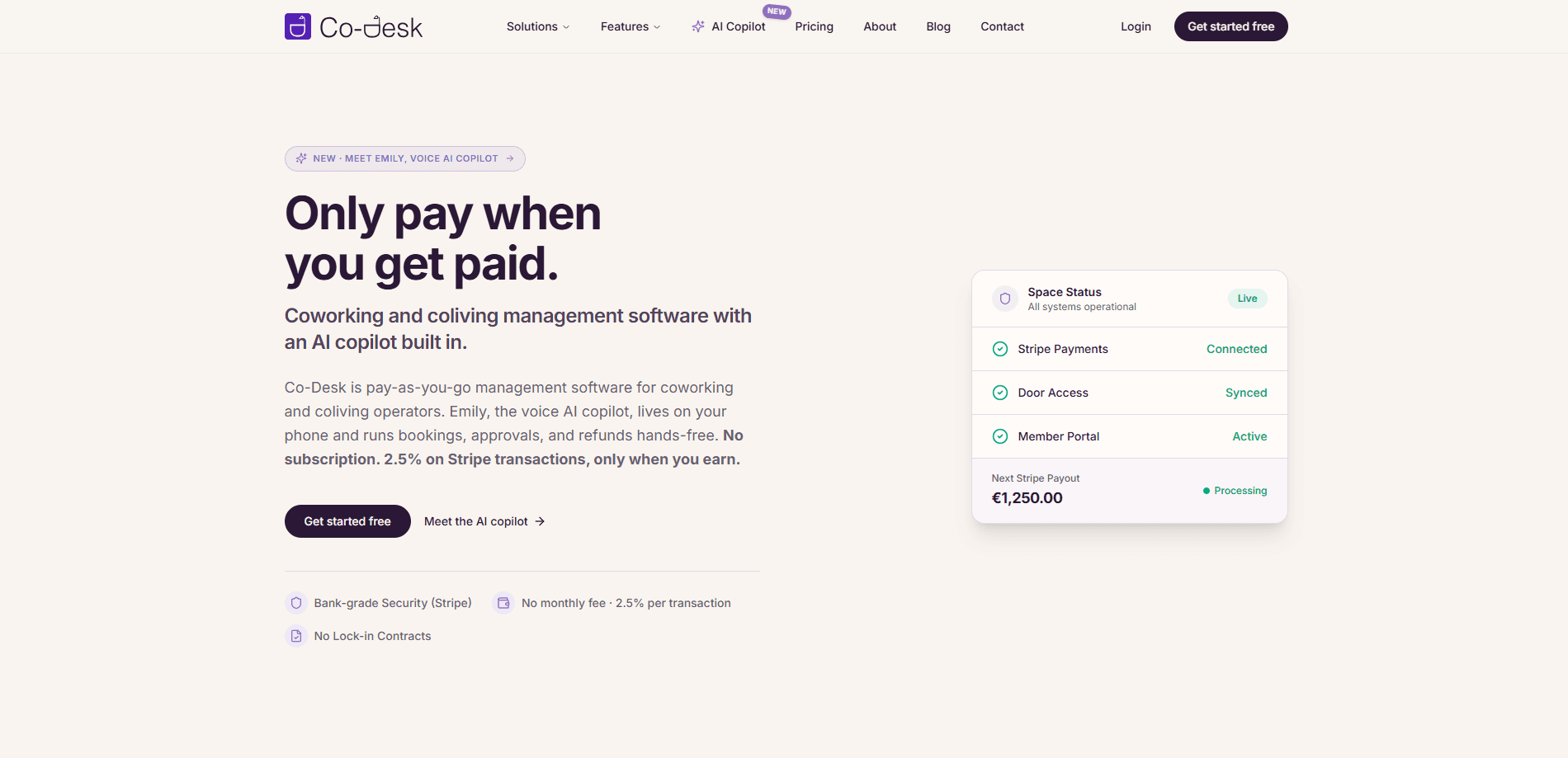
Co-Desk is a coworking and coliving management platform that handles bookings, billing, subscriptions, access control, and reporting from a single dashboard. Think of it as booking and billing software for shared spaces. It runs on a pay-as-you-go model, so you pay nothing up front and only get charged 2.5% on each Stripe transaction once money actually comes in. The standout piece is Emily, a voice AI copilot that lives on your phone and handles routine operator tasks like bookings, approvals, and refunds.
About Co-Desk
What Is Co-Desk
Co-Desk is cloud software for people who run coworking spaces, shared offices, or coliving buildings. Instead of stitching together separate tools for reservations, invoicing, and door access, operators get one platform where members self-onboard, book desks or beds, and pay automatically.
The pitch is the pricing model. It's the part worth comparing against coworking software pricing elsewhere. Most coworking platforms charge a fixed monthly subscription per location, which hurts during slow seasons and empty launch months. Co-Desk flips that: no monthly fee, no tiers, and a 2.5% cut on Stripe transactions only when you earn. Everything stays free while you're setting up.
Emily is the other half of the story. She's a voice AI copilot wired directly into the platform from day one rather than bolted on top of someone else's software. You talk to her on your phone, and she executes tasks. That matters because operators spend much of their day on the move, not sitting at a desk.
The main limits are worth knowing. Payments route through Stripe Connect, so if you use a different processor you're pushed toward a custom plan. The platform is web-based, with a mobile-responsive member portal but no native app, so members interact through a browser.
Getting Started
- Sign up and configure your space by adding locations, then desks, rooms, or beds, and setting prices for memberships, day passes, and resources.
- Connect your Stripe account, which takes about five minutes. Payouts go straight to your bank, and Co-Desk never holds your money.
- Go live in roughly 30 minutes by sharing your booking link, so members can self-onboard and reserve resources.
- Let members book and pay automatically, and start incurring the 2.5% fee only once transactions come through.
Product Information
A quick look at Co-Desk's pricing, supported platforms, and performance.
Best for
The users, tasks, and scenarios where this tool fits best.
Users
- Coworking space operators
- Coliving and shared-housing managers
- Multi-location operators
Tasks
- Collecting recurring rent and membership fees
- Handling bookings and approvals on the go
- Tracking occupancy and revenue
Scenarios
- Launching a new space on a tight budget
- Running a busy coworking hub with day passes and hot desks
- Managing a coliving building with recurring residents
Key features
Emily Voice AI Copilot
Emily is a voice agent built into Co-Desk rather than layered on top of it, and you speak to her on your phone while she runs bookings, approvals, and refunds for you without you ever needing to open a laptop or dig through a settings menu. The safety design is deliberate. She waits for your tap before she acts. A mis-booked member charged to the wrong card is a real risk in this business. She has three modes: ask, do, and review.
Pay-As-You-Go Pricing
There's no monthly subscription, no per-location add-on, and no sales call to get features, and one rate of 2.5% per Stripe transaction covers the entire platform while getting deducted automatically through your own connected Stripe account.
Stripe Connect Billing and Subscriptions
Recurring invoices, automated billing, and payment collection run through your own Stripe account, so payouts land directly in your bank and Co-Desk never touches your money. Members get charged on schedule, and you keep a clear record of what's paid and what's pending. Stripe Connect bookings flow through the same account, which keeps the money trail in one place.
Cross-Location Identity
One member profile works across every location you operate, so someone who joins at one hub can walk into another space, book a room, and get billed on the same account without a second signup or a separate invoice.
Real-Time Booking and Scheduling
Hourly, daily, or weekly reservations sit on a visual timeline for desks, rooms, and shared resources. Availability updates instantly, so members see what's actually open instead of emailing you to ask. Day passes and visitor bookings run through the same engine. No double bookings. No back-and-forth emails.
Revenue and Occupancy Analytics
Consolidated reports cover revenue trends, occupancy rates, and member growth across all locations. You get the whole picture in one screen. AI analytics accept natural-language queries, which means you can ask a plain question instead of building a report from scratch. What was last week's revenue? Ask it.
Access Control Integrations
Co-Desk connects with Kisi and Brivo for physical door access. That link ties a member's booking to the locks they can open. It closes the loop between paying for a desk and getting into the building, with no separate access system.
Public Booking and API Access
White-label public booking and e-commerce pages let members sign up and pay without seeing Co-Desk branding. An API and webhooks open the platform to your own tools, along with visitor management, floor plans, and white-label options.
Pros and cons
Pros
- No monthly fee, so idle months cost nothing until transactions start coming in.
- The 2.5% rate covers all features, even ones other vendors gate behind higher tiers or a sales call.
- Emily is built into the platform and waits for your confirmation before taking action, which lowers the risk of bad automated bookings.
- Stripe Connect keeps payouts in your own account, and the platform never holds your money.
- Native coliving support covers leases, rent, and residents, not just desk bookings.
Cons
- Payments depend on Stripe Connect, so operators on a different processor need a custom arrangement that's priced separately.
- There's no native mobile app, so members book through a mobile-responsive web portal instead of an app store download.
- Because pricing is transaction-based, high-volume operators could pay more than they would on a flat monthly plan.
Frequently asked questions
Co-Desk is management software for coworking and coliving operators. It handles bookings, billing, subscriptions, access control, and analytics in one platform, so you don't end up paying for and stitching together a separate tool for every single job that running a shared space throws at you.
Related content
Explore related tools, skills, and articles for Co-Desk.
Co-Desk Alternatives

Udon
Udon · Coding · ProductivityUdon turns an Apple Silicon Mac into a home server you run from a browser, with container controls, file shares, and an optional AI sysadmin.

offstage
offstage cloud · Coding · Productivityoffstage gives AI coding agents and CI jobs a real Mac: a fresh macOS account on Apple silicon, driven over an API and billed by the second.

BotBus
Chengdu Tuyang Tusen Technology Co., Ltd. · Coding · ProductivityBotBus lets you control AI coding agents from your phone and watch: approve commands, start tasks and read results while the code stays on your desktop.