

CodeDesign.ai
CodeDesign, Inc. · Image · Coding
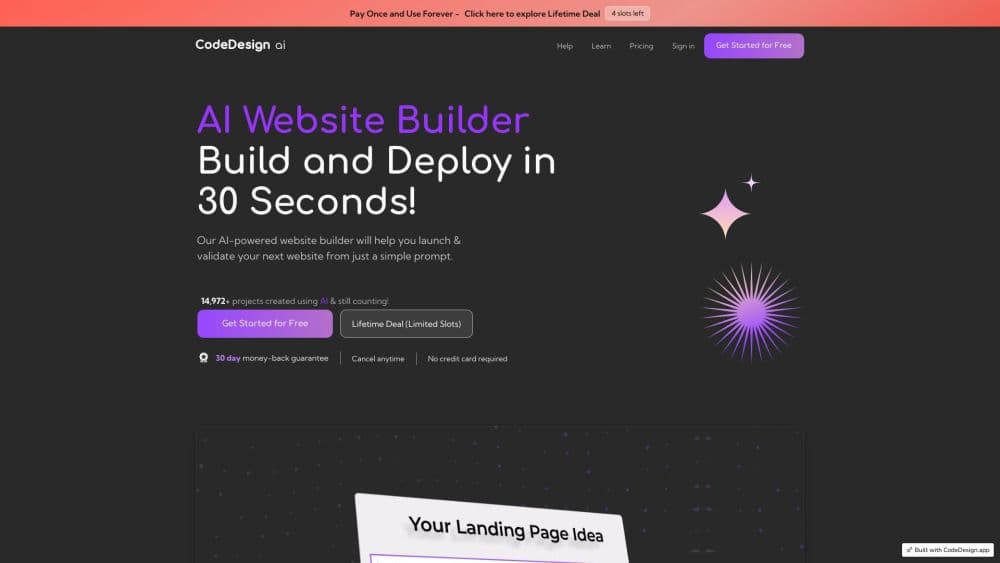
CodeDesign.ai is an AI website builder that turns a one line business description into an editable website, then hosts it, connects a domain and lets you export the code.
About CodeDesign.ai
What Is CodeDesign.ai
CodeDesign.ai is a browser based AI website builder built around an AI agent rather than a fixed theme picker. You describe the business in a sentence, the tool writes the copy, chooses images and lays out pages, and you tidy the result by chatting with the assistant or dragging elements around. The company says its builder has produced more than 4 million sites.
The main argument for it is what happens after the first draft. Most builders keep your site inside their platform. CodeDesign.ai lets you host on its cloud, push the project to WordPress, or download clean HTML, CSS or React and take it elsewhere. Domain registration, SSL, analytics, an SEO crawl and an AI chatbot all sit in the same dashboard, so a small business doesn't juggle six logins.
The limits matter too. It builds marketing sites, landing pages, portfolios and blogs, not web apps. The AI draft reads like a competent first pass, and the copy usually needs a human edit before it goes live. Anyone selling products online should look at a store focused platform, since ecommerce isn't the center of this one.
Getting Started
- Sign in at codedesign.ai and start a new project. Free to start, no card required.
- Describe the business in one sentence, or open one of the 2000+ templates if you'd rather start from a layout that already exists.
- Pick the site language from the 110+ options and let the AI generate pages, copy and imagery.
- Refine on the spot. Ask the AI Companion for changes in plain language, switch to the visual drag and drop builder, or open the code editor.
- Publish to a free subdomain, connect a custom domain, sync to WordPress, or export HTML and CSS.
Product Information
A quick look at CodeDesign.ai's pricing, supported platforms, and performance.
Best for
The users, tasks, and scenarios where this tool fits best.
Users
- Small business owners
- Freelancers and solo consultants
- Marketing agencies
- Developers who want a head start
Tasks
- Landing pages for a launch
- SEO clean up on an existing site
- Moving a business onto WordPress
- Multilingual sites
Scenarios
- A local service opening a second location
- A side project that needs a real domain
- Testing an idea before committing a budget
Key features
Prompt to Full Website
A sentence about the business is enough to get pages, text and images that fit the subject. The AI website generator handles structure as well as copy, so a first version of a multi page site exists within about a minute. From there you keep, swap or rewrite sections instead of designing from a blank canvas.
AI Companion and Chat Editing
The editor has an assistant built in. Ask for a new pricing block, a sharper call to action or a different hero image, and it changes the page in place. This is the fastest route for people who know what they want to say but not where the setting lives.
Visual Drag and Drop Builder
Every element can be clicked and adjusted: colors, spacing, type, image position. The canvas previews phones, tablets and desktops separately, which cuts down the guesswork about how a layout lands on a smaller screen.
Code Export to HTML, CSS and React
The export menu produces standard code for every page, with assets included. Developers can lift a generated layout into their own stack and finish it there. It's the reason people compare this tool against builders that only rent you a site.
2000+ Industry Templates
The website templates are sorted by niche across 18+ categories, from SaaS and consulting to dentistry and hospitality. Picking one gives the AI a design language to work inside, which tends to produce better results than a bare prompt.
WordPress Publishing
The project syncs to WordPress instead of sitting only on CodeDesign's servers. Businesses already running WordPress can keep their backend, plugins and existing content workflow while using the AI for the design side.
Built In SEO Audit and Analytics
Connecting a domain lets the platform crawl the whole site. It returns a health score, lists errors, warnings and notices such as missing H1s, duplicate titles or absent meta tags, and tracks whether they get fixed. Traffic analytics work without a tracking script: visitors, views, bounce rate and top pages show up as soon as the site is live.
Pros and cons
Pros
- The first draft arrives fast and looks close to a finished site, which is the part most builders make people do by hand.
- Code export in HTML, CSS and React means the site can leave the platform. That's rare at this price.
- Domain purchase, SSL, hosting, analytics and an SEO crawler share one dashboard, so the monthly tool stack shrinks.
- The AI Companion and the drag and drop editor cover both types of editing, and you can move between them on the same page.
Cons
- The AI copy needs a real edit. Headlines and service descriptions often come out generic, and fixing them well takes as long as writing them would.
- The free tier is a look at the output rather than a permanent home. A custom domain and the fuller feature set sit behind the paid plan.
- It builds marketing sites, not web apps or online stores, so anyone selling products needs a different platform.
- Pricing is sold as a one time Lifetime Deal rather than a monthly subscription, which is good value for one site and awkward for an agency handling many.
Frequently asked questions
It builds and hosts websites for small businesses, freelancers and agencies. You describe the business, the site generator produces a multi page site, and you edit, publish or export it. It isn't a tool for web apps or online stores.
Related content
Explore related tools, skills, and articles for CodeDesign.ai.
CodeDesign.ai Alternatives

Google EmbeddingGemma 2
Google DeepMind · Writing · Image · CodingGoogle EmbeddingGemma 2 is a 740M-parameter open model that turns text, code, images, audio, and video frames into vectors in one 768-dimension space, running on phones and laptops.

Tractionwave
TractionWave · Image · MarketingTractionWave is an AI attention heatmap tool for static ads. Upload a PNG or JPG and it returns predicted attention, ranked hotspots, and fixes before you spend budget.

Imejis.io
Imejis.io · Image · MarketingImejis.io is an AI design studio for agents and marketing teams. Describe an image in plain words, and it writes the copy, builds the layout, reflows it to every size, then exports a finished file.