

CodeFriends | Learning Platform
Geek Haus · Leaning
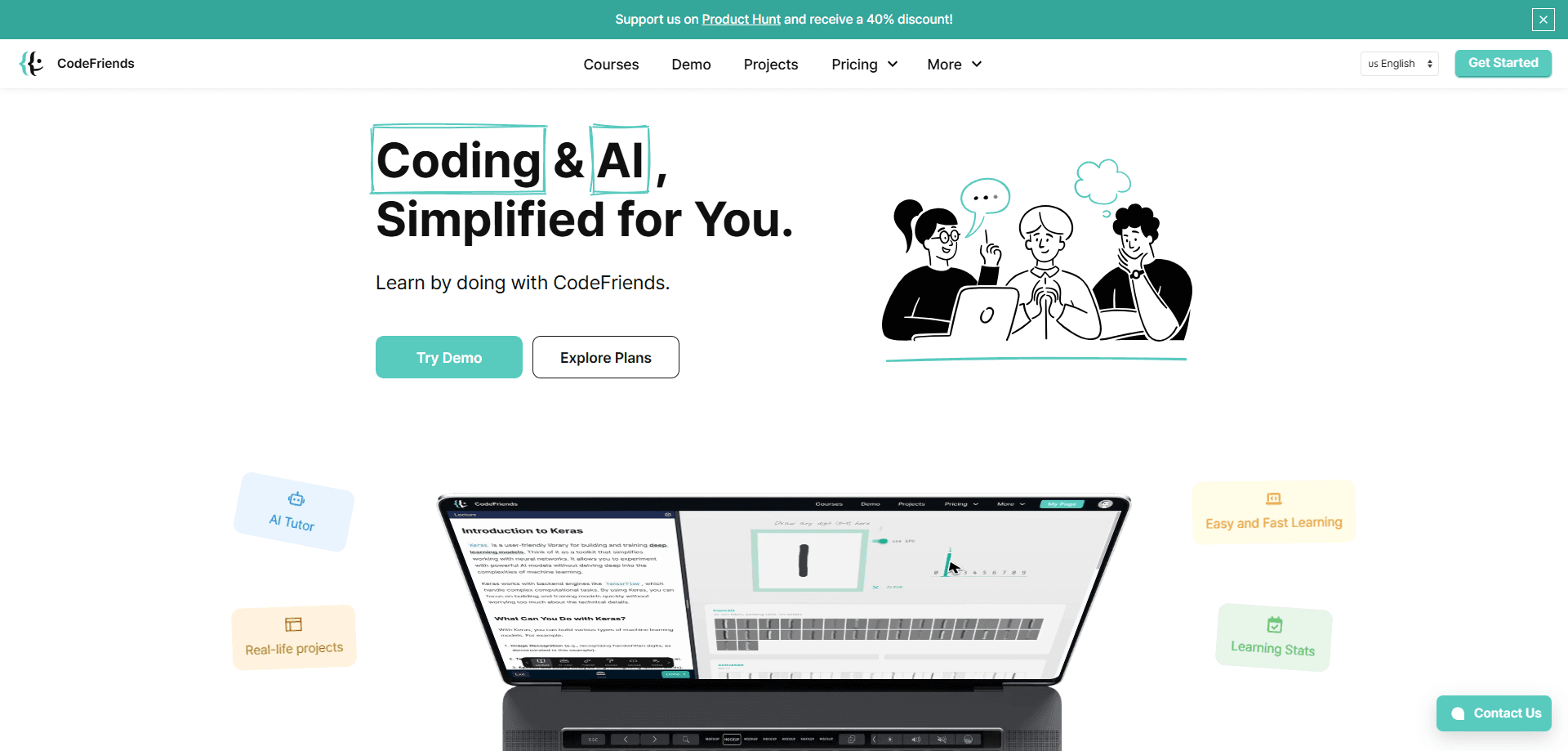
CodeFriends is a browser-based learning platform that teaches coding and AI through hands-on lessons, an AI tutor and one-click project deployment.
About CodeFriends | Learning Platform
What Is CodeFriends
CodeFriends is an interactive coding platform built around doing, not watching. You open a lesson in your browser, write real code and run it without installing anything. An AI tutor sits alongside every exercise and answers questions the moment you get stuck. The whole thing runs in one window, so writing, testing and reading feedback happen in the same place.
The platform is run by Geek Haus, an edtech company that also builds training tools for schools and teams. That background shows in the course design: lessons move in short steps, and each one ends with something you can run. You learn Python, web development, SQL, data analysis and AI fundamentals by building websites, data tools and automation scripts rather than by reading theory.
Two limits are worth knowing before you commit. The library is strongest in Python and beginner web work, so an experienced engineer looking for deep system design or advanced frameworks will outgrow it fast. And learning here still takes real time, since lessons are self-paced and no one checks your work for you beyond the AI tutor.
Getting Started
- Create a free account at codefriends.net and pick a course that matches your goal, such as Python Programming 101 or Introduction to HTML, CSS and JavaScript
- Open a lesson in the browser and run the starter code to see how the editor and output panel work
- Write your own version of each exercise and send it to the AI tutor when you want feedback on an error
- Turn the exercise into a small project and publish it with one click to get a live link you can share
Product Information
A quick look at CodeFriends | Learning Platform's pricing, supported platforms, and performance.
Best for
The users, tasks, and scenarios where this tool fits best.
Users
- Absolute beginners
- Career changers
- Students and self-learners
- Teachers and institutions
Tasks
- Learning Python from scratch
- Building your first website
- Practicing with AI
- Automating repetitive work
- Building a portfolio
Scenarios
- A first lesson on a borrowed laptop
- Preparing for a job switch after work hours
- A teacher setting up a class
- Testing whether a subscription is worth it
- Turning practice into proof
Key features
In-Browser Code Editor and Console
Every lesson opens in a live editor where you write code and run it on the spot. There's no setup step, no local environment to configure and no version of Python to install. Beginners hit run and see output within seconds, which is the part that usually trips people up when they try to learn from a video. The same window holds your instructions, your code and your results, so you never lose your place.
24/7 AI Tutor
An AI tutor is available around the clock inside the lessons. It explains error messages in plain language, suggests fixes and answers questions about the concept you're on. The point is to cut the dead time in learning, the gap between hitting a wall and finding help. It won't replace a mentor on hard architectural questions, but for the daily "why doesn't this run" moments it keeps you moving.
One-Click Project Deployment
CodeFriends lets you publish a project with a single click and get a live link you can share right away. That applies to websites and automation projects. Instead of a folder of files on your desktop, you end up with something online that others can open. Version history and code export come with it, so you can track changes and download HTML, CSS and JavaScript for offline use or a portfolio.
Structured Course Library
The catalog covers Python, web development, SQL, data analysis, AI fundamentals and work automation. Courses are broken into lessons with a stated time estimate, from a 6-hour AI literacy track to a 25-hour AI introduction with TensorFlow. Because everything is browser-based, these browser coding courses are a set of runnable exercises rather than a series of slides.
Prompt Engineering and AI Courses
Beyond plain coding, the platform includes material on how AI works and how to prompt it well. There's an introduction to prompt engineering for anyone who wants technical prompting techniques, and a no-code AI literacy course for people who want to understand models and agents without writing Python. That track is aimed at learners who work with AI tools rather than build them.
Admin Dashboard for Teams
For schools and organizations, CodeFriends offers custom curricula, flexible online training and an admin dashboard with AI-powered reports and analytics. Teachers and managers can see how a group is progressing and adjust the plan. This is the part that turns the platform from a solo study tool into something an institution can run at scale.
Pros and cons
Pros
- Nothing to install: every lesson runs in the browser, so you can start on any machine
- The AI tutor answers in the moment, which cuts the pause between getting stuck and getting unstuck
- Courses pair each concept with runnable code instead of video-only lectures
- One-click deployment turns practice into shareable, live projects
- A Plus membership gives unlimited course access for less than the cost of a bootcamp
Cons
- The catalog leans toward beginners and Python, so advanced engineers may find it shallow
- Self-paced learning means there's no external deadline or instructor pushing you to finish
- The AI tutor handles routine help well but isn't a substitute for a human mentor on complex design decisions
- Some of the more advanced modules sit behind the paid membership, so free users can't try everything
Frequently asked questions
CodeFriends is used to learn coding and AI by writing and running code in the browser. It covers Python, web development, SQL, data analysis and AI, with exercises you complete as you go rather than passive video lessons.
Related content
Explore related tools, skills, and articles for CodeFriends | Learning Platform.
CodeFriends | Learning Platform Alternatives

HireKey
HireKey · Voice & Language · Productivity · LeaningHireKey is an AI job search copilot built by a former tech recruiter. It checks role fit, tailors resumes, runs interview practice and tracks every application.

Lune
Retrograde Labs · Productivity · LeaningLune is a research search engine for scientific AI agents. It runs as an MCP server that lets Claude, ChatGPT and Cursor search peer-reviewed computer science papers and cite them.
Coddy
Coddy · Coding · LeaningCoddy is a gamified platform to learn to code through short interactive lessons in 20+ languages, with a browser editor, an AI tutor and free certificates.