

CodeSnippet
Spectrenard · Coding
CodeSnippet is a free web app for saving, organizing, and sharing reusable code snippets, with a public Hub, bookmarks, likes, and language-based categories.
About CodeSnippet
What Is CodeSnippet
CodeSnippet is a snippet sharing platform and code snippet manager for developers who keep rewriting the same blocks of code. You save code snippets once, tag each one with a category like JavaScript or Python, and reuse it later instead of hunting through old projects. The app lives in the browser, so your code library follows you across devices once you sign in.
The project is open source under the MIT license and free to use. It targets the everyday mess of a working developer: a login helper here, a regex pattern there, a config file you can never find again. CodeSnippet puts those in one searchable place, and public snippets even support a light form of collaborative coding when teammates bookmark and reuse each other's work.
The main limit is scope. This is a snippet organizer, not a full IDE or an AI coding assistant. It won't write whole features for you, and it runs as a web app rather than a desktop tool.
Getting Started
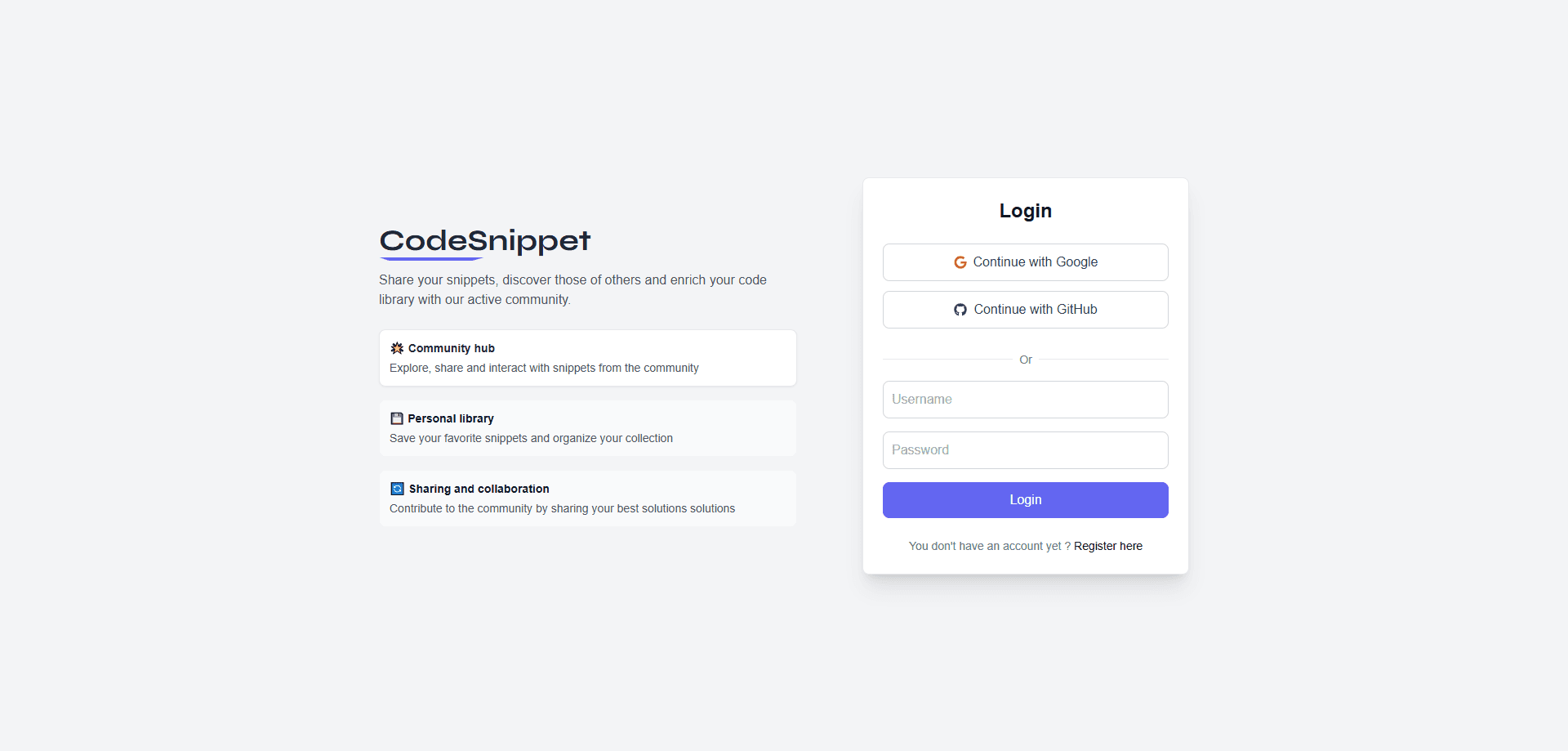
- Open the CodeSnippet site and sign up with an email and password, or log in with your Google or GitHub account.
- Click the add button to create a snippet, give it a title and category, then paste the code into the editor.
- Mark the snippet public if you want it to show up in the shared Hub, or keep it private for yourself.
- Search your saved snippets by keyword or filter them by category when you need to pull one up.
- Open the Hub to browse snippets other people published, then like or bookmark the ones worth keeping.
Product Information
A quick look at CodeSnippet's pricing, supported platforms, and performance.
Best for
The users, tasks, and scenarios where this tool fits best.
Users
- Full-stack developers
- Students learning to code
- Small teams or collaborators
Tasks
- Saving a reusable function
- Finding a snippet fast
- Sharing code publicly
- Building a personal bookmark list
Scenarios
- Switching between projects
- Learning a new language
- Exploring what other developers write
Key features
Snippet Library With Full Editing
Every snippet gets a title, description, and category, then lives in your personal library. You can add, edit, and delete entries as your needs change, and the built-in code editor with syntax support makes the stored code readable at a glance.
Public Hub for Discovery
The Hub is where shared snippets collect. Sort it by most recent, most popular, oldest, or trending, filter by category, and open any snippet to read it. It turns a private library into a place to see what the wider community is writing.
Likes and Bookmarks
You can like a snippet to signal it's useful and bookmark it to keep it within reach. Both feed the popularity sorting in the Hub, so the blocks other developers actually reuse rise to the top.
Category-Based Organization
Snippets are grouped by category, from frontend languages like JavaScript, TypeScript, React, and Vue to backend tools like NodeJS, Python, Django, and SQL. Filtering by category keeps a growing library from turning into an unmanageable list.
Keyword Search
Search runs across your snippets, so you can find a block by a word from its title or description rather than remembering where you filed it. Combined with filters, it's the fastest path back to a snippet you saved months ago.
OAuth and Account Sync
You can sign up with an email and password or log in with Google or GitHub. Once you're in, your library and bookmarks are tied to your account, so the same snippets are there whether you open CodeSnippet on a laptop or a work machine.
Pros and cons
Pros
- Free and open source under the MIT license, with no paywall between you and your own snippets.
- Saves code by category and keyword, so retrieving a snippet takes seconds instead of a repo search.
- The public Hub adds a discovery layer, letting you browse and bookmark what other developers publish.
- Google and GitHub login cut the sign-up step, and your library syncs to the account.
- Likes and trending sorting surface the snippets people actually reuse.
Cons
- It's a web app only, so there's no desktop client or offline mode when your connection drops.
- As a snippet manager, it won't generate code or refactor files the way a dedicated AI coding assistant does.
- Anonymous visitors can't build a library; you need an account before anything saves to your profile.
Frequently asked questions
CodeSnippet stores reusable code snippets so you can organize, search, and share them later. You save a block once, tag it with a language category, and pull it back up by keyword when you need it.
Related content
Explore related tools, skills, and articles for CodeSnippet.
CodeSnippet Alternatives

Udon
Udon · Coding · ProductivityUdon turns an Apple Silicon Mac into a home server you run from a browser, with container controls, file shares, and an optional AI sysadmin.

offstage
offstage cloud · Coding · Productivityoffstage gives AI coding agents and CI jobs a real Mac: a fresh macOS account on Apple silicon, driven over an API and billed by the second.

BotBus
Chengdu Tuyang Tusen Technology Co., Ltd. · Coding · ProductivityBotBus lets you control AI coding agents from your phone and watch: approve commands, start tasks and read results while the code stays on your desktop.