

Codia AI
Codia AI · Image · Coding · Productivity
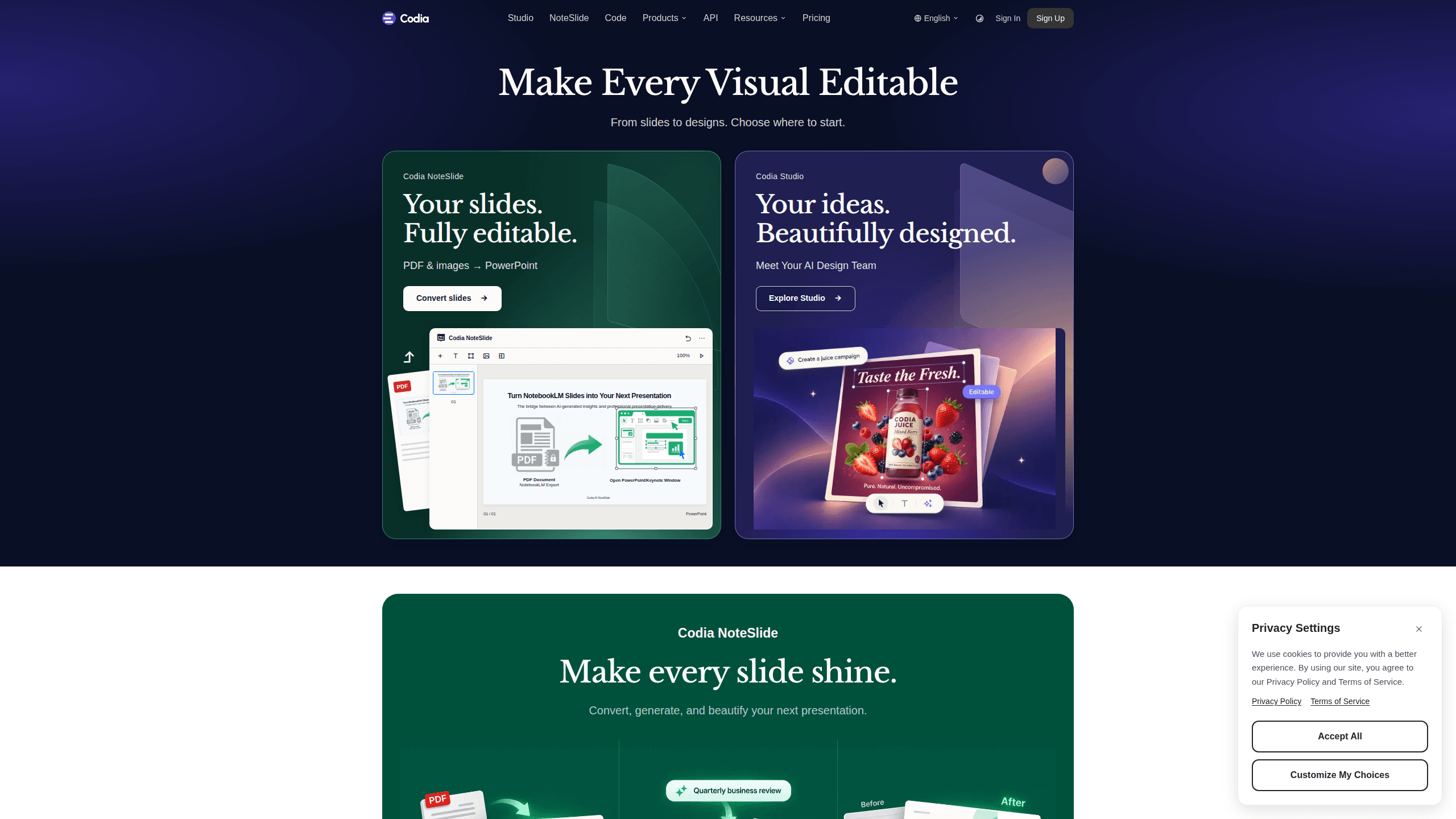
Codia AI is a vision-powered design and development platform that rebuilds screenshots, PDFs, PSD files, and static images as editable designs and working code. Built for designers and developers, it converts what you can see into something you can edit. Its Figma plugin and web tools focus on one promise: make every visual editable again. The idea sounds simple. In practice, it saves hours.
About Codia AI
What Is Codia AI
Codia AI is a vision AI platform for reconstructing visuals into editable designs. You give it a screenshot, a PDF, a PSD file, or a slide deck, and it hands back something you can actually work with: layered design files, editable text, or framework-ready code. It's the kind of tool that sits between a design handoff and production, cutting the tedious rebuild step that usually eats hours.
The platform spreads across several products: Codia Studio for design reconstruction, NoteSlide for turning static presentations into editable decks, an AI Code path for design-to-code work, and the Figma and Canva plugins that drop these powers into tools designers already use. Codia says its screenshot-to-design tool is trusted by over 300,000 professional designers.
The main catch is credits. Nearly everything runs on a credit system, so heavy users hit limits fast and pay accordingly. Free-tier processing can also wait in a queue during peak hours, which matters if you're on a deadline. Slow queues are a real problem.
Getting Started
- Sign up for a free account on the Codia AI website; no payment is needed to start.
- Pick the product that matches your task, such as Screenshot to Design, PDF to Figma, or the AI Code converter.
- Upload your file or install the Figma plugin and run the conversion from your design canvas.
- Review the editable output, tweak layers and text as needed, then export to Figma, code, or your chosen format.
- Upgrade to a paid plan if you run out of monthly credits or need larger files and batch processing.
Product Information
A quick look at Codia AI's pricing, supported platforms, and performance.
Best for
The users, tasks, and scenarios where this tool fits best.
Users
- Designers who inherit screenshots instead of source files
- Front-end developers converting mockups to code
- students and freelancers
Tasks
- Turning a competitor's app screenshot into a Figma file you can study and remix.
- Converting a PDF deck into editable slides so you can change text and layout instead of retyping everything.
- Rebuilding a design mockup as clean, readable code to skip the manual markup pass.
Scenarios
- Redesign work where the client only has images, not the original project files.
- Repurposing a static PDF report into a presentation you can restyle for a new audience.
- Quick prototyping when you want to move from a reference screenshot to a live page in one sitting.
Key features
Screenshot to Design
The core party trick. Upload a screenshot and Codia AI rebuilds it as editable text, visuals, and layered layouts you can keep working on. It reads structure rather than tracing pixels, so paragraphs come back as text and buttons as real components. This is what saves you from rebuilding a whole screen by hand.
Design to Code
Codia AI converts designs into production-ready code for web and mobile. The plugin supports frameworks like React, Vue, Tailwind, and TypeScript, plus mobile stacks including Swift, Kotlin, and Flutter. Layouts are responsive rather than absolutely positioned, so the output holds up on different screen sizes, which means you spend less time fixing broken spacing after the export. For a developer, that's the difference between a starting point and a chore.
PDF and Slide Conversion
NoteSlide takes static presentation files and NotebookLM PDFs and turns them back into editable decks. You can rebuild a PDF as editable slides, generate a new deck from a topic, or refresh the layout of something you already have. It's aimed at anyone stuck editing a file that was exported as a flat image.
Figma and Canva Plugins
Instead of leaving your design tool, you run Codia AI inside Figma or Canva. The Figma plugin covers conversions like PDF to Figma, PSD to Figma, and Canva to Figma, so assets move between formats without a manual rebuild, and you keep working in the canvas you already know instead of exporting files back and forth. It keeps your existing workflow intact. No context switching.
Built-in AI Image Tools
The free browser tools handle background removal, upscaling, vectorizing, and splitting an image into editable layers. They run locally in your browser, with no upload, watermark, or account required. The limits are modest. You get 20 images per batch, 20 MiB per file, and 12 megapixels.
Batch Processing and Priority Support
Paid plans add batch processing, so you can convert several images at once rather than one by one. They also raise resolution and file-size ceilings and give you priority processing during busy periods. If you're converting a whole product's worth of screens, this is where the paid tiers earn their keep.
Pros and cons
Pros
- Turns screenshots, PDFs, and PSDs into genuinely editable designs, not flat copies.
- Design-to-code output covers both web frameworks and mobile stacks, with responsive layouts.
- Figma and Canva plugins fit into workflows designers already use.
- Free plan and free local image tools let you test the core idea without paying.
- Codia Open API is available for teams that want to automate conversions.
Cons
- The credit system runs out quickly for heavy users, and top tiers cost up to $59 per month.
- Free-tier jobs can wait in a queue during peak hours, which is bad news on a tight deadline.
- Free resolution and file-size caps are low, so large designs force an upgrade.
Frequently asked questions
It rebuilds visuals you can see but can't edit. Screenshots, PDFs, PSD files, and images come back as editable designs, slide decks, or code. The Figma plugin handles format conversions like PDF to Figma and PSD to Figma.
Related content
Explore related tools, skills, and articles for Codia AI.
Codia AI Alternatives

X Ray Interpreter
X-ray Interpreter · ImageX Ray Interpreter is a web-based AI radiology tool that turns X-rays, CT scans, MRI, ultrasound, and PET images into plain-language reports. You upload a scan, get a preliminary X-ray interpretation in moments, then ask follow-up questions if something needs explaining. It works as a second opinion and a learning aid, not as a medical diagnosis.

Aieasypic
AIEasyPic · ImageAIEasyPic is an AI image generator that turns plain text prompts into finished artwork in seconds. You can also train custom models on your own photos, swap faces in existing images, and create short video clips from text, all from a browser. It suits casual creators who want quick visuals and hobbyists who want to build a personal model without touching any code.

Chargen
Chargen · ImageChargen is an AI character generator and worldbuilding toolkit built for Dungeons & Dragons and other tabletop RPGs. It turns a one-line idea into a painted character portrait, spins up NPCs, monsters, maps and encounters from the same session, and keeps every creature's details close at hand. The tabletop RPG art side runs on a credit system called Gold, while the text generators stay free for everyone.