

CogniMemo Extension
Enortic Inc. · Productivity · Leaning
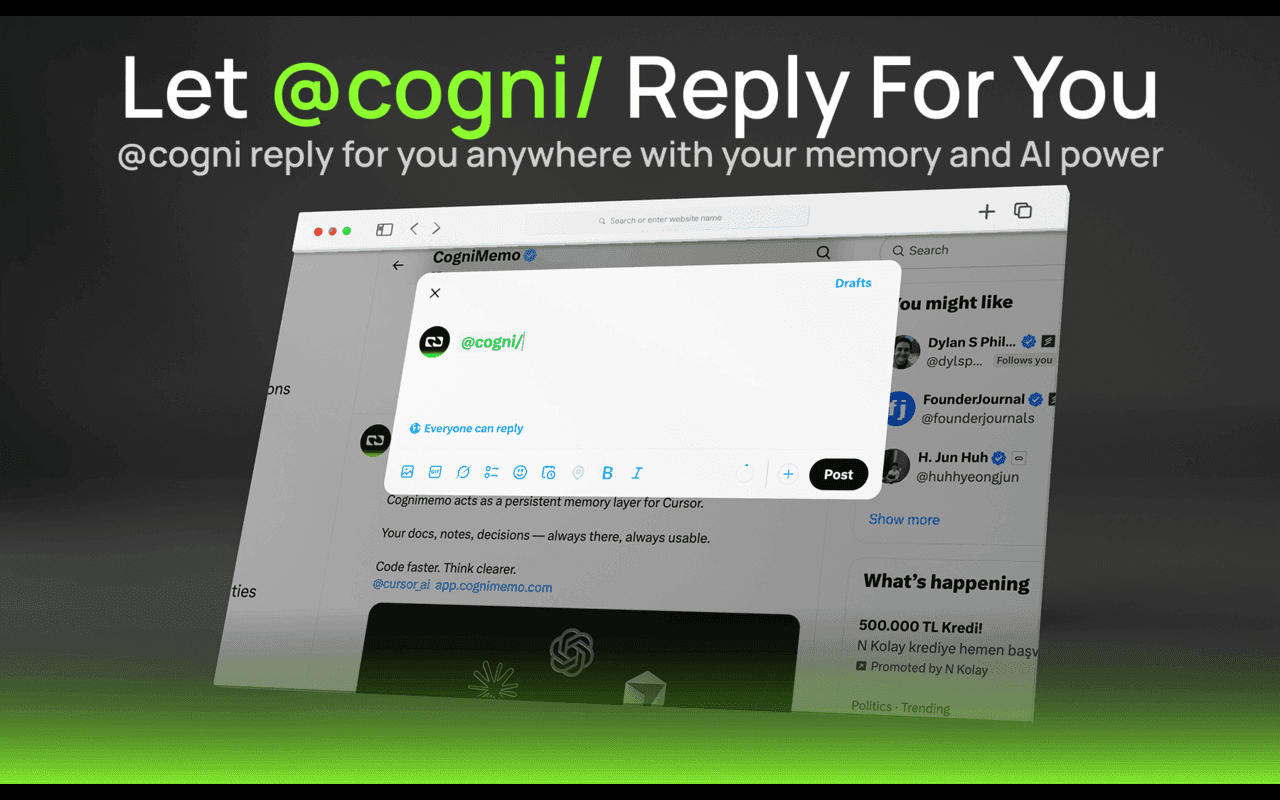
CogniMemo Extension is a browser extension that gives AI tools a memory you control. Type @cogni inside any text field, write a prompt after the slash, and it sends that prompt to your chosen model and streams the reply straight back into the same box, inline and aware of the context around it. Beyond quick replies, it pulls memories from sources like X/Twitter and OpenAI chats into a personal memory graph, and it saves anything you highlight on a web page. The extension is the front door to CogniMemo, a memory service built on three operations: retain, recall, and reflect.
About CogniMemo Extension
What Is CogniMemo Extension
CogniMemo Extension is a Chrome extension that turns ordinary text boxes into a two-way line to your personal AI. The idea is simple. You don't switch tabs or copy text into a chat window. You stay where you're typing, trigger the assistant with @cogni, and the answer appears right there. The extension is the browser layer of CogniMemo, a service whose real business is durable memory for AI agents.
What it solves is context loss. Most AI chats forget everything the moment you close them, so you re-explain your preferences, your project, and your history every session. CogniMemo stores what you feed it and hands it back on demand. The service sorts memories by type, ranks them when you search, and lets stale notes fade while the ones you keep using stay sharp. On the memory side, everything you capture lands in a personal graph you can search and reuse.
The limit is what it isn't. CogniMemo Extension isn't a chatbot of its own. It depends on the underlying CogniMemo account and service, and the free tier caps how much long-term memory for AI you get each month. If you want the full engine, you either pay for a higher plan or self-host it. This is a memory layer, not a standalone assistant.
Getting Started
- Install the extension from the Chrome Web Store and create a CogniMemo account.
- Pick your model and connect CogniMemo to the tools you already use, like ChatGPT, Claude, Gemini, or DeepSeek.
- In any text field, type @cogni followed by your prompt to get an inline reply.
- Highlight text on a page or sync from an external source to store it as a memory.
- Search your memory graph later to pull the right context back into a conversation.
Product Information
A quick look at CogniMemo Extension's pricing, supported platforms, and performance.
Best for
The users, tasks, and scenarios where this tool fits best.
Users
- People who juggle several AI tools like ChatGPT, Claude, and Gemini and want one memory that follows them across all of them
- Writers and researchers who capture facts all day
- Developers and tinkerers who already use the CogniMemo API and want a hands-on browser front end
Tasks
- Drafting replies and text inline
- Building a personal knowledge base
- Recalling preferences and past decisions
Scenarios
- You write the same background over and over for a new AI chat
- You find a useful line in an article mid-read
- You split work across multiple models
Key features
Inline @cogni Prompts
The headline trick is typing @cogni inside any input, textarea, or rich editor. You write your prompt after the trigger, the extension sends it to your chosen model, and the reply streams back into the same place you're typing. The gain is flow. No tab switching. No copy and paste. You don't lose your train of thought while you wait for an answer in a separate window. Why does that matter? Because most writing breaks the moment you leave the page, and the extension keeps you on it.
Personal Memory Graph
CogniMemo stores what you capture as typed memory blocks, and it computes embeddings, entities, and links the moment you save something. Each bank of memories is isolated, so keys never leak across projects or users. Over time this builds a searchable graph of your preferences, procedures, and facts. Most chat tools never give you that. Your history lives on their servers, not in your hands.
Recall and Reflect
Recall fuses several signals, semantic, keyword, graph, and temporal, then reranks the results and hands back what's relevant, usually in under 150 milliseconds. Reflect goes a step further and writes a synthesized answer from everything your agent has learned. Memories move through lifecycle states, so stale knowledge fades while the facts you keep using stay strong. When you correct a mistake, the relevant memories reset. No manual cleanup needed.
External Memory Sync
The extension doesn't only capture what you type. It pulls memories from outside sources, including X/Twitter and OpenAI interactions, and folds them into your graph. It also saves information from any web page through simple text selection. That means the material your assistant draws on can grow from your whole browsing day, not just one chat session.
Developer Integrations
Underneath the extension sits a real memory service with native MCP for AI IDEs like Claude, Cursor, and Windsurf, plus TypeScript and Python SDKs for custom agents. A gateway API covers any HTTP client, and you can self-host the whole engine in one container with your own keys, your own Postgres, and your own embedding model. The extension is the friendly surface on top of all of it. That's the whole pitch. Simple on the outside, solid on the inside.
Pros and cons
Pros
- Inline @cogni replies mean you never leave the text field you're working in.
- Memory carries across ChatGPT, Claude, Gemini, DeepSeek, and other tools instead of living in one chat.
- Web page text capture and external sync make building a personal knowledge base nearly effortless.
- Open integrations: MCP, SDKs, and self-hosting give developers real control over where data lives.
- Free tier is genuinely usable for testing, with 1,000 memories and 5,000 recalls a month.
Cons
- It isn't a standalone assistant. Without a CogniMemo account and service running behind it, the extension can't do much.
- The free plan caps memory and recalls, so steady daily use pushes you toward the $29/mo Pro tier or higher.
- The Chrome Web Store listing is thin on detail and shows a small user base, so it's hard to gauge adoption before you try it.
Frequently asked questions
It's a Chrome extension that adds long-term memory to AI tools. You type @cogni in any text field to get an inline reply, and you can save text, sync external sources, and search everything later in a personal memory graph.
Related content
Explore related tools, skills, and articles for CogniMemo Extension.
CogniMemo Extension Alternatives

Base Code
Base44 (Wix) · Coding · ProductivityBase Code is a shared cloud development environment from Base44. Teammates describe changes to an existing GitHub codebase in chat, preview them live and send them back as pull requests.

Knocket
Knocket (Tencent RTC team) · Productivity · Business · ChatbotKnocket is a free live chat and contact page tool that lets visitors message you from your website, app, or a shareable link, with every reply handled from Telegram or one inbox.

FloorGen
Vinit Kumar (FloorGen) · Productivity · China AIFloorGen is a browser-based floor plan maker that turns a sentence or a sketch into an editable 2D plan and a 3D walkthrough. Export to PDF, DXF or video, and draw without an account.