

Collabute
Collabute · Productivity
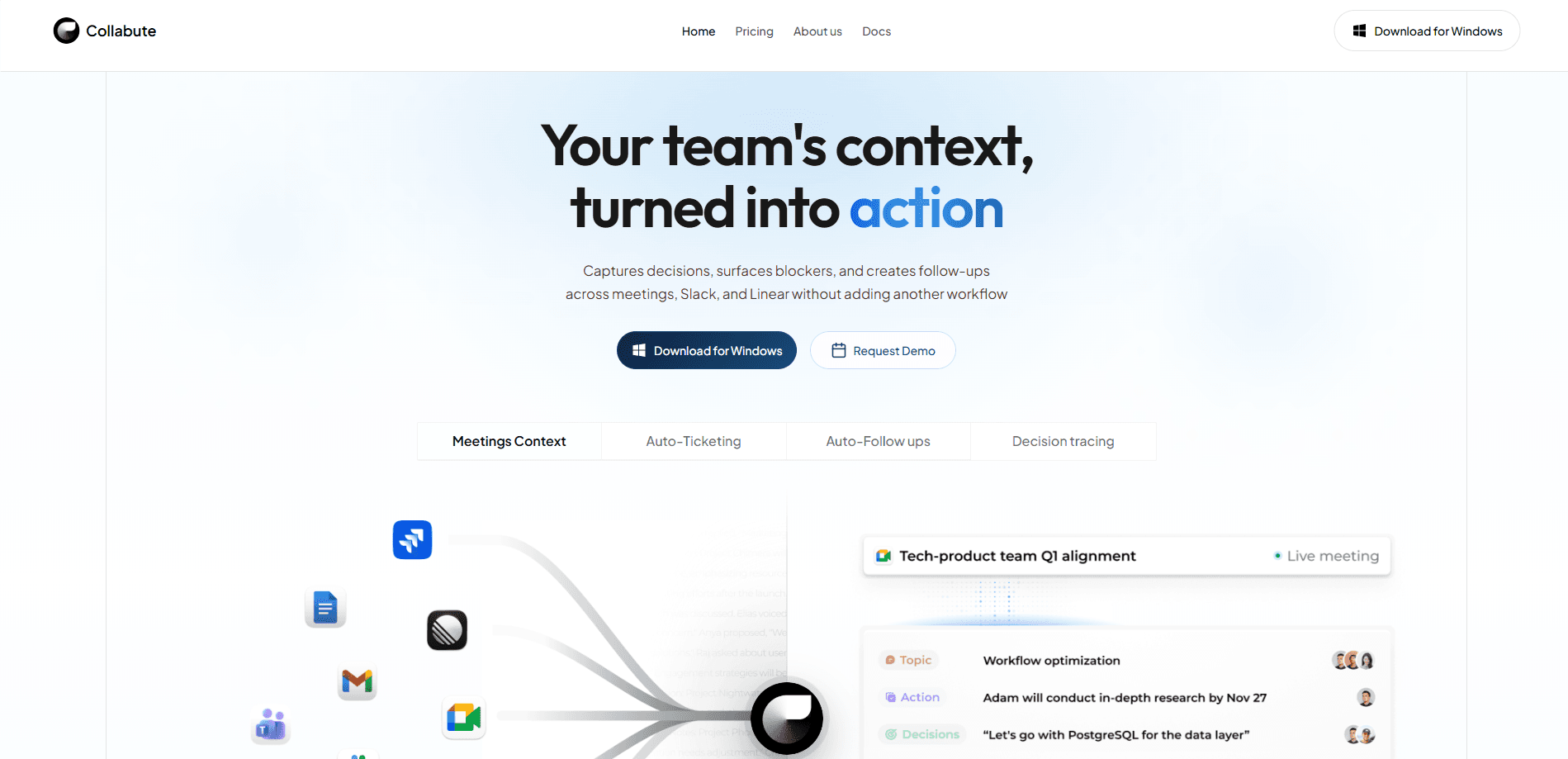
Collabute is a proactive AI teammate that watches your product team's work and remembers it for you. It pulls decisions out of meetings and Slack, links them to tools like Linear, Jira, GitHub, and Vercel, and turns all that context into tickets, follow-ups, and shared team memory. Think of it as project management AI that never forgets a decision. If your team keeps losing track of why a call went a certain way, Collabute is the team context AI that still knows.
About Collabute
What Is Collabute
Collabute is an AI team memory tool for product teams. It listens across your meetings and Slack channels, then connects what people say to the issues, deploys, and deadlines in Linear, Jira, GitHub, and Vercel. It isn't another chat assistant. It's a teammate that keeps organizational context that lives outside your code and outside anyone's head.
The problem it targets is familiar: a decision gets made in a Tuesday call, the owner forgets to log it, and three weeks later nobody remembers why the roadmap changed. Sound familiar? Collabute flags contradictions, blockers, and missing follow-through before they cost you a sprint. It also proposes task updates based on meeting evidence, so writing tickets becomes a review step rather than a chore.
There are real limits. The Free plan caps you at 30 meetings a month. History stops at 7 days. That's a taste, not a full setup. Deeper history and Slack or Linear integrations sit behind paid seats, and that longer context window is exactly what makes long-term memory useful. Business pricing also starts at a 5-seat minimum. Not great if you work solo.
Getting Started
- Sign up at collabute.ai/signup on the self-serve Free plan. No credit card needed.
- Install the macOS or iOS app, then sync your Google Calendar so meetings get picked up automatically.
- Let Collabute transcribe your calls and sort speakers, so each decision is attached to a person.
- Connect Slack and Linear once you're on Pro, so updates flow into your existing workflow.
- Review the follow-ups and task proposals it flags, then approve the ones worth keeping.
Product Information
A quick look at Collabute's pricing, supported platforms, and performance.
Best for
The users, tasks, and scenarios where this tool fits best.
Users
- Product managers
- Engineering leads
- Startup founders wearing several hats
Tasks
- Turning a meeting recap into tickets
- Answering "why did we decide this?"
- Catching dropped follow-ups
Scenarios
- Daily standups and weekly planning
- Cross-tool handoffs
- Onboarding a new hire onto a project
Key features
Meeting capture with speaker ID
Collabute joins or ingests your meetings and produces AI transcription with speaker identification, so each decision is tied to the person who made it. Attribution is what turns a raw transcript into usable team memory. Without it, you get a wall of text and no owner.
Meeting notes to tickets
The tool reads conversation evidence and drafts task proposals you can push into your tracker. You stay in the loop: nothing is created until you review it. For teams that hate writing tickets after a call, this removes most of the busywork. It's one of Collabute's clearest wins.
Slack and Linear integrations
Pro and Business plans connect Collabute to Slack and Linear, and the platform also references Jira, GitHub, and Vercel. The Slack integration is where most decisions actually land; the Linear integration is where they turn into work. Context flows both ways, so a Slack thread and a Linear issue end up in the same mental model instead of two silos.
Shared team memory
Collabute builds a searchable record of decisions, owners, and prior context that outlives any single meeting. New teammates can query it. You can trace why a plan changed. The Free tier keeps 7 days of this history; Pro extends it to 90 days.
Contradiction and blocker detection
Rather than just summarizing, Collabute flags where plans conflict with past decisions or where follow-through went missing. This is the part that earns its keep on a busy team, since silent drops are the hardest problems to notice.
MCP and public API access
Collabute exposes a Streamable HTTP MCP server and an OpenAPI spec, so coding agents in Claude, Codex, Cursor, OpenCode, and Amp can query workspace context. Auth is OAuth-first, and there are no sales-issued API keys.
Cross-platform apps
You get a macOS and iOS app alongside the web product, so meeting capture and context lookup follow you between desk and phone. Google Calendar sync keeps the meeting list current without manual entry. No spreadsheet required.
Pros and cons
Pros
- Free tier is genuinely usable for testing, with no credit card required.
- Meeting capture ties decisions to speakers, which makes team memory far more useful than plain transcripts.
- Approving AI-drafted tickets keeps a human in the loop instead of auto-filing noise.
- MCP support lets coding agents pull product-team context that isn't in your repo.
- Integrations with Slack, Linear, Jira, GitHub, and Vercel cover most modern product stacks.
Cons
- The 7-day context history on Free defeats the point of long-term memory; you'll need Pro to make it useful.
- Slack and Linear integrations are Pro-only, so the Free plan can't show off the core workflow.
- Business plans require a 5-seat minimum, which shuts out small teams and solo users.
- Category data for Collabute is thin on public sources, so comparing it to named rivals takes extra research.
Frequently asked questions
It captures product-team context from meetings and Slack, links it to tools like Linear and Jira, and turns that evidence into tickets, follow-ups, and a shared memory your team can search. Think of it as a teammate whose job is remembering and chasing, not coding.
Related content
Explore related tools, skills, and articles for Collabute.
Collabute Alternatives

Base Code
Base44 (Wix) · Coding · ProductivityBase Code is a shared cloud development environment from Base44. Teammates describe changes to an existing GitHub codebase in chat, preview them live and send them back as pull requests.

Knocket
Knocket (Tencent RTC team) · Productivity · Business · ChatbotKnocket is a free live chat and contact page tool that lets visitors message you from your website, app, or a shareable link, with every reply handled from Telegram or one inbox.

FloorGen
Vinit Kumar (FloorGen) · Productivity · China AIFloorGen is a browser-based floor plan maker that turns a sentence or a sketch into an editable 2D plan and a 3D walkthrough. Export to PDF, DXF or video, and draw without an account.