
Collov AI
Collov, Inc. · Image
Collov AI is a virtual staging tool for real estate. Upload a photo of an empty room, pick a style, and it returns furnished images in seconds, plus exterior edits like twilight and lawn replacement.
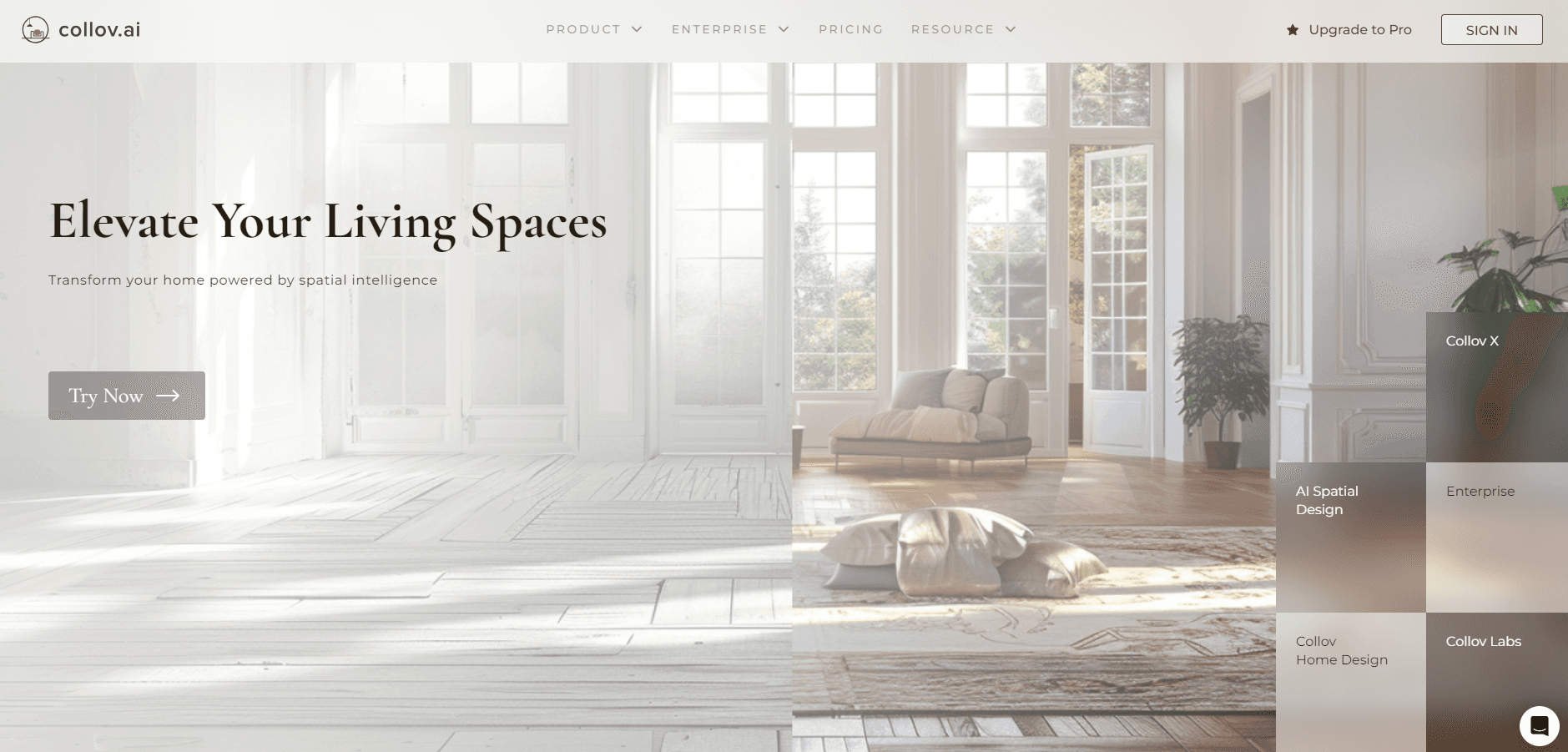
About Collov AI
What Is Collov AI
Collov AI is an AI interior design and virtual staging platform built for people who sell or market property. You upload a photo of an empty or cluttered room, choose a room type and a design style, and the AI returns furnished, photorealistic versions of that room. The same upload workflow handles exteriors too, swapping gray skies for blue, patchy lawns for fresh grass, and daytime shots for twilight.
The product comes from Collov, a San Francisco company founded in 2021 by two Stanford co-founders. It targets real estate agents, interior designers, photographers, property managers, and homeowners rather than casual hobbyists. Virtual staging traditionally means renting furniture and hiring a photographer, which costs hundreds of dollars per room and takes days. Collov AI compresses that into a few minutes at a monthly subscription price.
The limits are worth knowing up front. There is no free plan, only a small watermarked trial, and credits reset each month instead of rolling over. Results depend heavily on the quality of your source photo. Reflective surfaces and unusual room layouts can produce odd artifacts, and furniture customization is narrower than what a human stager would offer.
Getting Started
- Create an account at collov.ai, or try the free watermarked renders first.
- Upload a high-resolution photo of the room you want to stage.
- Choose the room type, such as living room or bedroom, and select a design style.
- Generate the staged image, then regenerate as many versions as you need until one fits.
- Download the result at high resolution, or run it through the exterior tools before you use it in a listing.
Product Information
A quick look at Collov AI's pricing, supported platforms, and performance.
Best for
The users, tasks, and scenarios where this tool fits best.
Users
- Real estate agents listing vacant properties
- Interior designers pitching ideas
- Real estate photographers
- Property managers with rental turnovers
Tasks
- Furnishing an empty listing photo
- Fixing exterior photos
- Removing existing furniture
- Building a virtual tour
Scenarios
- A newly vacant apartment
- A home that shows poorly in winter
- A renovation pitch to a homeowner
Key features
AI virtual staging
The core tool furnishes an empty room from a single photo. You pick a room type and a style, and the AI generates photorealistic interiors with matching lighting, shadows, and furniture placement. It handles living rooms, bedrooms, dining rooms, and home offices, and you can regenerate unlimited versions on paid plans to find the right look.
Multi-angle staging
Instead of staging each photo of a room separately, the multi-angle feature applies the same furniture set across several shots of the same space. That keeps a listing consistent when a buyer clicks through multiple angles of one room, which a per-photo workflow usually breaks.
Furniture removal AI
This furniture removal AI erases existing furniture from a photo, either to empty a room before staging or to strip out dated pieces a seller left behind. For occupied homes, decluttering first gives the AI a cleaner canvas, and the result reads as a blank, well-lit space rather than a lived-in one.
Exterior and seasonal edits
Beyond interiors, Collov AI edits the outside of a property. It converts daylight photos to twilight, removes rain and dark clouds, changes the season, clears cloudy pool water, and replaces a patchy lawn with green grass. These fixes matter because a home's curb appeal often decides whether a listing gets a click.
AI virtual tour generation
On higher plans, the platform turns a set of property photos into an AI virtual tour video, with branding, captions, and music you can add yourself. It handles up to 20 images per video and takes a few minutes to render, which gives buyers a walkthrough without a site visit.
API access for platforms
The Enterprise plan includes API access, so a brokerage or a property platform can embed staging, object masking, and exterior editing into its own product. Your customers see your branding, not Collov's, which suits companies that want the capability without sending users to a separate site.
Pros and cons
Pros
- Furnishes an empty room in seconds from one photo, which replaces a staging process that normally takes days.
- Combines interior staging with exterior and seasonal edits in one place, so you don't juggle several tools.
- Multi-angle staging keeps a single room consistent across photos, a detail most budget tools skip.
- API access on the Enterprise plan lets larger teams fold staging into their own platform.
Cons
- No free plan, only a watermarked trial, so you pay before you can judge results on your own photos.
- Credits reset monthly, which means unused capacity is lost and heavy months push you to a higher tier.
- Output quality depends on the source photo, and reflective surfaces or odd layouts can produce visible artifacts.
- Furniture customization is limited compared with physical staging, so fine detail work may still need a human.
Frequently asked questions
Collov AI stages empty and cluttered property photos, handles real estate photo editing for exteriors, and builds listing videos. Agents, designers, and photographers use it to make a listing look furnished and finished without renting furniture.
Related content
Explore related tools, skills, and articles for Collov AI.
Collov AI Alternatives

Google EmbeddingGemma 2
Google DeepMind · Writing · Image · CodingGoogle EmbeddingGemma 2 is a 740M-parameter open model that turns text, code, images, audio, and video frames into vectors in one 768-dimension space, running on phones and laptops.

Tractionwave
TractionWave · Image · MarketingTractionWave is an AI attention heatmap tool for static ads. Upload a PNG or JPG and it returns predicted attention, ranked hotspots, and fixes before you spend budget.

Imejis.io
Imejis.io · Image · MarketingImejis.io is an AI design studio for agents and marketing teams. Describe an image in plain words, and it writes the copy, builds the layout, reflows it to every size, then exports a finished file.