

ColorBliss.art
Ben Robertson · Image
ColorBliss.art is an AI coloring page generator that turns a text prompt, a photo, or a rough sketch into printable black and white line art within seconds.
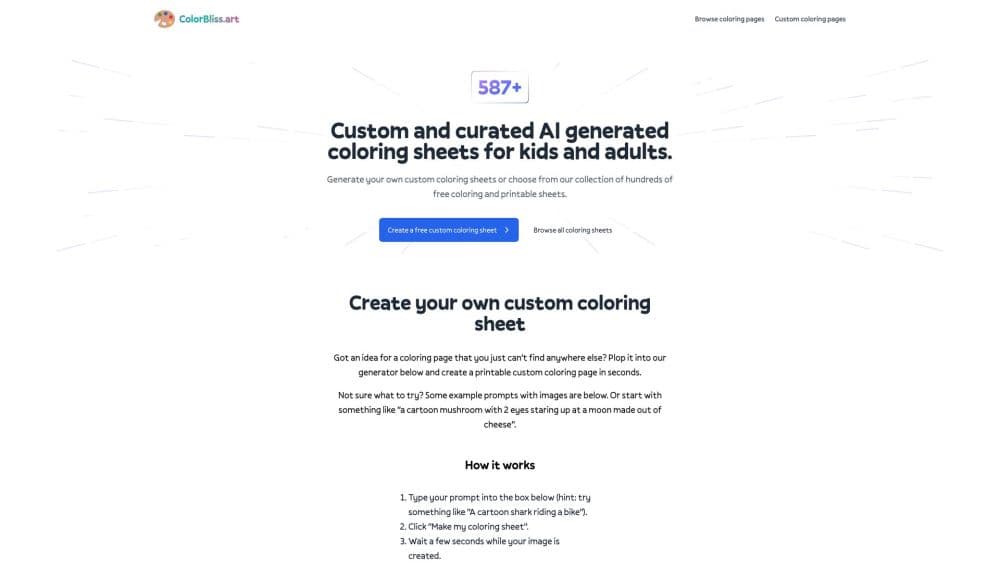
About ColorBliss.art
What Is ColorBliss.art
ColorBliss.art is a web app that makes coloring pages on demand. Type what you want, upload a picture, or hand over a pencil sketch, and the site returns clean line art you can print. The team behind it is small: Ben Robertson started the project in 2023 after leaving his job in customer success, partly because his own kids kept asking for coloring sheets he couldn't find anywhere.
The pitch is speed and fit. A stock coloring book gives you pages somebody else chose. A prompt gives you the exact scene you asked for, plus text versions for names, party signs, and classroom worksheets. The library holds everything you make, so a teacher or publisher can build a set across several sessions.
ColorBliss.art has real boundaries. It works in a browser only, with no desktop or mobile app. Photo conversion and drawing cleanup sit on paid plans, and the free allowance only covers a few pages for testing. Anyone selling the output needs the Artist plan or higher, since the commercial license doesn't come with Starter or Hobby.
Getting Started
- Open colorbliss.com and start without an account. The free credits let you try a prompt before signing up.
- Type your idea into the prompt box, or switch to the photo and drawing tabs to upload an image. Pick a style and a quality level.
- Generate the page, then adjust brightness and contrast, or use the editor to clean up stray lines.
- Download the result as PNG for a coloring app, PDF for printing, or SVG if you plan to edit the artwork.
- Subscribe when you need more pages. Plans start at $7 per month on annual billing.
Product Information
A quick look at ColorBliss.art's pricing, supported platforms, and performance.
Best for
The users, tasks, and scenarios where this tool fits best.
Users
- Parents of young kids
- Teachers and tutors
- Coloring book sellers
- Small businesses with a print workflow
Tasks
- Making a page for tonight
- Turning a family photo into a keepsake
- Cleaning up a child's drawing
- Building a mystery color by number puzzle
- Creating word art for an event
Scenarios
- A rainy afternoon with two bored kids
- A teacher building next week's worksheets
- A KDP publisher testing a niche
- A print shop adding a personalization service
Key features
Prompt to Printable Page
The core generator takes a sentence and returns black and white line art sized for standard paper. Most prompts finish in a few seconds, and the result lands in your library ready to download. Short, concrete prompts beat long ones: "a fox under a maple tree" gets a cleaner page than three sentences of scene description.
Photo to Coloring Page
A photo to coloring page converter is the main draw here. Upload a JPG, PNG, or WebP file and the tool redraws it as outline art. Portraits, pets, and travel shots survive best, because the model needs a clear subject and decent contrast. Busy backgrounds and dim indoor photos tend to come back muddy, and you'll burn a credit or two finding that out.
Sketch Cleanup
Sketch to coloring page cleanup works on a phone photo of a pencil drawing: it goes in, and a tidy line drawing comes out. The tool traces the main shapes and drops most of the smudges. Thin or faint lines can disappear entirely, so redraw the important parts with more pressure before uploading.
Word Art and Text Pages
Type a name or a short phrase and the generator renders it as outline letters with optional decorative flourishes. Teachers use this for sight words and name plates; party planners use it for banners. Long sentences work poorly, since the letters shrink to fit.
Mystery Color by Number Mosaics
The mosaic mode hides a picture inside a coded grid. Kids pages use a 20 by 27 grid with up to 16 colors, classic pages step up to 33 by 44 with split diagonal squares, and expert pages run 55 by 73 with more than 4,000 squares. Every mosaic costs 5 credits and comes with a color answer key.
Consistent Characters
Upload a photo and the app builds a character reference you can call up with @ in later prompts. That keeps hair, face, and clothing steady across the pages of a story or a book. The reference guides the look but doesn't lock it, so you still review each page.
Bulk Generation and Folder Downloads
Artist and Business plans generate up to 50 pages in one run. Finished pages go into folders, and a folder downloads as a single merged PDF, which saves the step of stitching page files together for a book.
Coloring Page API
Business customers can request access to the API, then build prompt and photo conversions into their own products. Individual prompt jobs return a signed image URL after processing; bulk photo jobs process up to 50 URLs and deliver a ZIP of PDFs by email or webhook.
Pros and cons
Pros
- Pages arrive in seconds, fast enough to keep a kid waiting at the table.
- Three input routes cover most real needs: prompts for imagination, photos for keepsakes, sketches for existing drawings.
- The photo to coloring page converter handles pets and family portraits with enough detail for a gift.
- Downloads come in PNG, PDF, and SVG, and folders merge into one PDF for book projects.
- Commercial licensing and the API sit on the two upper plans, so small publishers don't need a second vendor.
Cons
- Credits disappear quickly: premium styles cost 3 to 10 credits, character sheets 20, and mosaics 5. A 250 credit Starter plan can run dry in a week of editing.
- Starter has no rollover, so unused credits vanish at the end of each month.
- Photo conversion, drawing cleanup, and consistent characters need Hobby or higher, which pushes the entry cost above the advertised $7.
- There's no mobile app, so everything happens in a browser tab, and printing depends on your own setup.
- The tool is English first. Prompts in other languages work, but the interface and help center assume English readers.
Frequently asked questions
It generates printable coloring pages from a written prompt, a photo, or a sketch, and stores every result in a personal library. You can download a page as PNG, PDF, or SVG.
Related content
Explore related tools, skills, and articles for ColorBliss.art.
ColorBliss.art Alternatives

Google EmbeddingGemma 2
Google DeepMind · Writing · Image · CodingGoogle EmbeddingGemma 2 is a 740M-parameter open model that turns text, code, images, audio, and video frames into vectors in one 768-dimension space, running on phones and laptops.

Tractionwave
TractionWave · Image · MarketingTractionWave is an AI attention heatmap tool for static ads. Upload a PNG or JPG and it returns predicted attention, ranked hotspots, and fixes before you spend budget.

Imejis.io
Imejis.io · Image · MarketingImejis.io is an AI design studio for agents and marketing teams. Describe an image in plain words, and it writes the copy, builds the layout, reflows it to every size, then exports a finished file.