

ColorMagic
Color Magic App · Image
ColorMagic is a free AI color palette generator that turns a mood, brand name, hex code, or image into ready-to-use color schemes for designers.
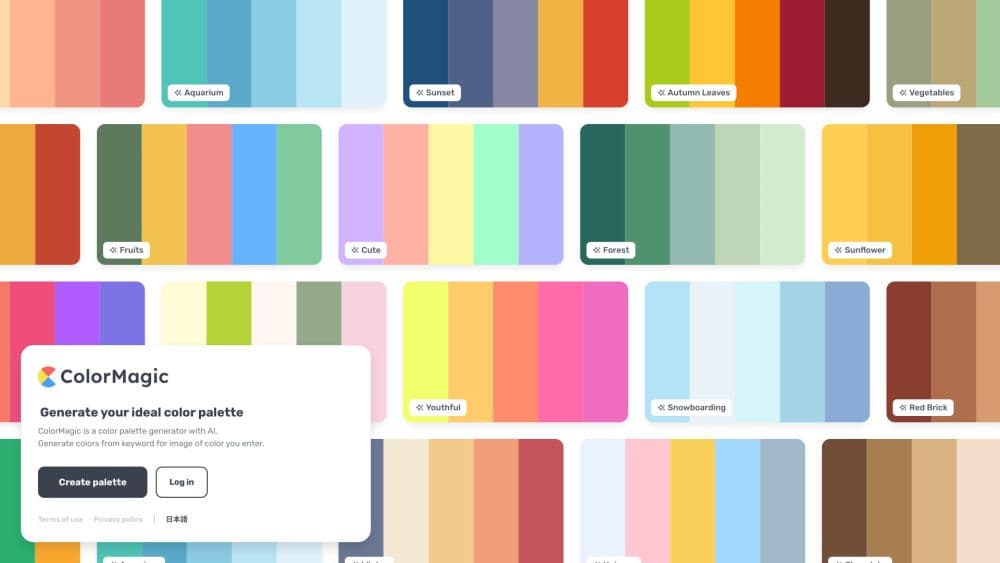
About ColorMagic
What Is ColorMagic
ColorMagic is a browser-based color tool built around one idea: describe the colors you want in plain words and let AI build the palette. Type a mood, a brand name, or a hex code, and the generator returns a matching set of colors you can copy straight into a design. Roughly 200,000 people use it each month, and it has produced more than four million palettes since launch.
The site targets non-designers as much as professionals. A founder picking colors for a landing page, a writer making a thumbnail, or a student finishing a slide deck can all get a usable scheme without learning color theory first. As a free color palette tool and color scheme generator, it stays open to anyone who needs a scheme in a hurry. Alongside the generator sit smaller utilities that handle the jobs people hit next: pulling colors out of a photo, checking whether text is readable on a background, blending two colors, and naming a shade.
Cost is the obvious draw. ColorMagic is completely free and keeps the lights on with ads rather than subscriptions. That also defines the limit: there's no paid tier with extra storage or team controls, so heavy users who want to keep many palettes organized lean on the built-in save feature and their own files.
Getting Started
- Open colormagic.app in a browser. You can generate palettes without an account.
- Type a name, mood, brand, or hex code, or pick a starter example to fill the field.
- Click Generate Color Palette and wait for the AI to return a scheme in seconds.
- Copy the colors, the CSS, or a gradient effect, or download the palette as a PNG.
- Sign in if you want to save favorites with the heart button and build a personal library.
Product Information
A quick look at ColorMagic's pricing, supported platforms, and performance.
Best for
The users, tasks, and scenarios where this tool fits best.
Users
- Non-designers
- Graphic and web designers
- Illustrators and character artists
Tasks
- Picking a brand palette from a name
- Extracting colors from a photo
- Checking color accessibility
Scenarios
- Kicking off a website design
- Building a mood board for a client
- Dressing up a social post
Key features
AI Palette Generator From Text
Type a mood, brand, or hex code and the generator returns a matching palette in seconds. It works as a color generator from text, so you don't need any color codes to start. It reads plain language, so naming a place, a material, or a feeling gives it more to work with than naming a single color. Each run picks a different arrangement of the same idea, so you can regenerate for variety.
Palette From Image
Upload any photo or screenshot and ColorMagic pulls its dominant colors out as a palette. This is the fastest route when you need a design to match existing art, a product shot, or a client's existing branding. Both the palette generator and a dedicated image tool handle this, so there's no separate editor to open.
Free Utility Tools
Beyond the main generator, the site packs a color mixer for blending two shades at any ratio, a color name finder, a random color generator, and a CSS gradient builder. They cover the small jobs that come up right after you pick a palette, so you rarely need to leave the site.
WCAG Contrast Checker
The contrast checker measures a foreground and background pair and flags whether the text passes WCAG AA or AAA at normal and large sizes. It also reports the ratio for icons and UI parts. For anyone shipping a real interface, this turns an accessibility guess into a quick check.
Colors API
ColorMagic offers a free, simple API for searching its palettes from your own code. A single GET request returns matching palettes with their colors, tags, and like counts. It's a light way to pull community palettes into a side project without building a color engine yourself.
Save and Export
Logged-in users can save palettes with a heart button and build a personal collection. Every palette exports as copy-ready hex values, CSS, or gradient code, and downloads as a PNG. Copy buttons and the PNG option mean the palette drops straight into a project.
Pros and cons
Pros
- Completely free to use, with no subscription and no paywall on any tool
- Generates a full palette from plain text, a hex code, or an image in seconds
- Includes a WCAG contrast checker, so accessibility isn't an afterthought
- Exports as hex, CSS, gradient code, or PNG for a fast handoff
- A free API and a wide collection of themed palettes extend it past one-off use
Cons
- Ads support the site, so the interface isn't spotless for ad-averse users
- There's no paid tier, so no extra storage, team accounts, or priority support
- AI output is a guess, so results often need a regenerate or a manual tweak before use
Frequently asked questions
ColorMagic generates color palettes with AI. You describe what you want in words, paste a hex code, or upload an image, and it returns a matching set of colors you can copy into a design.
Related content
Explore related tools, skills, and articles for ColorMagic.
ColorMagic Alternatives

Google EmbeddingGemma 2
Google DeepMind · Writing · Image · CodingGoogle EmbeddingGemma 2 is a 740M-parameter open model that turns text, code, images, audio, and video frames into vectors in one 768-dimension space, running on phones and laptops.

Tractionwave
TractionWave · Image · MarketingTractionWave is an AI attention heatmap tool for static ads. Upload a PNG or JPG and it returns predicted attention, ranked hotspots, and fixes before you spend budget.

Imejis.io
Imejis.io · Image · MarketingImejis.io is an AI design studio for agents and marketing teams. Describe an image in plain words, and it writes the copy, builds the layout, reflows it to every size, then exports a finished file.