

Colossyan Creator
Colossyan · Image · Video
Colossyan Creator is an AI video generator that turns a document, deck, or prompt into training video and courses with AI avatars and localization in 120+ languages.
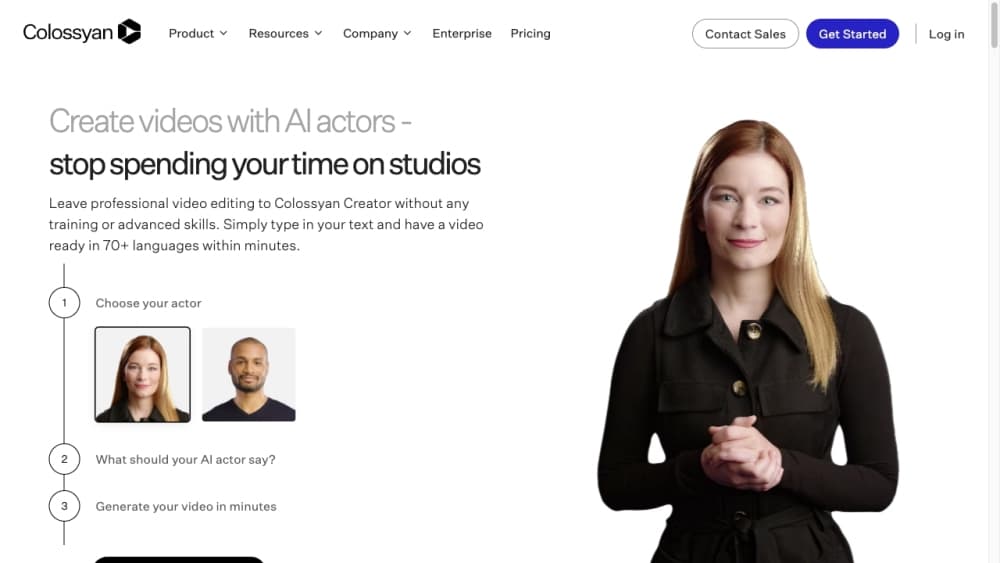
About Colossyan Creator
What Is Colossyan Creator
Colossyan Creator is a web platform for teams that need training and enablement content without a production crew. You bring a document, a slide deck, a link, or a plain prompt, and the AI help drafts a video scene by scene. AI avatars deliver the narration, and nothing renders until you approve it. As an AI avatar video tool and training video maker, it handles the kind of video that usually needs a studio: onboarding modules, compliance courses, sales walkthroughs, and internal explainers.
The audience is mostly people who work at the knowledge level, not the technical level. Learning and development, HR, partner enablement, and product teams use it to produce a whole catalog of training video, then localize it into the languages their staff actually speak. The pitch is straightforward. One script becomes many videos, and an edit flows to every shared link, embed, and course package.
The catch is the format it is good at. Colossyan Creator shines at talking-head explainer and training content, where a presenter reads to camera over slides or on-screen visuals. It is not a tool for cinematic storytelling or real-world filming. Free and starter plans also cap video minutes and length, and every generated video draws from a monthly allowance, so heavier use runs into plan limits fast.
Getting Started
- Create an account at colossyan.com. No credit card is needed for the free plan.
- Pick a starting point: a document, PDF, slide deck, URL, or a text prompt describing the video you want.
- Let the AI agent draft the script and scenes, then edit the text, avatars, and visuals until each scene looks right.
- Choose a voice and avatar, apply your brand colors and logo, and add interactive elements if you want them.
- Generate the video, then download the MP4, share a link, or export a SCORM package for your learning platform.
Product Information
A quick look at Colossyan Creator's pricing, supported platforms, and performance.
Best for
The users, tasks, and scenarios where this tool fits best.
Users
- Learning and development teams
- HR and onboarding staff
- Sales enablement teams
- Small marketing teams
Tasks
- Turning documents into training video
- Localizing a finished video
- Building a structured course
- Embedding video in a product
Scenarios
- You need 40 onboarding videos by Monday
- Your compliance policy changed and dozens of courses need updating
- You run training for a multilingual workforce
Key features
AI Avatars and Custom Avatars
Colossyan Creator offers a library of more than 300 stock avatars with natural gestures, plus the option to build a custom avatar from a short recording. Studio custom avatars, filmed on a green screen, are an add-on. Presenters speak with matched lip-sync and expressions, so a video looks like someone talking rather than an animation.
Text to Video From Documents and Prompts
The AI agent, called Cora, turns a document, presentation, or pasted prompt into a script and scene breakdown you can edit before rendering. You describe the video you want and it drafts the structure, which removes the blank-page problem for people who know their message but not how to lay it out. A finished video consumes video minutes, so imports still carry a cost.
One-Click Localization and AI Dubbing
Any Colossyan Creator video can be localized into 120+ languages in one workflow, keeping names, terms, and pronunciation consistent. Avatar narration, on-screen text, and interactive elements all translate together, with lip-sync in every language. Localization keeps the same presenter and layout across every language, which is the part that usually breaks when you scale content by hand.
Course Creator and SCORM Export
Colossyan Learn lets you go past a single video and build a structured course with quizzes and interactive elements. Courses export as SCORM packages for streaming or self-contained delivery, compatible with common learning platforms like Workday, Cornerstone, and Docebo. On lower plans SCORM exports are limited or absent, which matters if your LMS is central to how you roll out training.
Interactive Videos and Brand Controls
You can add interactive elements to a video so viewers click, answer, or branch through the content. A Brand Kit locks company colors, fonts, and logo so every video stays on message, and templates handle the design so you work at the knowledge level. Multiple avatars in one video let you stage a conversation or a roleplay.
API Access and Enterprise Governance
Professional and Enterprise plans open API access, so teams can generate video and avatar content from their own code. Enterprise adds unlimited minutes, SSO and SAML, EU or US data residency, analytics, and a dedicated success manager. Colossyan is SOC 2 Type II certified and says customer content is never used to train its models.
Pros and cons
Pros
- Cuts video production time and cost sharply for training, comms, and explainer content that would otherwise need a shoot.
- Localization into 120+ languages keeps a single presenter and layout consistent across every market.
- The free plan is usable, with 20 minutes of video a month and a 300+ avatar library, so you can test before paying.
- Course creation with SCORM export means updates flow into your learning platform without re-uploading anything.
- An API and interactive elements let teams embed video and courses into their own products.
Cons
- It is built for presenter-led talking-head video, so it does not fit cinematic, action, or narrative filming.
- The free and starter plans cap video minutes and duration, which gets tight for longer courses or heavy localization.
- Studio custom avatars and extra minute packs are priced as add-ons, so lifelike avatars cost more than stock faces.
- Unused video minutes do not roll over, so a quiet month means allowance you paid for goes unused.
Frequently asked questions
Colossyan Creator is used to make presenter-led training and enablement video without filming, mainly for onboarding, compliance, sales content, and internal comms. If your video is one person talking over slides, it fits; a cinematic shoot does not.
Related content
Explore related tools, skills, and articles for Colossyan Creator.
Colossyan Creator Alternatives

Google EmbeddingGemma 2
Google DeepMind · Writing · Image · CodingGoogle EmbeddingGemma 2 is a 740M-parameter open model that turns text, code, images, audio, and video frames into vectors in one 768-dimension space, running on phones and laptops.

Tractionwave
TractionWave · Image · MarketingTractionWave is an AI attention heatmap tool for static ads. Upload a PNG or JPG and it returns predicted attention, ranked hotspots, and fixes before you spend budget.

Imejis.io
Imejis.io · Image · MarketingImejis.io is an AI design studio for agents and marketing teams. Describe an image in plain words, and it writes the copy, builds the layout, reflows it to every size, then exports a finished file.