

CommandBar
Amplitude · Productivity · Marketing · Chatbot
CommandBar is an AI in-app help platform that gives SaaS teams guides, surveys, and nudges to improve onboarding.
About CommandBar
What Is CommandBar
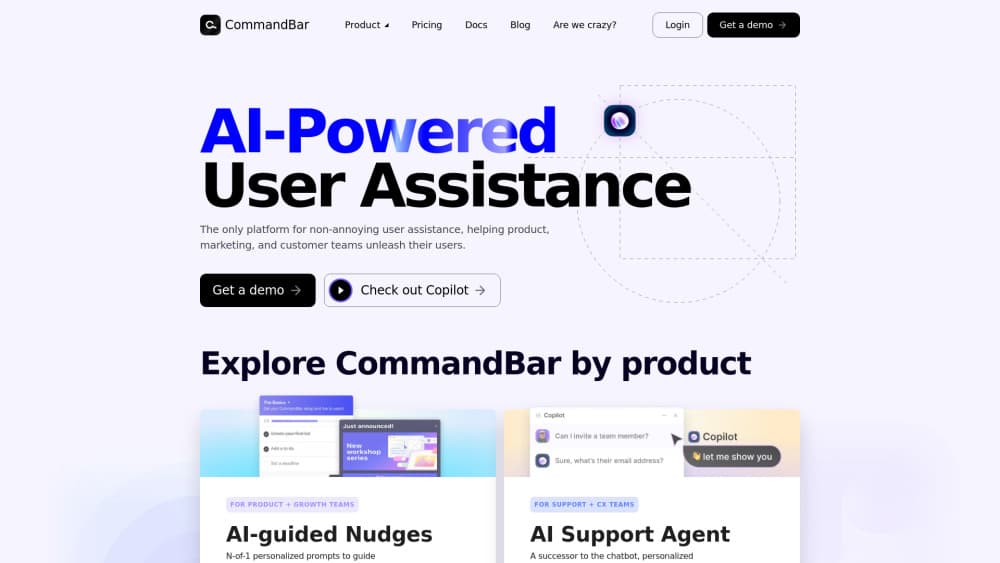
CommandBar is an AI-powered user assistance platform for software teams. It drops into a web app to answer user questions, walk people through features, and prompt them at the moments that actually matter. The goal is simple: fewer support tickets and faster onboarding without building an in-house help system.
Think of it as a layer that sits on top of your product. It watches how people move through your app, then shows the right help at the right time. Instead of burying answers in a docs site nobody reads, it brings them into the interface where confusion happens. Simple idea. Hard to build well.
The platform now lives inside Amplitude as part of its Guides and Surveys suite, so teams that already use Amplitude analytics can pair help with behavior data. If you don't run Amplitude, you can still buy the module on its own, but expect a heavier setup and a sales conversation rather than a quick self-serve signup at a published price.
Getting Started
- Book a demo or talk to the Amplitude sales team to get access to the Guides and Surveys module.
- Install the CommandBar SDK or snippet in your web app, then confirm it loads in a staging environment.
- Connect your analytics or event tracking so guides can target real user behavior instead of static rules.
- Build your first guide or survey in the visual editor and set triggers, audience rules, and guardrails.
- Launch to a small segment, watch engagement and annoyance signals, then widen the rollout.
Product Information
A quick look at CommandBar's pricing, supported platforms, and performance.
Best for
The users, tasks, and scenarios where this tool fits best.
Users
- Product and growth teams at SaaS companies
- Customer support and success managers
Tasks
- Onboarding new users
- Cutting support load
- Collecting feedback
Scenarios
- B2B SaaS products with complex dashboards
- Feature launches
- Trial-to-paid conversion
Key features
AI In-App Assistant
CommandBar answers user questions in plain language right inside the product. People type what they're trying to do, and it points them to the relevant feature or answer. It saves users from hunting through a help center and keeps them in the flow of their work. No tab switching required.
In-App Guides and Product Tours
Guides walk users through features step by step, from a first-run tutorial to a targeted tip for one workflow. Product and growth teams build them in a visual editor, so no one needs to ship new front-end code for every change. That matters when your onboarding copy changes weekly.
Behavior-Based Nudges
Nudges appear based on what users actually do, not a rigid rule set. If someone stalls on a setup screen or clicks the same button twice out of confusion, the platform can trigger a hint. The intent is to help the person in front of you, not to chase them with popups. That distinction matters.
Natural Language Search
Users can search your product in everyday words rather than hunting for the exact menu label. This shrinks the gap between what a user wants and where the feature lives. It's most useful in dense apps where navigation alone can be a maze. Ever clicked through five menus to find one setting?
Surveys and NPS
The platform runs NPS, CSAT, and other surveys inside the app without interrupting the user's task. Teams keep a steady pulse on happiness and catch problems before they show up in churn numbers.
Guardrails and Annoyance Limits
Guardrails control how often guides and nudges appear, so users don't get hit with back-to-back popups. The platform measures annoyance signals and lets teams cap exposure for people who get less value from prompts. Fewer, better-timed messages beat a wall of banners.
Analytics Integration
Because it's part of Amplitude, guides can target behavioral cohorts and report on how people interact with them. Teams see which tours get completed and which nudge gets ignored, then adjust. Analytics and help stop living in separate tools. That's the real win.
Brand Customization
Guides and surveys take on your colors and fonts, so they read as part of your product. Consistency matters for trust. A help widget that clashes with your interface looks like an ad, and users tune it out fast.
Pros and cons
Pros
- Behavior-based targeting beats static rules, so help shows up when a user is genuinely stuck.
- Works as part of Amplitude, letting teams tie onboarding to real usage data.
- Visual editor means non-engineers can ship guides and surveys without code changes.
- Guardrails and annoyance limits keep prompts from overwhelming users.
- Surveys and NPS run in-app, so feedback keeps its context.
Cons
- No free plan, so small teams can't test it without a sales conversation.
- It's a paid add-on or standalone purchase, which pushes the real cost above the sticker price for teams not already on Amplitude.
- Setup needs engineering time to install the SDK and wire up event tracking.
- Behavior-based targeting only pays off once you have enough traffic and clean event data.
Frequently asked questions
It's an AI user assistance platform for web apps. Teams use it to answer in-app questions, run onboarding tours, trigger behavior-based nudges, and collect survey feedback without building those systems themselves.
Related content
Explore related tools, skills, and articles for CommandBar.
CommandBar Alternatives

Base Code
Base44 (Wix) · Coding · ProductivityBase Code is a shared cloud development environment from Base44. Teammates describe changes to an existing GitHub codebase in chat, preview them live and send them back as pull requests.

Knocket
Knocket (Tencent RTC team) · Productivity · Business · ChatbotKnocket is a free live chat and contact page tool that lets visitors message you from your website, app, or a shareable link, with every reply handled from Telegram or one inbox.

FloorGen
Vinit Kumar (FloorGen) · Productivity · China AIFloorGen is a browser-based floor plan maker that turns a sentence or a sketch into an editable 2D plan and a 3D walkthrough. Export to PDF, DXF or video, and draw without an account.