

Compuser.ai
UAB Appasap (Compuser) · Productivity
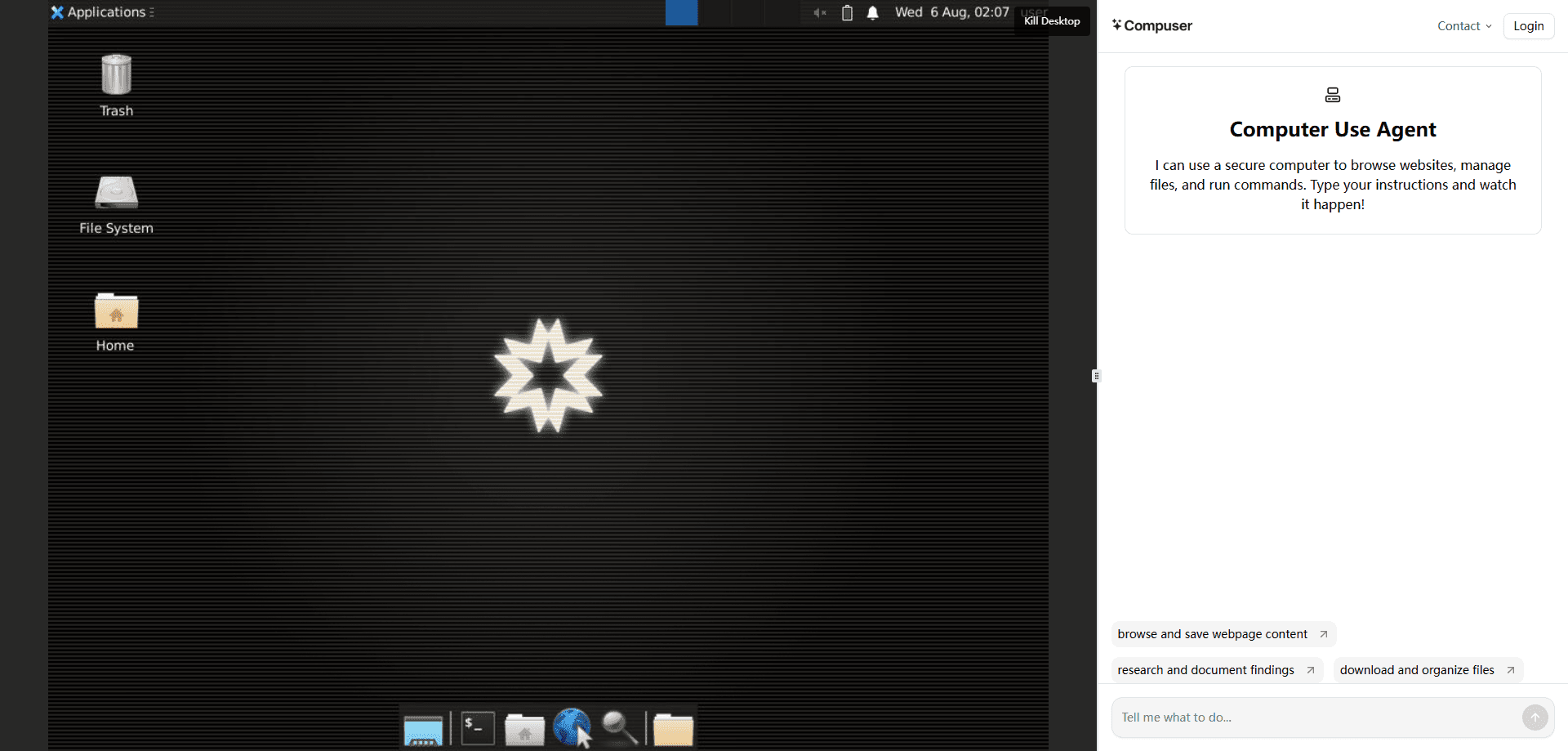
Compuser.ai is a browser-based AI agent that runs real computer tasks on its own cloud desktop. You describe the job, and it clicks, types, and works through your apps for you.
About Compuser.ai
What Is Compuser.ai
Compuser.ai is an AI agent built around computer use. Instead of chatting and leaving you to do the clicking, it takes over a private cloud computer and carries out tasks the way a person would: opening apps, filling forms, cleaning spreadsheets, and browsing the web. It is AI task automation with a desktop behind it, not just a smarter reply box. The developer is UAB Appasap, a company based in Kaunas, Lithuania.
The pitch is simple. Most AI tools answer questions, then hand the busywork back to you. Compuser keeps a full desktop running in the cloud, so it can download software, save logins, and pick up where it left off between sessions. That persistent workspace is the part that separates it from a standard chatbot.
It is not free, and it is not built for one-off questions. You pay a monthly fee for a set number of usage hours on that virtual PC. AI agent pricing here works on hours rather than messages, so Light is the cheapest at $19 a month and hours scale up as you move to the higher tiers.
Getting Started
- Sign up at app.compuser.ai and pick a plan, from Light at $19 a month upward.
- Open the agent in your browser and describe the task in plain language, such as cleaning a spreadsheet or scraping leads.
- Let the agent work the cloud desktop, and step in yourself when you want to take over or adjust course.
- Check the results, then keep the same workspace for next time so your apps, files, and logins stay in place.
Product Information
A quick look at Compuser.ai's pricing, supported platforms, and performance.
Best for
The users, tasks, and scenarios where this tool fits best.
Users
- Founders and solo entrepreneurs
- Sales, marketing, and ops staff
- Developers and product teams
Tasks
- Scraping leads and enriching data
- Cleaning messy spreadsheets and files
- Sending outreach and reports
Scenarios
- A freelancer juggling client admin
- An early prototype with no devs to spare
- Weekly reporting across tools
Key features
Persistent Cloud Computer
Compuser gives you a private cloud desktop that stays on between sessions. Your apps, files, and saved logins are waiting when you come back. That continuity is the main draw, because it means a long job does not reset every time you close a tab. For anyone tired of task sessions that die after the chat ends, this is the difference that matters most.
Real App Control
The agent can download, install, and run desktop software, not just open web pages. You can pull in something like Photoshop and have the agent use it on your behalf, or lean on preinstalled Office, a browser, a terminal, and VS Code. It also drives Excel through a preinstalled app, so spreadsheet work happens in the real tool instead of a text box.
Browser Automation
It clicks buttons, fills forms, and navigates sites the way a person does, which is what makes it a browser AI agent rather than a plain assistant. Lead collection, form entry, and multi-step web tasks run end to end. The company says there are no message caps, timeouts, or blocked sites, so a task runs as long as it needs to.
Container and Desktop Workflows
Compuser runs on a sandboxed cloud computer with user-controlled permissions. Automation, coding, and data analysis all happen in that environment, and the vendor says data, passwords, and files you enter are never accessed or processed by the company. You can also join the agent mid-task to collaborate when a step needs your judgment.
Workflow Templates Across Teams
The product ships with ready-made workflow ideas grouped by team, from research and lead generation to finance, HR, and IT operations. Each one lists concrete jobs, such as installing apps automatically or configuring a tool like Slack. Templates like these cut the cold-start problem for people who are not sure what to hand off first.
Latest Model Access
Every plan includes access to the latest generation AI model, so the agent's reasoning improves as the underlying models do. Pricing tiers differ mainly in usage hours rather than model quality, which keeps the choice about how much work you want to delegate rather than which brain you get.
Pros and cons
Pros
- The persistent cloud computer keeps apps, files, and logins between sessions, so you avoid rebuilding your setup on every job.
- It handles real desktop software and browser tasks alike, which is broader than tools that only work inside a single site or chat window.
- No message caps or blocked sites means long automation runs are not cut short mid-task.
- Usage-hour pricing lets you start at $19 a month and scale up only when your workload grows.
- A 30-day money-back guarantee lowers the risk of trying it on a live project.
Cons
- There is no free tier, so you have to pay to find out whether the agent fits your work.
- Usage is capped by hours per plan, which means heavy automation on the Light plan can run out before the month is up.
- The agent works in a cloud computer rather than your own machine, so anything that depends on local files or on-device apps is out of reach.
- The company does not publish a public API, so teams that want to wire it into their own software have no documented path yet.
Frequently asked questions
Compuser.ai automates computer tasks. You ask it to clean a spreadsheet, scrape leads, send outreach emails, or run a workflow, and it does the work on its own cloud desktop. Use it when you want to automate computer tasks that would otherwise fall to you, rather than another chat reply.
Related content
Explore related tools, skills, and articles for Compuser.ai.
Compuser.ai Alternatives

Base Code
Base44 (Wix) · Coding · ProductivityBase Code is a shared cloud development environment from Base44. Teammates describe changes to an existing GitHub codebase in chat, preview them live and send them back as pull requests.

Knocket
Knocket (Tencent RTC team) · Productivity · Business · ChatbotKnocket is a free live chat and contact page tool that lets visitors message you from your website, app, or a shareable link, with every reply handled from Telegram or one inbox.

FloorGen
Vinit Kumar (FloorGen) · Productivity · China AIFloorGen is a browser-based floor plan maker that turns a sentence or a sketch into an editable 2D plan and a 3D walkthrough. Export to PDF, DXF or video, and draw without an account.