

CM: Digital Business Card
ConnectMachine · Productivity
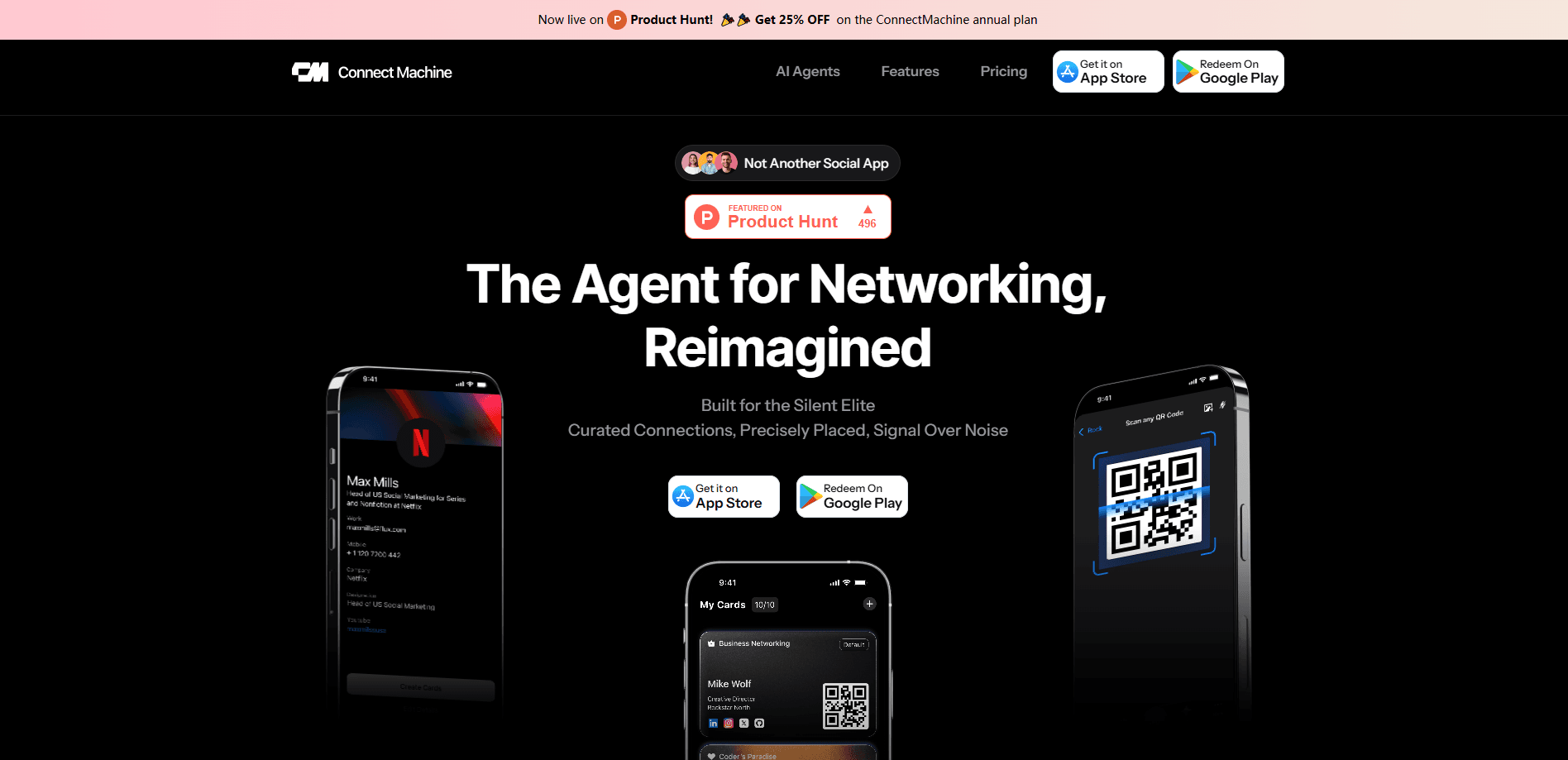
CM: Digital Business Card, from ConnectMachine, is an AI contact management app that replaces paper cards with shareable digital ones. You build a card for each context, share it by QR code so anyone can save your details without downloading anything, and the app scans the paper cards you still collect. It also records conversations and attaches them to contacts, then layers an AI Concierge on top to search and schedule for you. That's the whole pitch in one line. The free plan covers the basics. Individual and Team plans at $5.99 open up the rest.
About CM: Digital Business Card
What Is CM: Digital Business Card
CM: Digital Business Card is a digital business card and AI contact management app for professionals who meet a lot of people and want to remember them. The pitch is simple: instead of handing out paper and forgetting who you just met, you share a QR code business card, and your details land straight in the other person's phone. No app on their end, no signup. The company also runs an AI card scanner, so the paper cards you still collect become clean, searchable contacts. That last part matters more than it sounds.
The bigger idea is context. You can build several card versions, one for work, one for a conference, one for friends, and choose exactly what each audience sees. That control over what you share is the feature the company pushes hardest, and it's the part most people care about once they start using it. Meeting the same person as a client and later as a friend doesn't mean re-explaining yourself. Why would you want to?
The limits are worth knowing up front. ConnectMachine is a relatively young product, so the polish and integrations you'd expect from older networking suites aren't all there yet. It's also mobile-first, and while the contact library syncs across devices, the experience is built around the phone. If your workflow lives inside a desktop CRM, plan on some manual bridging. And the AI Concierge, while convenient, is best treated as an assistant that helps, not one you hand the wheel to.
Getting Started
- Download the app on iOS or Android, then sign up and follow the guided steps to build your first digital card.
- Add your details, photo, and social links, then pick what each card version should show for work, events, or personal use.
- Share it by showing your unique QR code or sending your share link, so the other person can save your info without installing anything.
- Scan any paper cards you collect, and record a quick voice note after a conversation so your contact stays searchable and memorable.
- Open the AI Concierge to search your contacts, pull up what you discussed, and let it handle scheduling.
Product Information
A quick look at CM: Digital Business Card's pricing, supported platforms, and performance.
Best for
The users, tasks, and scenarios where this tool fits best.
Users
- Sales and business development professionals
- Founders and freelancers who network often
- Conference and event regulars
Tasks
- Exchanging contact info in a hurry
- Turning paper cards into searchable contacts
- Recalling what you talked about
- Finding and scheduling meetings
Scenarios
- Working a busy trade show floor
- Following up after a networking dinner
- Keeping your personal and work identities apart
- Reconnecting after months
Key features
Digital Cards for Every Context
You create as many card versions as you need and decide what each one shows. A work card might list your title, company, and business email; a personal card might only carry your name and social handles. The point is control: you share what fits the moment and nothing more, and editing a card updates it everywhere it's been shared. Simple as that.
QR Code Sharing Without an App
Sharing works by showing a QR code that any phone camera can read. The other person doesn't download the app or sign up, so there's no awkward "let me install this first" pause. Their details land in your contact list, and yours land in theirs, which is the whole reason people switch away from paper. One scan. Done.
AI Business Card Scanner
Point your camera at a paper card and the AI reads it, then turns it into a structured, searchable contact. This matters if you still leave events with a stack of cards, because typing them in by hand is the step everyone skips. Not ideal. The scanned contact slots into the same contact library as the ones you exchanged digitally.
Conversation Recording
You can record a conversation on the spot and attach it to the contact. Weeks later, when you're deciding whether to follow up, you hear what you actually talked about instead of guessing. Big difference. It's a small feature that changes how follow-up feels, especially when you meet a lot of people in a short stretch.
AI Concierge
The AI Concierge treats your contacts and calendar like an assistant would. You can ask it to find someone, pull up the context around them, or set up a meeting without digging through screens. It schedules, searches, and remembers, which is the difference between a static address book and something that actively helps you stay in touch.
Privacy and Data Controls
Every card shows only the details you choose to share, and your contact list stays private to you. ConnectMachine states it's GDPR compliant, uses industry-standard encryption, keeps data localized, and doesn't sell your data. That's the claim, anyway. You can also export your contacts to CSV from the settings menu if you want a copy of your own.
Pros and cons
Pros
- People can save your details by scanning a QR code without installing the app, which removes the biggest friction point in digital card exchange.
- Multiple card versions let you separate work, client, and personal identities from a single account.
- The AI card scanner and conversation recording work together to preserve context you'd otherwise lose.
- Free plan is genuinely usable, so you can test the core sharing flow before paying.
- Team plan gives every member full premium access under one dashboard.
Cons
- It's a young product, so integrations with CRMs and calendar tools are thinner than what established networking app suites offer.
- The experience is built around the phone, so if you work mainly from a desktop, you'll hit rough edges.
- The AI Concierge is helpful but not something to rely on unsupervised for important scheduling.
- No public API is documented, so teams wanting to automate contact sync will need manual workarounds.
Frequently asked questions
It's an AI contact management app that lets you build and share digital business cards, scan paper cards into digital contacts, record conversations, and manage everyone you meet in one searchable list. It replaces paper cards and scattered notes with a single mobile app.
Related content
Explore related tools, skills, and articles for CM: Digital Business Card.
CM: Digital Business Card Alternatives

Base Code
Base44 (Wix) · Coding · ProductivityBase Code is a shared cloud development environment from Base44. Teammates describe changes to an existing GitHub codebase in chat, preview them live and send them back as pull requests.

Knocket
Knocket (Tencent RTC team) · Productivity · Business · ChatbotKnocket is a free live chat and contact page tool that lets visitors message you from your website, app, or a shareable link, with every reply handled from Telegram or one inbox.

FloorGen
Vinit Kumar (FloorGen) · Productivity · China AIFloorGen is a browser-based floor plan maker that turns a sentence or a sketch into an editable 2D plan and a 3D walkthrough. Export to PDF, DXF or video, and draw without an account.