

Cora
Every Media, Inc. · Productivity · Marketing
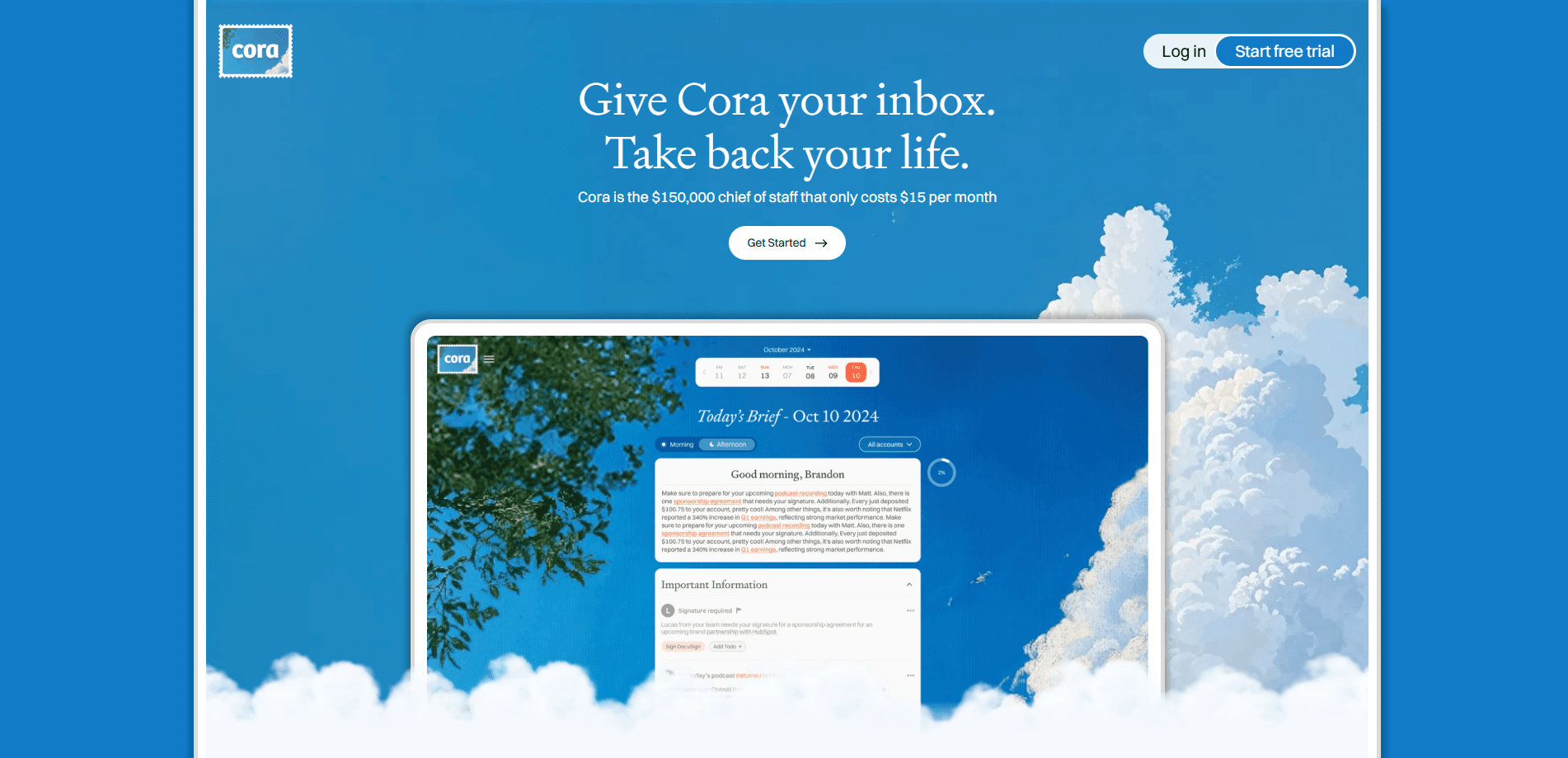
Cora is Every's AI email assistant that screens your inbox, drafts replies in your voice, and sends twice-daily briefs.
About Cora
What Is Cora
Cora is an AI email assistant built by Every, the media and software studio behind Spiral and Sparkle. It treats your inbox less like a to-do list and more like a filtered feed. As an email drafting AI, it sorts incoming messages, keeps the ones that need a human reply in front of you, and archives the rest, so the only thing sitting in your inbox is mail worth your attention.
The core promise is speed. Every says roughly 90% of the email people get doesn't need a response, so instead of reading every message in order, you let Cora triage and summarize. Twice a day it delivers a Brief that covers everything you need to know but don't need to reply to.
The trade-off is clear: this is an email chief of staff, not a full mail client. Cora drafts replies but never sends or deletes anything on its own, and it works alongside your existing provider rather than replacing it. Give it a run and you'll quickly find out how much of your inbox was noise.
Getting Started
- Sign up at cora.computer with your Google account.
- Connect the email accounts you want Cora to manage. The Professional plan covers two.
- Let Cora read a slice of your email history so it can learn your writing voice and priorities.
- Talk to Cora in plain language to set rules, like how to file receipts or handle scheduling requests.
- Open your inbox for the messages that need you, then read the twice-daily Brief for the rest.
Product Information
A quick look at Cora's pricing, supported platforms, and performance.
Best for
The users, tasks, and scenarios where this tool fits best.
Users
- Founders and executives
- Knowledge workers drowning in newsletters
- Anyone replying to the same message types all day
Tasks
- Triaging a crowded inbox
- Drafting routine replies
- Catching up on low-priority mail
Scenarios
- Returning from vacation
- Running a small team solo
- Staying off email during deep work
Key features
AI Inbox Screening
Cora learns what matters to you and keeps those messages in your inbox for immediate attention. Everything else gets archived automatically, so opening your inbox shows work that actually needs you. Every says the model picks up on who you reply to and how fast, which is how it decides what counts as urgent.
Pre-Drafted Responses
When Cora has enough history to write a good reply, it drafts one in your voice. The drafts land in your drafts folder, and you decide what to send, to whom, and when. It learns your habits, like sign-offs, tone with family versus clients, and whether you drop a scheduling link, then reuses them. Repetitive requests stop eating your afternoon.
Twice-Daily Briefs
Morning and afternoon, Cora sends a Brief that summarizes everything you received but didn't need to reply to. It's designed to be read in about 30 seconds, turning newsletters, notifications, and FYIs into one scannable story. This is the feature that replaces the slow scroll through your inbox.
Plain-Language Rules
You shape Cora by talking to it, over chat or email, the way you'd brief an assistant. Tell it how to file a category of mail or handle a recurring situation and it remembers. That beats building drag-and-drop filters, and it means your setup adapts as your work changes.
Works Across Accounts
The Professional plan handles two email accounts and the Unlimited plan removes the cap. Cora works with the provider you already use instead of forcing a migration, and it can summarize across connected accounts so your Brief covers everything in one place.
Privacy Guardrails
Every states that Cora never trains models on your data, that no one at the company can view your emails, and that Cora lacks the permissions to send or delete mail. The product is Google Verified and CASA Tier 2 compliant. Those limits are what make handing an assistant your inbox less nerve-wracking.
Pros and cons
Pros
- Sorts the inbox automatically, so what stays visible is what needs a reply.
- Drafts replies in your voice, not a generic template.
- The twice-daily Brief makes short work of newsletters and notifications.
- You steer it in plain language instead of building filters.
- Cora can't send or delete email, so you keep final control.
Cons
- The paid plans require a Google account and a Google-based inbox to connect.
- Two accounts on the base plan is a tight limit if you juggle work and personal mail.
- Draft quality depends on how much history Cora has read, so new accounts start weaker.
- There's no public API, which rules out custom integrations and automation.
Frequently asked questions
Cora manages your email. It screens incoming messages, keeps the ones that need a reply, drafts responses in your voice, and sends a twice-daily summary of everything else.
Related content
Explore related tools, skills, and articles for Cora.
Cora Alternatives

Base Code
Base44 (Wix) · Coding · ProductivityBase Code is a shared cloud development environment from Base44. Teammates describe changes to an existing GitHub codebase in chat, preview them live and send them back as pull requests.

Knocket
Knocket (Tencent RTC team) · Productivity · Business · ChatbotKnocket is a free live chat and contact page tool that lets visitors message you from your website, app, or a shareable link, with every reply handled from Telegram or one inbox.

FloorGen
Vinit Kumar (FloorGen) · Productivity · China AIFloorGen is a browser-based floor plan maker that turns a sentence or a sketch into an editable 2D plan and a 3D walkthrough. Export to PDF, DXF or video, and draw without an account.