

Coursekit
Productize Your Mind · Leaning
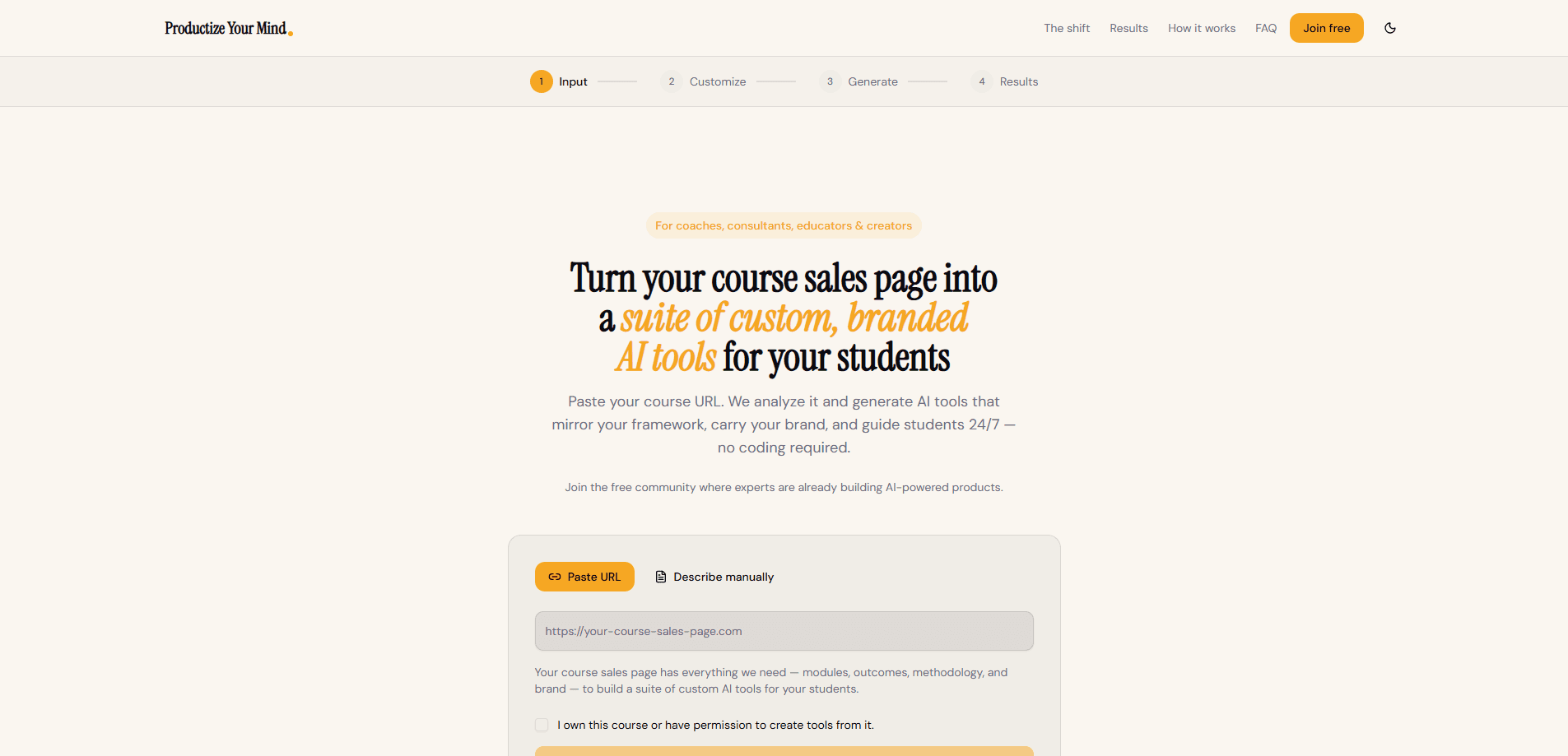
Coursekit is a web tool from Productize Your Mind that converts an online course into a set of branded AI tools your students can actually use. You point it at a public sales page, import a course from a platform like Teachable, Thinkific, or Kajabi, or paste your outline by hand. It reads your modules, outcomes, and teaching method, then builds several AI agents and workflows that carry your logo, colors, and voice. The pitch is simple. A static sales page gets read once. A branded AI tool suite gives students guided help whenever they need it.
About Coursekit
What Is Coursekit
Coursekit is a headless course platform aimed at coaches, consultants, educators, and course creators. Rather than hosting your lessons, it focuses on the part most course platforms ignore: what students do after they buy. It scans your sales page or imported curriculum and generates AI tools that walk students through your framework step by step.
The product is less about "using AI at work" and more about packaging your expertise so students can access it on demand. Each generated tool mirrors your teaching method instead of acting like a generic chatbot. The whole set is branded with your look.
Does that replace your course? Not even close. Coursekit handles course platform integration by generating tools you embed back into whatever platform you already run, so students meet them in place.
The main limitation is scope. Coursekit builds and delivers AI tools, but it doesn't replace your course platform, and the tools still depend on the quality of the source material you feed it. If your sales page is thin, the tools will be too. There's also no public pricing page, so you'll need to reach out through the site or community to confirm costs before committing. That's a real gap when you're comparing options.
Getting Started
- Open the Coursekit page and pick how you want to import: paste a public sales page URL, connect a supported platform, or describe the course manually.
- Confirm you own the course or have permission to build tools from it, then submit the URL for a free audit.
- Review the detected modules, outcomes, and brand details, and add module notes for any lessons hidden behind a login.
- Generate the AI tool suite and adjust branding so each tool matches your framework.
- Follow the embedding instructions for your platform and drop the tools into your course, membership, or lead magnet.
Product Information
A quick look at Coursekit's pricing, supported platforms, and performance.
Best for
The users, tasks, and scenarios where this tool fits best.
Users
- Course creators
- Coaches and consultants
- Educators and membership owners
Tasks
- Converting a sales page into usable tools
- Generating quizzes and outlines
- Embedding AI tools in a course
Scenarios
- Launching a course and wanting students to apply the material
- Running a membership that needs to scale support
- Testing a lead magnet idea
Key features
Sales Page and Platform Import
Coursekit starts from a public sales or landing page. It scans the URL and detects major platforms like Teachable, Thinkific, and Kajabi when the link makes that obvious, so you don't have to rebuild your curriculum by hand. For lessons hidden behind a login, you can paste module notes and it combines them with the visible page. If nothing fits, you describe the course manually.
Branded AI Tool Generation
Instead of one chatbot, Coursekit produces a suite of AI tools from a single course. Each tool mirrors your framework and carries your logo and colors, and the tools are meant to guide students the way you'd guide them yourself. Early users report getting several agents and workflows out of one import, which is the core value here.
Curriculum Extraction
The tool pulls modules, outcomes, and teaching methods out of your source material. That extraction step is what lets the generated tools feel like you rather than a blank assistant. The better your sales page spells out your process, the closer the output lands. Thin input means thin tools.
Embed and Delivery Instructions
Coursekit doesn't stop at generation. It shows embedding instructions for the platform your students already use, so the tools live inside your course or membership. You can also use the suite as a standalone lead magnet if you'd rather collect emails than teach inside a platform.
Free Audit Before Commit
You can run a free audit without signing up. That gives you a look at how Coursekit reads your course before you invest time in branding or embedding, which is a sensible way to judge fit.
Pros and cons
Pros
- Turns an existing course into usable AI tools without code, so creators with no technical background can still ship something.
- Branding carries over, which matters when students expect your voice and visual identity.
- Works from a sales page URL, lowering the effort to get started compared to building tools from scratch.
- Generates a set of tools rather than one, covering common needs like quizzes and outlines.
- Free audit lets you test the read on your course before committing.
Cons
- No public pricing page, so you can't compare cost against alternatives without contacting the team.
- Output quality depends on how detailed your sales page is; a thin page produces thin tools.
- It doesn't host your course, so you still need a separate platform to deliver lessons.
- It leans on integrations with platforms like Teachable and Kajabi, and manual imports are more work if yours isn't supported.
Frequently asked questions
It reads your course content and generates a suite of branded AI tools for your students. You supply a sales page URL or a platform import, and it builds the tools and shows you how to embed them.
Related content
Explore related tools, skills, and articles for Coursekit.
Coursekit Alternatives

HireKey
HireKey · Voice & Language · Productivity · LeaningHireKey is an AI job search copilot built by a former tech recruiter. It checks role fit, tailors resumes, runs interview practice and tracks every application.

Lune
Retrograde Labs · Productivity · LeaningLune is a research search engine for scientific AI agents. It runs as an MCP server that lets Claude, ChatGPT and Cursor search peer-reviewed computer science papers and cite them.
Coddy
Coddy · Coding · LeaningCoddy is a gamified platform to learn to code through short interactive lessons in 20+ languages, with a browser editor, an AI tutor and free certificates.