

Coverler
Boosta Start Up Factory OÜ · AI Assistant
Coverler is an AI cover letter generator for job seekers. Paste a job description, add your resume or LinkedIn profile, and it writes a letter you can edit and download.
About Coverler
What Is Coverler
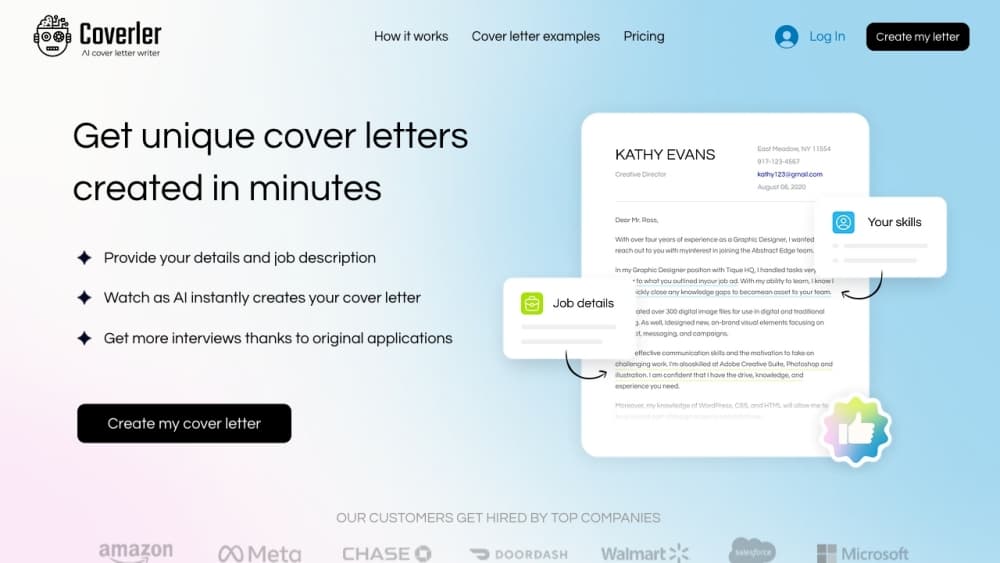
Coverler is a web app that writes a job application cover letter from two inputs: the posting you're targeting and your own work history. You drop the job description into a form, upload a resume or pull in a LinkedIn profile, and the tool produces a letter built around the overlap between the two.
The problem it targets is volume. Most people applying to ten or twenty roles end up sending the same letter everywhere, or skipping the letter entirely. Writing a fresh one for each posting takes an hour you probably don't have. Coverler cuts that to a few minutes of form filling plus roughly 20 seconds of generation, according to the company. It's a single-purpose AI cover letter builder, not a full application suite.
Two limits matter before you sign up. There's no permanent free tier. The entry point is a $2.95 trial that converts into a $24.95 monthly subscription after seven days, so it's built for people who are actively applying, not for occasional use. Second, the output is a draft. The letters read well on structure and relevance, but they still need your voice and a fact check before anything goes out.
Getting Started
- Create an account at coverler.com and start a new letter. The site asks for the role you're chasing first.
- Paste the job description into the form. Long postings work better than a one-line summary, since the generator pulls requirements and keywords from the text.
- Add your experience, either by uploading a resume file or connecting a LinkedIn profile. The tool uses this to match your skills against what the posting asks for.
- Generate the letter. It arrives in about 20 seconds, then you adjust tone and length with the built-in controls and edit any sentence by hand.
- Pick a template, then download the result as PDF, Word, or TXT. Downloads aren't capped, so you can revise and re-export as often as you like.
Product Information
A quick look at Coverler's pricing, supported platforms, and performance.
Best for
The users, tasks, and scenarios where this tool fits best.
Users
- Active job seekers
- Career changers
- Recent graduates and entry-level applicants
- Professionals applying abroad
Tasks
- Writing a cover letter for each job application
- Turning a resume into prose
- Rewriting a letter that feels wrong
- Refreshing a LinkedIn profile
Scenarios
- A week of heavy applying
- Returning to the job market after years away
- Applications where the posting is dense
Key features
Job Description Matching
The generator reads the posting before it writes anything. It pulls out the requirements, the phrasing the employer used, and the skills that come up more than once, then builds the letter around the overlap with your background. The result reads like it was written for that company, which is the whole point of a job application cover letter.
Resume and LinkedIn Import
You can upload a resume file or connect a LinkedIn profile instead of typing your history by hand. The tool extracts roles, dates, and skills, then decides which pieces are worth mentioning for the job at hand. For anyone with a decade of experience, that filtering matters more than the writing itself.
One-Click Tone and Length Controls
Two sliders handle the edits people make most often: how formal the letter sounds and how long it runs. Shorten a draft from 400 words to 250 without rewriting it yourself, or push a flat paragraph toward something warmer. Each version stays editable, so you can fix individual lines the sliders get wrong.
Cover Letter Templates
Twelve layouts ship with the app, from Basic ATS and Dual Column to Minimal Onyx and Pastel Mint. Each one is tagged with how often it's been used, and the ATS-friendly cover letter designs keep the text in a single column so parsing software reads it in the right order. Switching templates doesn't change the wording, only the presentation.
Unlimited Letters and Downloads
Every paid plan removes the count limits: as many letters as you want, as many revisions as you want, and unlimited PDF, Word, and TXT downloads. There's no credit system to budget around, which is the main structural difference from tools that sell letter credits in packs.
Recruiter Review and Profile Polish
The six-month plan includes 20 letters edited by human recruiters, plus a resume rewrite and a LinkedIn bio rewrite. It's a service layer on top of the software, and it's the only part of Coverler that involves a person reading your application. Lower plans get the AI output and live chat support only.
Pros and cons
Pros
- Generation is fast. Twenty seconds per letter against an hour of writing changes how many applications you can send in a week.
- The matching uses the actual posting, so letters mention the employer's requirements rather than generic enthusiasm.
- Unlimited letters and downloads on every paid plan, with no credit packs to ration.
- Twelve templates cover both conservative ATS layouts and more visual designs, and switching is one click.
- The six-month plan bundles recruiter edits, a resume rewrite, and a LinkedIn bio, which would cost more as separate services.
Cons
- No free tier. The $2.95 trial bills $24.95 a month after seven days unless you cancel, so casual users pay for a tool they barely open.
- Drafts lean on the posting's language. If two applicants use the same tool for the same job, the letters can share phrasing, so rewrite the opening yourself.
- Recruiter edits and the LinkedIn rewrite sit on the most expensive plan only. The cheaper tiers are pure software.
- It's narrow. There's no interview prep, no job tracking, and no public API, so it stays one tool in a wider search rather than a hub.
Frequently asked questions
Coverler writes cover letters. You give it a job description and your resume or LinkedIn profile, and it produces a letter aimed at that specific role, which you can then edit, restyle, and download.
Related content
Explore related tools, skills, and articles for Coverler.
Coverler Alternatives
Agibot
Agibot · Productivity · AI Assistant · ChatbotAgibot is a personal AI agent for Mac that keeps running after you close the window, runs routines on a schedule, and works from Telegram or Slack with your own API keys.

Foley
Hanamori Labs, LLC · Voice & Language · Productivity · AI AssistantFoley is a voice to-do list that turns a spoken sentence into a filed task, complete with project, date and time, then helps you plan the day around what is already there.

Ghost Core
Ghost · Productivity · AI AssistantGhost Core is a $3,499 screenless personal AI computer that runs local AI models on its own hardware, builds context from your apps and devices, and acts without waiting for a prompt.