

Craft: Docs, Tasks & AI
Craft Docs Limited · Productivity
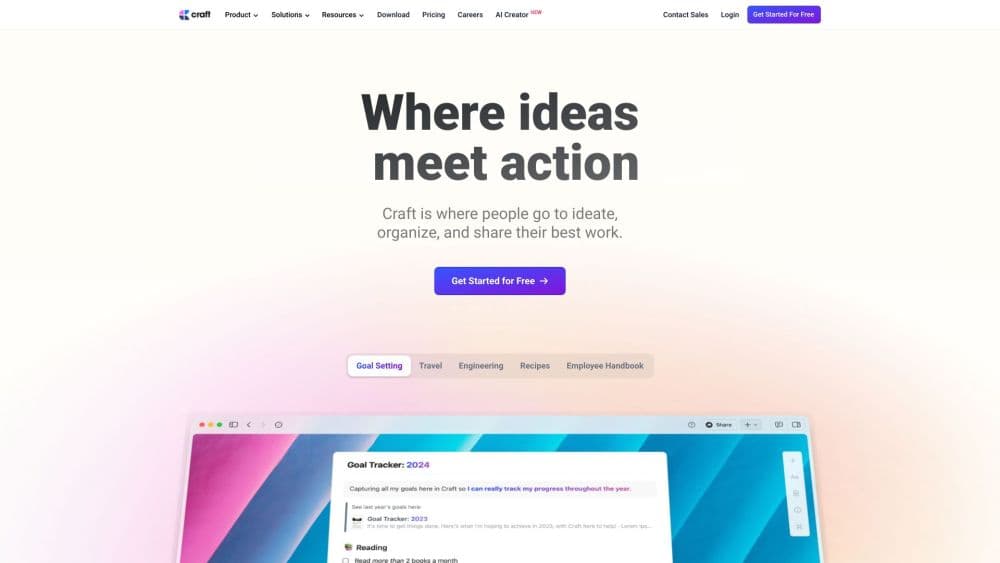
Craft is a notes app and document editor for Mac, Windows, iPhone, iPad, and the web. An AI assistant reads your pages, finds notes, and answers questions from your own content.
About Craft: Docs, Tasks & AI
What Is Craft
Craft blends writing, task management, and knowledge organization into one app. You write structured docs, capture tasks as they come up, and group related pages into Collections. Everything syncs across devices, and offline editing works the same as online.
The pull is the writing feel. It doubles as a writing app and a document editor: templates, custom styles, and clean typography make a page look finished before you touch a layout tool. Writers, students, and small teams are the people it suits best.
The main restriction is the mobile lineup. Craft runs natively on Apple devices and Windows, but there's no Android app, so Android users depend on the web version. The AI assistant also runs on a monthly credit budget rather than unlimited use.
Getting Started
- Download Craft free from the App Store, Microsoft Store, or craft.do, then create an account.
- Start a blank doc or pick a template, and format it with headings, lists, and media.
- Turn a line into a task, then add a due date or reminder from the Tasks view.
- Open the AI Assistant to summarize a page, edit text, or search your notes.
- Publish or share a doc through a link, or export it as Markdown, PDF, or Word.
Craft is free to try, and a paid Plus plan removes the content limits once you hit them. Full Craft pricing is on the official pricing page.
Product Information
A quick look at Craft: Docs, Tasks & AI's pricing, supported platforms, and performance.
Best for
The users, tasks, and scenarios where this tool fits best.
Users
- Writers and content creators
- Students
- Small teams
Tasks
- Turning meeting notes into action items
- Drafting and editing long documents
- Organizing research
Scenarios
- Daily planning and journaling
- Publishing a blog post
- Automating a workflow
Key features
AI Assistant
The assistant reads across your whole workspace, not just the page you're on. Ask it to summarize a long note, rewrite a paragraph, or find a detail you half remember, and it answers from your own content. It runs on a credit budget: 15 credits on Free and 50 per month on Plus, with Core, Fast, and Max models tiered by plan.
Native Task Management
Tasks live inside your notes rather than in a separate list. Type a to-do anywhere, then set target dates, due dates, and reminders. A unified tasks view pulls hidden to-dos out of every document, which keeps a project and its notes in the same place.
Collections
Collections turn a set of related pages into something closer to a database. You embed a customizable list of records with your own properties and tags, then sort and filter them. Linking records across Collections builds a knowledge base that grows with you.
Cross-Device Sync and Offline Mode
Craft syncs across Mac, iPhone, iPad, Windows, and the web. Offline editing is fully supported, so every feature stays available without a connection and changes sync once you're back online. Version history runs 7 days on Free and 30 days on Plus.
Templates and Custom Styles
You design a document's look once, then save it as a reusable style. Apply that style to any new doc to keep headings, spacing, and typography consistent across a body of work. A template library covers everything from daily notes to project briefs.
Publishing and Sharing
Write a doc in Craft and publish it to a clean web page, or share a private link for collaboration. Export options cover Markdown, PDF, Word, and image formats, so content moves out of Craft without rework.
API and MCP Access
A full REST API and a Model Context Protocol server connect Craft to external tools. Claude, ChatGPT, Cursor, and VS Code can read from and write to your docs through this MCP integration, while the Craft API powers custom apps and automations. Both are included on every plan and don't count against your AI credits.
Calendar and Daily Notes
A calendar view sits beside your tasks, so a day's events and its to-dos show up together. Daily Notes gives each day a dedicated page for quick thoughts, schedules, or a personal journal, and you can review the week from the calendar.
Pros and cons
Pros
- The writing and formatting feel is a genuine step up from most note apps, which matters if you produce polished documents.
- Offline support covers the full feature set, so a lost connection doesn't cut your work short.
- The AI assistant works across your entire workspace, so it can surface a note you'd forgotten you wrote.
- API and MCP access ship on every plan, which makes custom automations and AI-tool connections unusually easy to try.
Cons
- There's no native Android app, so Android users must rely on the web version for mobile editing.
- AI features run on a monthly credit budget, so heavy users of the assistant will hit a ceiling.
- Real-time co-editing is limited compared to dedicated team wikis, which narrows its fit for fast group collaboration.
- The free plan caps you at 1500 blocks, so it's a trial rather than a long-term home for a large archive.
Frequently asked questions
Yes. The Free plan is available for occasional use with up to 1500 blocks across all your documents, 1 GB of storage, and 15 AI credits. It's enough to explore the app before deciding on Plus.
Related content
Explore related tools, skills, and articles for Craft: Docs, Tasks & AI.
Craft: Docs, Tasks & AI Alternatives

Udon
Udon · Coding · ProductivityUdon turns an Apple Silicon Mac into a home server you run from a browser, with container controls, file shares, and an optional AI sysadmin.

offstage
offstage cloud · Coding · Productivityoffstage gives AI coding agents and CI jobs a real Mac: a fresh macOS account on Apple silicon, driven over an API and billed by the second.

BotBus
Chengdu Tuyang Tusen Technology Co., Ltd. · Coding · ProductivityBotBus lets you control AI coding agents from your phone and watch: approve commands, start tasks and read results while the code stays on your desktop.