
Craftura AI
Tushar Soni · Image · Other
Craftura AI is a web based AI image generator that turns written prompts into artwork using Flux and Stable Diffusion models, with a free tier and a credit system.
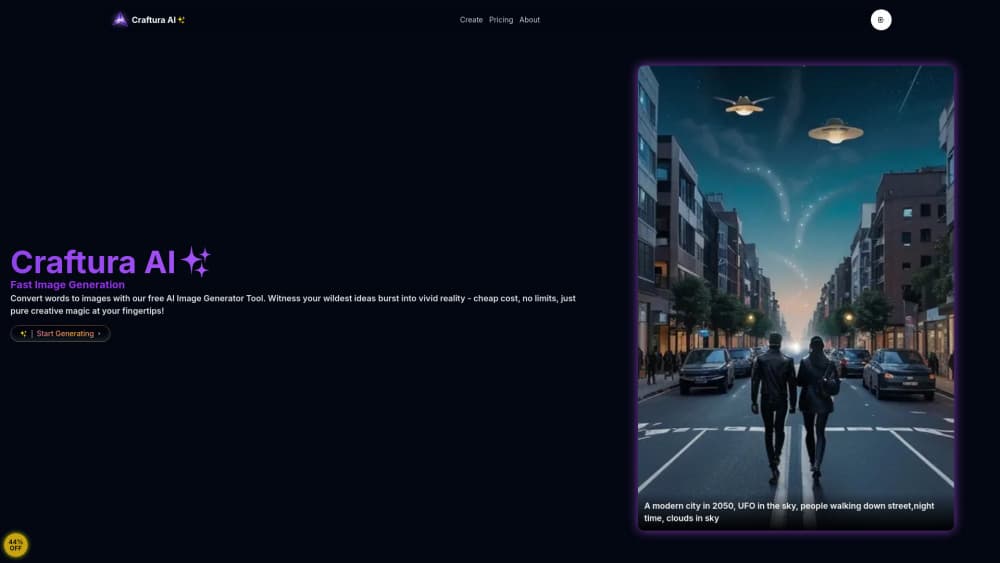
About Craftura AI
What Is Craftura AI
Craftura AI is a browser based text to image tool. You type a description of the picture you want, pick a model, and get four images back in a style you can steer with prompt syntax rather than with sliders. The site runs on Flux and Stable Diffusion checkpoints, so the same prompt can look photoreal in one model and painterly in another.
The appeal is price and directness. The free AI image generator tier exists, the Pro plan costs $2.99 a month, and unlike most consumer generators it exposes the weighting syntax that Stable Diffusion users know from desktop tools. That combination is rare at this price.
The limits are equally clear. Craftura AI is run by one developer, Tushar Soni, and the pricing page currently shows a payment provider notice, so paid upgrades are paused while new payment options are added. There's also no public API and no team tooling. It's a single purpose AI art generator, not a studio platform.
Getting Started
- Open craftura.art and create an account with an email address, then confirm the link that arrives in your inbox.
- Type a prompt into the generator box. Start plain, then add art style, lighting, and camera angle descriptors.
- Pick a model and set the negative prompts for anything you don't want in the frame.
- Press generate. Each image costs one credit, and heavier services can cost more.
- Download the result, or post it to the public gallery if you want other users to see it.
Product Information
A quick look at Craftura AI's pricing, supported platforms, and performance.
Best for
The users, tasks, and scenarios where this tool fits best.
Users
- Hobbyist image makers
- Stable Diffusion tinkerers
- Social media creators
Tasks
- Concept art and mood boards
- Character and scene drafts
- Text prompt practice
Scenarios
- A writer who needs a cover image by the end of the day
- A small shop owner building a social calendar
- Late night creative sessions with no budget
Key features
Multiple Model Lineup
Craftura AI hosts several checkpoints under one interface, including Flux models and Stable Diffusion variants. Each one handles a prompt differently: Flux leans toward prompt accuracy and clean composition, Stable Diffusion builds tend to reward style tags. Switching models on the same text is the fastest way to see which one suits a project.
Prompt Weighting and Blend Syntax
Parentheses raise a term's weight and square brackets lower it, and the help page documents the multipliers behind each level. You can also blend terms with bracket syntax, so a prompt can sit between two ideas instead of picking one. Anyone who has used Automatic1111 will recognize the grammar, and it works in both the positive and negative prompt fields.
Negative Prompts
A separate negative field tells the model what to keep out, which matters most with hands, text, and busy backgrounds. It's the difference between a usable image and a reroll, and it's unusual to see it in a tool this cheap. The native Flux route also accepts negative prompts here, which not every Flux front end offers.
AI Prompt Enhancer
If a blank prompt box stalls you, the enhancer expands a short idea into a fuller description with style, lighting, and composition cues. It's a reasonable starting point for beginners. The expanded prompt often needs trimming to stay close to your original intent.
Credit System with Free Credit Tools
Every generation costs one credit, and some services charge more. Credits come from the paid plans, but the site also runs a free credits section where games and coupons add to your balance. That's a practical way to keep using the AI image generator at zero cost, as long as you're willing to spend a few minutes on the extras.
Public Creation Gallery
The Explore Creations feed shows what other people have made, with the prompt attached in most cases. It works as a style reference bank and as a prompt library: find an image you like, borrow the wording, and adjust it. For a tool with no tutorials beyond a prompt guide, the gallery does most of the teaching.
Pros and cons
Pros
- Prompt weighting, blends, and negative prompts are exposed in the browser, which puts it ahead of most consumer AI image generators on control.
- The Pro plan at $2.99 a month is far below the $10 to $30 typical for image subscriptions, and unlimited credits are advertised at that price.
- Generating is quick, and the interface stays out of the way, so you can iterate on a prompt in seconds.
- Switching between Flux models and Stable Diffusion on one prompt is a one click comparison that usually means opening two separate sites.
- Free credits can be earned through the site's games and coupons, so the free tier isn't capped at a fixed daily allowance.
Cons
- The pricing page carries a payment provider notice, so new paid subscriptions are paused until replacement checkout options go live.
- Support runs through the developer's X account and a single email address, which means response time depends on one person.
- There's no API or documented integration, so you can't wire the image generation into your own app or automation.
- Credit costs shift by model and service, and the free credit tools add a grind that some people will find more annoying than paying.
Frequently asked questions
Craftura AI generates images from text. You describe a scene, choose a model, and the site returns artwork you can download or share. It also doubles as a prompt playground, since the weighting syntax and negative prompt fields are exposed to anyone using it.
Related content
Explore related tools, skills, and articles for Craftura AI.
Craftura AI Alternatives

Google EmbeddingGemma 2
Google DeepMind · Writing · Image · CodingGoogle EmbeddingGemma 2 is a 740M-parameter open model that turns text, code, images, audio, and video frames into vectors in one 768-dimension space, running on phones and laptops.

Tractionwave
TractionWave · Image · MarketingTractionWave is an AI attention heatmap tool for static ads. Upload a PNG or JPG and it returns predicted attention, ranked hotspots, and fixes before you spend budget.

Imejis.io
Imejis.io · Image · MarketingImejis.io is an AI design studio for agents and marketing teams. Describe an image in plain words, and it writes the copy, builds the layout, reflows it to every size, then exports a finished file.