

Crano AI
Crano AI · Image
Crano AI is an all-in-one AI content platform that turns text prompts and uploaded images into videos, images, and music. It bundles a video generator, an image generator, a music generator, and editing tools like face swap and lip sync into one dashboard. It suits marketers, short-form creators, and small teams. No production crew needed. You get commercial-ready visuals from a browser, then pick a model that fits the job.
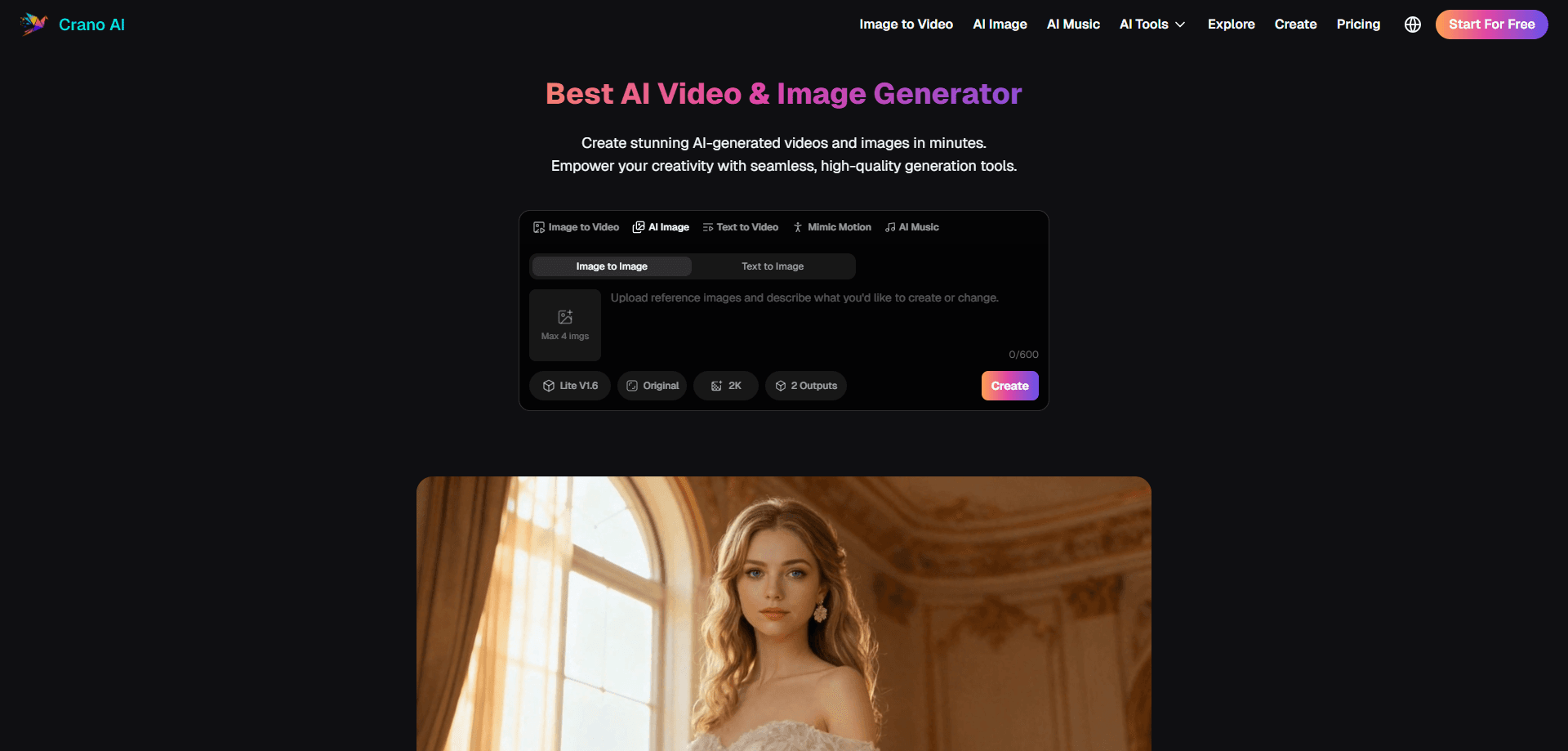
About Crano AI
What Is Crano AI
Crano AI is a browser-based studio for AI video, image, and music generation. You type a prompt or drop in a photo, pick a model, and the platform handles the rendering. It's built for people who want finished clips and artwork fast, not for engineers wiring up APIs.
The appeal is the range. Most single-purpose tools do video or images and stop there. Crano AI puts text to video, image to video, text to image, image to image, a music generator, and a video editor in one account, so you can take a rough idea through several stages without juggling five separate subscriptions that each bill you monthly and each require their own login and their own learning curve.
The main limit is that it's a hosting platform, not a research lab. You're renting access to a mix of generation models, and the output quality depends heavily on which model you pick and how much you're willing to pay each month for credits that reset rather than rolling over. Watermark-free 1080p sits behind the paid tiers, and the free trial runs on credits that run out quickly once you start experimenting.
Getting Started
- Open crano.ai and create a free account, or start with the free trial to test the generators.
- Pick a workflow from the toolbar: image to video, text to video, image generation, music, or the editor.
- Enter a text prompt or upload an image, then choose a model, aspect ratio, and output quality.
- Generate the result, refine it in the editor if needed, and download it as a video, image, or audio file.
Product Information
A quick look at Crano AI's pricing, supported platforms, and performance.
Best for
The users, tasks, and scenarios where this tool fits best.
Users
- Content creators
- Marketers
- Small e-commerce sellers
- Hobbyist artists
Tasks
- Turning a static photo into a moving clip
- Writing a paragraph and getting a cinematic clip
- Restyling or expanding an existing image
- Producing background music for a post
- Cleaning up a generation
Scenarios
- Daily social posting where you need fresh visuals on a tight schedule, and the credit-based plans keep a cap on monthly output.
- Ad testing, where you spin up several creative variants and see which one lands, provided you accept the per-generation cost.
- Concept work early in a project, when you need something visual to react to before committing budget.
- Fan art and illustration in a specific style, where you don't need photoreal accuracy.
Key features
Text to Video and Image to Video
The core draw is generating video from a written prompt or a single image. Text to video turns a description into a cinematic clip with no filming. Image to video animates a still photo with motion and depth, which works well for product shots, portraits, and scene setups that you'd otherwise need a camera operator and lighting rig to capture. Both run through your chosen model, so quality tracks the model and resolution you select. Pick carefully. A weak model shows.
AI Image Generation and Restyling
The image side covers text to image, image to image, and image editing in one tab. You can generate characters, environments, and concept art from a prompt, or take an existing image and restyle it, swap outfits, or push detail. Style presets lean into Japanese manga, Korean manhwa, and Western comic looks. That's where a lot of the community activity sits, and it's the workflow most reviewers show off first when they post sample galleries of characters and backgrounds built from short prompts.
Video Editor and Extender
Generations rarely land perfectly on the first try, so the platform ships an editor alongside the generators. You can extend a clip, add or remove elements, and refine a result after the fact instead of regenerating from scratch. That saves credits. For anyone doing multi-shot work, the extender matters as much as the initial generation.
Music Generator
A separate music generator creates tracks from a prompt, which saves a step when you need a soundtrack for a clip that you'd otherwise have to license from a stock library or commission from a composer. It's the least developed part of the suite. How does it compare to dedicated music tools? Not well yet, but it keeps everything in one account rather than sending you to another subscription.
High-Resolution Output and Face Tools
Paid tiers add 1080p and higher output, including 4K+ on select workflows, plus watermark-free downloads. Face swap and lip sync round out the toolkit for people making avatar and talking-head content, and the higher resolutions are the single biggest reason most users move off the free trial once their starter credits are gone.
Credit-Based Model Access
One subscription covers access to the full range of video and image models rather than locking each one behind its own fee. Credits meter how much you generate: the Lite plan includes 350 credits a month, Pro steps up to 800, and Premium reaches 5,000. How far that goes depends on the models you use, since heavier video models eat more credits per run.
Pros and cons
Pros
- Video, image, music, and editing live in one dashboard, which cuts down on the usual multi-tool shuffle.
- Image to video and text to video cover the two most common short-form workflows.
- Plans start at $10/mo, and yearly billing takes 20% off.
- No auto-renewal: every plan is a one-time purchase, so there are no surprise charges.
- High-resolution, watermark-free output is available on paid tiers.
Cons
- Credits run out fast if you iterate on video. Heavy users can burn through a plan before month's end.
- Output quality varies by model, and the platform doesn't document which model fits which task, which means some trial and error.
- No public API, so you can't wire it into an automated pipeline.
- Yearly plans still issue credits monthly rather than all at once, which limits a burst of work early in the term.
Frequently asked questions
It generates videos, images, and music. Video comes from text prompts or uploaded images, images come from text or existing photos, and music comes from a prompt. Editing tools sit on top for extending clips, swapping faces, and syncing lips.
Related content
Explore related tools, skills, and articles for Crano AI.
Crano AI Alternatives

Google EmbeddingGemma 2
Google DeepMind · Writing · Image · CodingGoogle EmbeddingGemma 2 is a 740M-parameter open model that turns text, code, images, audio, and video frames into vectors in one 768-dimension space, running on phones and laptops.

Tractionwave
TractionWave · Image · MarketingTractionWave is an AI attention heatmap tool for static ads. Upload a PNG or JPG and it returns predicted attention, ranked hotspots, and fixes before you spend budget.

Imejis.io
Imejis.io · Image · MarketingImejis.io is an AI design studio for agents and marketing teams. Describe an image in plain words, and it writes the copy, builds the layout, reflows it to every size, then exports a finished file.