

Crayo
Crayo · Image · Marketing
Crayo is an AI video editor that turns long uploads into viral shorts with auto clipping, subtitles, voiceovers, and faceless video tools. It suits short-form creators, but the free entry point is limited.
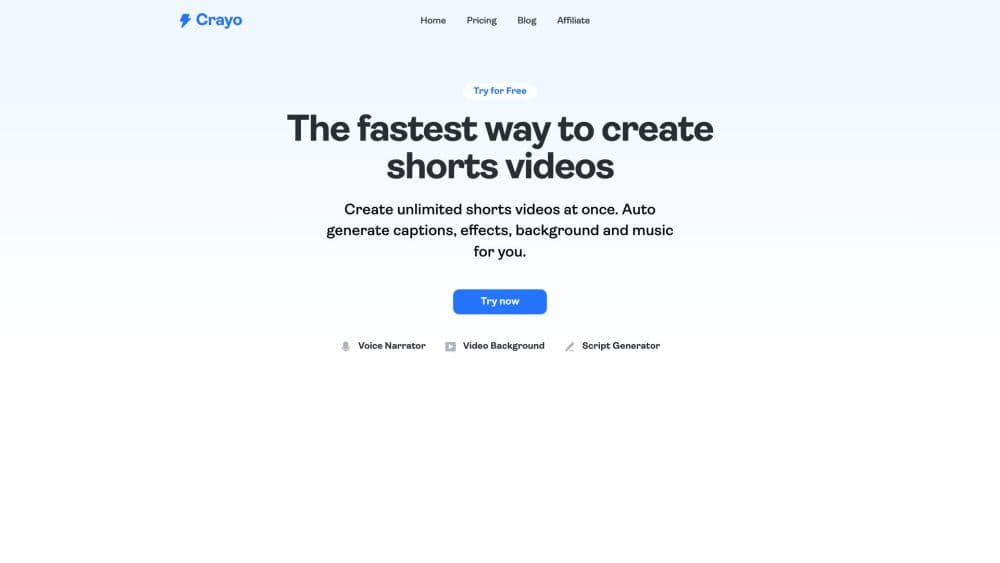
About Crayo
What Is Crayo
Crayo is a web-based AI video editor built for short-form creators who need to post often without editing every clip by hand. You upload a file or paste a YouTube or TikTok link, pick a subtitle style, and the tool cuts, captions, and formats the result for vertical feeds in seconds. It's aimed at people running TikTok, Reels, and YouTube Shorts channels, including faceless accounts that never show a host.
The pitch is speed over fine control. Crayo leans on a workflow model where one finished video costs one workflow credit, so you can estimate output before you commit to a plan. The same credit covers AutoClip, Reddit story videos, fake text conversations, and other generators, which keeps budgeting simple compared with tools that meter by uploaded minute.
The catch is depth. Crayo is built to get a clip out fast, not to replace a full timeline editor for frame-level work, and everything runs in the browser with no install. Paid plans start at $19/mo for the Hobby tier, and the free entry point is limited, so heavy users should compare plans before scaling.
Getting Started
- Make a Crayo account and open the web editor in any modern browser.
- Upload your video file, or paste a YouTube or TikTok link to pull the source in.
- Choose a subtitle style from the built-in viral presets and set your output format.
- Generate the video and review the auto-cut clips in the editor.
- Download the clips you like, or refine subtitles and captions before exporting.
Product Information
A quick look at Crayo's pricing, supported platforms, and performance.
Best for
The users, tasks, and scenarios where this tool fits best.
Users
- Short-form creators
- Faceless channel owners
- Streamers and podcasters
Tasks
- Turning long videos into clips
- Adding subtitles fast
- Generating voiceovers
- Making reddit story and text videos
Scenarios
- Running a content channel solo
- Repackaging old footage
- Testing a niche before investing
Key features
Auto Clip Generator
Crayo scans your upload or linked video and pulls the moments most likely to hold attention, then cuts them into separate clips. You get a set of ready-to-post shorts instead of scrubbing a two-hour timeline. This is the core of the tool and the main reason creators use it.
AI Subtitles and Viral Styles
The editor ships with a set of subtitle presets styled for short-form feeds, with word-level timing so AI subtitles land on the beat. You pick a look and the tool applies it across the clip, which removes the manual work of timing text to speech by hand.
AI Voiceovers and Speech Enhancement
Crayo can add an AI voiceover to a clip when you don't want to use your own voice, and it includes speech enhancement to clean up audio. For faceless accounts, the voiceover is what carries the video when no host is on screen.
Reddit Story and Faceless Video Tools
Crayo doubles as a faceless video maker, generating Reddit story videos and fake text conversations with backgrounds and music for the faceless content niche. These generators run on the same workflow credit as AutoClip, so you can mix formats on one plan.
Web-Based Editor
Everything runs in the browser with no download, and the editor gives you control over subtitles, formatting, and clip selection after the AI pass. It's built for touch-ups rather than frame-level compositing, so expect quick adjustments, not a full studio timeline.
Background and Image Generation
Crayo includes background removal for video and an image generator for creating visuals without separate subscriptions. These extras fill the gaps around clipping, letting you build a thumbnail or background without leaving the platform.
Pros and cons
Pros
- Cuts long videos into ready-to-post shorts without manual scrubbing
- Built-in subtitle styles with word-level timing save captioning time
- One workflow credit covers every tool, so budgeting is easy to predict
- Faceless video maker formats like Reddit stories and fake text videos are built in
- Runs in the browser with no install and supports most languages
Cons
- Editing depth is limited, so frame-level work still needs a full editor
- The free entry point is limited, and paid plans start at $19/mo
- Monthly credits reset each cycle and don't roll over, so unused allowance is lost
- No refunds once you pay, so you should test the free tier first
Frequently asked questions
Crayo turns long videos into short-form clips for TikTok, Reels, and YouTube Shorts. It handles auto clipping, subtitles, voiceovers, and faceless formats like Reddit story videos in one browser-based workflow.
Related content
Explore related tools, skills, and articles for Crayo.
Crayo Alternatives

Google EmbeddingGemma 2
Google DeepMind · Writing · Image · CodingGoogle EmbeddingGemma 2 is a 740M-parameter open model that turns text, code, images, audio, and video frames into vectors in one 768-dimension space, running on phones and laptops.

Tractionwave
TractionWave · Image · MarketingTractionWave is an AI attention heatmap tool for static ads. Upload a PNG or JPG and it returns predicted attention, ranked hotspots, and fixes before you spend budget.

Imejis.io
Imejis.io · Image · MarketingImejis.io is an AI design studio for agents and marketing teams. Describe an image in plain words, and it writes the copy, builds the layout, reflows it to every size, then exports a finished file.