

CrazyFace
CrazyFaceAI · Image · Video
CrazyFace is an AI facial expression changer for photos and video. It rebuilds a face you upload from 1,000+ templates, a prompt or sliders, then exports up to 8K.
About CrazyFace
What Is CrazyFace
CrazyFace, branded on its own site as Crazy Face AI, is a browser based AI face editor that changes the expression on a face you upload. Your face, hair and lighting stay put. The mood changes: a flat stare becomes a shocked open mouth, a polite half smile turns into a laugh.
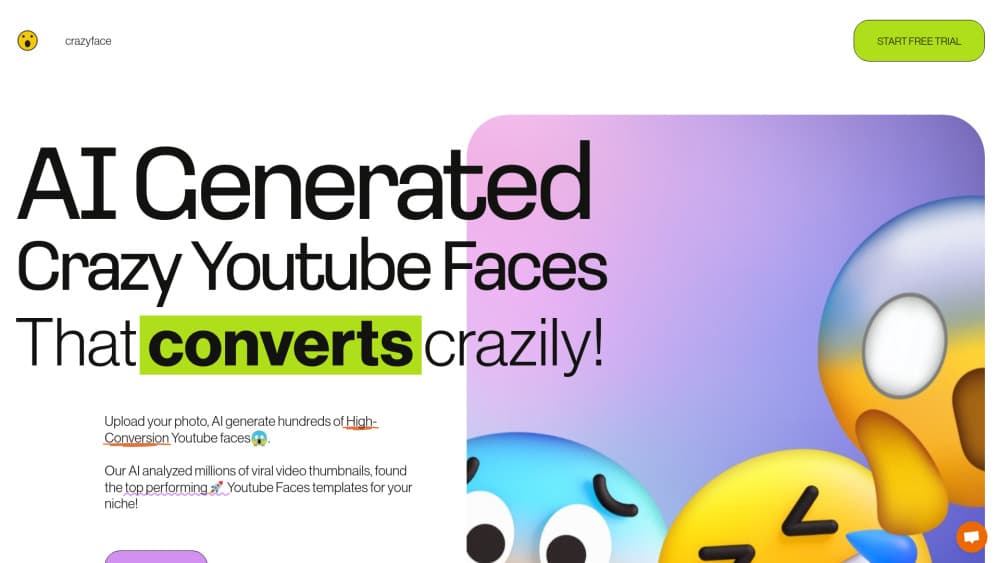
Most people find it through YouTube thumbnail faces. A thumbnail decides whether anyone clicks, and few creators can pull a dramatic expression on demand. CrazyFace takes an ordinary headshot and rebuilds the expression from templates taken off viral thumbnails, so you get the face without booking a shoot.
The same engine handles video. Feed it a clip and a reference expression, and it maps that expression onto the frames. Long clips sit behind the Pro plan, and so do the animal tools for pet portraits and meme videos.
Two limits matter before you spend time on it. Everything runs in a browser tab, so there's no phone app, and the site has paused new purchases while it prepares an upgrade. Free access is what works today.
Getting Started
- Open crazyfaceai.com in a desktop browser and create an account with your email.
- Upload a sharp, front-facing photo, or start with a sample image to see how the tool behaves first.
- Pick an expression. Browse templates, type a prompt such as "shocked with hand over mouth", or drag the controls in the editor.
- Generate, compare the variants, then download the version you like at the highest resolution you need.
Product Information
A quick look at CrazyFace's pricing, supported platforms, and performance.
Best for
The users, tasks, and scenarios where this tool fits best.
Users
- YouTube creators
- Photographers and retouchers
- Social media posters and meme makers
Tasks
- Building YouTube thumbnail faces
- Fixing a selfie with a weird expression
- Adding expressions to pet photos
- Transferring an expression across a video
Scenarios
- Planning a thumbnail before the shoot
- A shoot where the subject can't hold a face
- Reusing an old headshot for a new campaign
Key features
Expression Template Library
More than 1,000 ready-made expressions cover selfies, portraits and thumbnails, and you can filter by the use case you have in mind. The YouTube set comes from faces on viral thumbnails, which is the closest thing to a proven formula you'll get. Pick one, hit generate, done.
Live Drag Editor
This is the part that feels different from most AI photo tools. The facial expression editor is drag based: you pull on the face and the expression follows your cursor, so you can push a smile wider or drop the eyebrows without typing anything. It's quick for small corrections on a result that's already close.
Prompt and Reference Photo Control
Type what you want in plain words, or upload a reference face and let the model copy that expression onto yours. The reference route works well when you have a screenshot of the exact look you're chasing. Both options skip the template hunt entirely.
Fine Tuning With 10+ Parameters
The editor exposes more than ten sliders for the details that make an expression read as real: eye openness, mouth shape, brow angle, head rotation and more. Photographers tend to live here. A template gets you close, and the sliders take it the rest of the way.
YouTube Face Hub
The hub analyzes 11,690 viral thumbnails and reports which expressions show up most often in each niche. That turns thumbnail face selection into a data question instead of a guess. Pair it with the template library and you have a reason for every choice.
Video Expression Transfer
Upload a clip and the tool makes the face in your photo mirror the expressions in that video. Short clips work on any plan, and long video is a Pro feature. It's the fast route to talking-head content when you'd rather not record again.
8K Export With Face Detailer
Output goes up to 8K, and the Face Detailer pass sharpens hair strands, skin texture and pores rather than smearing them. For thumbnails that's overkill in a good way, and for print work it's the reason to pick this tool. Small faces in a wide shot hold up better than they do with a plain upscale.
Pros and cons
Pros
- Template library built from real viral thumbnails, so you're choosing from expressions that already work.
- Prompt, template, reference photo and slider editing all live in one tool, which covers quick jobs and fussy ones.
- 8K export with Face Detailer keeps skin and hair detail when you scale up.
- The YouTube Face Hub backs expression choices with stats from 11,690 thumbnails.
- A 3-day free trial lets you test the whole workflow before paying.
Cons
- New purchases are paused while the site prepares an upgrade, so you can't subscribe to Pro right now.
- It runs in a browser only, which means no phone app and no quick edit from your camera roll.
- Long video, animal tools and the better models sit behind the Pro plan, so the cheap tier feels narrow once you move past photos.
- Results lean on your source photo. A blurry shot or a face turned far to the side needs several attempts before you get something usable.
Frequently asked questions
It changes and edits facial expressions in photos and video. The main jobs are YouTube thumbnail faces, selfie fixes, portrait retouching and pet memes, and you can export the result up to 8K.
Related content
Explore related tools, skills, and articles for CrazyFace.
CrazyFace Alternatives

Google EmbeddingGemma 2
Google DeepMind · Writing · Image · CodingGoogle EmbeddingGemma 2 is a 740M-parameter open model that turns text, code, images, audio, and video frames into vectors in one 768-dimension space, running on phones and laptops.

Tractionwave
TractionWave · Image · MarketingTractionWave is an AI attention heatmap tool for static ads. Upload a PNG or JPG and it returns predicted attention, ranked hotspots, and fixes before you spend budget.

Imejis.io
Imejis.io · Image · MarketingImejis.io is an AI design studio for agents and marketing teams. Describe an image in plain words, and it writes the copy, builds the layout, reflows it to every size, then exports a finished file.