

cre8tiveAI
RADIUS5 Inc. · Image · Video
cre8tiveAI was a RADIUS5 online AI platform for creative retouching, covering image upscaling, face restoration, illustration generation, and video tools. It closed on December 26, 2025.
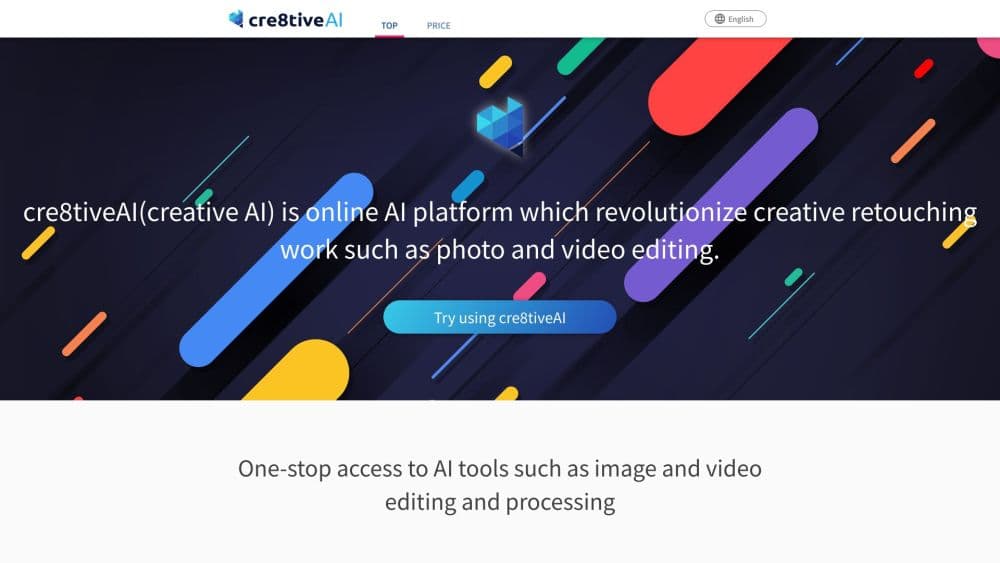
About cre8tiveAI
What Is cre8tiveAI
cre8tiveAI was a browser-based AI platform for anyone with creative work to do, not only designers who already knew their way around editing software. It acted as an AI photo editor, an image upscaler AI, an AI illustration generator, and an AI video maker all under one account. Each tool aimed at a single repetitive task: upscaling a blurry image, restoring a face, drawing an illustration, or turning a photo into a short clip. You uploaded a file and the AI handled the retouching.
The pitch was speed and cost. RADIUS5 built the tools on deep learning and said work that took a designer hours could finish in seconds, without design training and without a powerful PC. The company also stressed that using the photo retouching AI did not transfer intellectual property rights on your images, which mattered to photographers and studios handling client work.
The catch is that the platform is gone. RADIUS5 shut cre8tiveAI down on December 26, 2025, and now points former users to its sister service copainter for illustration and image work. Anyone researching it today is looking at a closed product, so the reason to read on is to understand what it did and whether an alternative covers the same ground.
Getting Started
- Create an account at cre8tiveai.com and sign in. The platform worked entirely in the browser, so there was nothing to install for the web tools.
- Pick a tool from the list. Photo Refiner, Face Refiner, and the illustration generators all lived on the same dashboard.
- Upload the photo, illustration, or video you wanted to work on. Some tools asked for a face to be detected before they ran.
- Choose the settings for that tool, such as the upscale factor, the number of illustrations, or the drawing style, then start the job.
- Download the result. Free tools such as PNG Smallify and the AnimeSR browser extension ran without an account at all.
Product Information
A quick look at cre8tiveAI's pricing, supported platforms, and performance.
Best for
The users, tasks, and scenarios where this tool fits best.
Users
- Illustrators and manga artists
- Photographers cleaning up client images
- Casual creators without editing skills
Tasks
- Upscaling a low-resolution image
- Restoring a face in an old or blurry photo
- Generating character illustrations
- Turning a still photo into video
Scenarios
- Preparing social media graphics in a hurry
- Building backgrounds for comics or animation
- Watching animation at higher quality
- Colorizing old black-and-white photos
Key features
Photo Refiner Image Upscaling
Photo Refiner was the flagship tool, an image upscaler AI built to raise the resolution of photos and illustrations through super-resolution. RADIUS5 claimed it could enlarge an image by up to 16 times, which is the sort of jump you would otherwise pay a specialist service for. The appeal was straightforward: a small or soft image came out sharper and larger without a manual resize.
Face Refiner Restoration
Face Refiner narrowed the same idea down to faces. It identified a face in a photo and removed out-of-focus blur and grain while lifting the resolution of the surrounding picture too. Portraits and group shots are where upscaling usually falls apart, so a tool tuned specifically for faces solved a problem the general upscaler handled less well.
SAI and SAI+ Illustration Generators
SAI drew face illustrations of characters by learning their traits, and RADIUS5 said it could produce over a million distinct originals quickly. SAI+ pushed the same approach to full-body art and framed it as a collaboration between the AI and a human illustrator, which kept a person in the loop for the parts that needed a hand.
Moving Photo Maker
Moving Photo Maker took a photo with no depth information, converted it into a 3D scene, and generated a video with one of 13 camera moves such as a zoom, dolly, or slide. It gave a static image a sense of motion for a short clip, which is the effect people usually chase with much heavier video software.
Enpainter and Anime Art Painter
Enpainter restyled photographs into the look of famous painters, including Van Gogh, Monet, Gauguin, Cézanne, and Munch. Anime Art Painter generated watercolor and cartoon backgrounds from a single photo for use in animation. Both tools leaned on style transfer, which is useful when you want a specific look without reproducing it by hand.
Free Tools and Browser Extension
Not everything sat behind an account. PNG Smallify shrank PNG files by cutting colors without hurting visual quality, and AnimeSR was a free Chrome extension that upscaled animated video in real time on sites such as YouTube. RADIUS5 also shipped plugins like ailia AI Refiner for After Effects and the Anime4K Player, which carried the same upscaling tech into desktop tools.
Pros and cons
Pros
- More than a dozen focused tools lived in one account, so you could upscale, restore, colorize, and generate illustrations without signing up for several services.
- The web tools needed no install and no powerful PC, which suited photographers and illustrators on modest hardware.
- Free options existed, with PNG Smallify and the AnimeSR extension usable without paying.
- Desktop reach went beyond the browser through plugins like ailia AI Refiner and the Anime4K Player.
Cons
- The service is shut down as of December 26, 2025, so none of the web tools can be used anymore.
- There is no replacement under the same brand. RADIUS5 points users to copainter, which covers illustration and image work but not the full tool list.
- Pricing information is no longer current, since the product is discontinued and plans cannot be bought.
- Anyone relying on a specific tool for client work has to migrate to a different platform and rebuild their workflow.
Frequently asked questions
cre8tiveAI was an online AI platform for creative retouching. It upscaled images, restored faces, generated face and full-body illustrations, turned photos into video, colorized black-and-white photos, and produced comic and animation backgrounds. Everything ran in the browser from one account.
Related content
Explore related tools, skills, and articles for cre8tiveAI.
cre8tiveAI Alternatives

Google EmbeddingGemma 2
Google DeepMind · Writing · Image · CodingGoogle EmbeddingGemma 2 is a 740M-parameter open model that turns text, code, images, audio, and video frames into vectors in one 768-dimension space, running on phones and laptops.

Tractionwave
TractionWave · Image · MarketingTractionWave is an AI attention heatmap tool for static ads. Upload a PNG or JPG and it returns predicted attention, ranked hotspots, and fixes before you spend budget.

Imejis.io
Imejis.io · Image · MarketingImejis.io is an AI design studio for agents and marketing teams. Describe an image in plain words, and it writes the copy, builds the layout, reflows it to every size, then exports a finished file.