

Creatie
Creatie · Image
Creatie was an AI-powered product design tool for UI and UX work, covering wireframes, prototyping, and developer handoff in one browser app. It went offline on August 4, 2025.
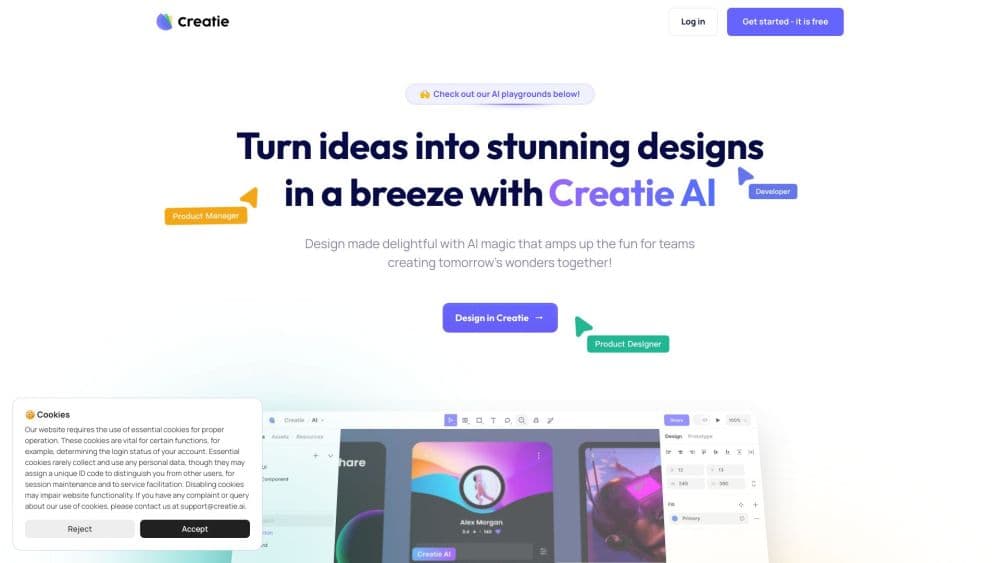
About Creatie
What Is Creatie
Creatie was a browser-based product design tool built for design teams that wanted Figma-style workflows without the Figma price tag, and it was often described as a Figma alternative. A small group of designers started the project in 2022 and launched the public product in early 2024 with $8M in seed funding. The pitch was straightforward: ideate, design, collaborate, prototype, and hand off inside one tool, with AI helping at each step rather than replacing the designer.
The AI layer was the main differentiator. Creatie Wizard turned rough sketches and text prompts into editable mockups, Magicon generated 2D and 3D icons on demand, and the Style Guide generator pulled reusable color, type, and component libraries out of existing files. A design audit feature checked work against those libraries so a team could catch inconsistencies before handoff. All of it ran in the browser, so nothing needed installing and collaborators could open a file from any machine.
The catch is that the product is gone. Creatie announced it would go offline on August 4, 2025, and the creatie.ai domain now sits parked for sale. Anyone reading this today is looking at a closed tool, so the reason to keep going is to understand what it did and what you would need from a replacement.
Getting Started
- Create an account at creatie.ai and open a new design file in the browser. There was no desktop download for the core editor.
- Import an existing design from Figma, Sketch, or Adobe XD, or start from a blank canvas. Import handled most components and prototypes at high fidelity.
- Sketch a rough layout or type a prompt, then run Creatie Wizard to turn it into an editable high-fidelity mockup.
- Add icons with Magicon and clean up images with the image enhancer, then build a style library with the Style Guide generator.
- Link artboards into a clickable prototype, then share the file or open dev mode to pull measurements and code for the build.
Product Information
A quick look at Creatie's pricing, supported platforms, and performance.
Best for
The users, tasks, and scenarios where this tool fits best.
Users
- Product designers moving off Figma
- Small teams watching costs
- Designers new to AI features
Tasks
- Turning a sketch into a mockup
- Building a style guide
- Generating interface icons
- Handing designs to developers
- Importing an existing project
Scenarios
- Shipping a small product with a lean team
- Auditing a design system before launch
- Prototyping on a phone
- Testing AI design help without new spend
Key features
Creatie Wizard Mockup Generation
Creatie Wizard was the headline AI feature, built to turn a rough sketch or a written prompt into an editable high-fidelity mockup. The point was to skip the blank-canvas stage: you sketched a layout, ran the wizard, and got something you could refine rather than redraw. It kept the output editable in the normal editor, so the AI produced a starting point instead of a locked image.
Magicon Icon Generation
Magicon was the Magicon icon generator, producing icons on demand from a text prompt or a reference image in both 2D and 3D styles. Designers who would otherwise search icon libraries or draw each glyph by hand could describe what they wanted and get a set that matched the file's look. Because the icons arrived as editable assets, they still fit the team's style guide.
Automatic Style Guide
The Style Guide generator built a reusable library of colors, type styles, and components from a design file. Teams that inherited messy files could run it once and get a consistent set of tokens to design against. That carried straight into the design audit, which checked new work for anything that strayed from the library.
Design Audit
The audit tool compared a design against the team's style guide and pointed out mismatches, such as a color or spacing value that drifted from the standard. It is a common source of late-stage rework, and automating the check saved designers from eyeballing every screen before handoff.
Prototyping and Dev Mode
Artboards linked into clickable, animated prototypes that could be previewed in a browser or on a supported mobile device. Dev mode sat beside the design view and gave developers measurements, CSS values, and exportable assets, plus code output for React, Vue, and Tailwind CSS. Keeping dev mode free was a deliberate choice, since handoff is the step where a lot of teams get stuck paying for a second tool.
Import and Image Enhancement
Files came in from Figma, Sketch, and Adobe XD with high fidelity for components and prototypes, so a team could move an existing project rather than rebuild it. A one-click image enhancer handled background removal, upscaling, and cleanup without leaving the canvas, which kept small edits from turning into a round trip through another app.
Pros and cons
Pros
- The AI features solved specific jobs, such as turning a sketch into an editable mockup or generating a style library, instead of adding AI for its own sake.
- Dev mode was free, which removed a cost that some rival tools charge for separately.
- Importing from Figma, Sketch, and Adobe XD worked at high fidelity, so switching did not mean starting over.
- The editor followed familiar design-tool conventions, so designers already used to Figma could pick it up quickly.
Cons
- The platform went offline on August 4, 2025, so it is no longer usable and any designs kept in it need to move elsewhere.
- There was no plugin library, so teams that relied on Figma plugins for extra tasks had to find other ways to do that work.
- As a newer tool, it had a smaller community and fewer tutorials than established design software.
Frequently asked questions
Creatie was an AI-powered product design tool for UI and UX work. Teams used it to wireframe, build high-fidelity screens, generate icons and style guides, prototype interactions, and hand designs to developers, all inside a browser app.
Related content
Explore related tools, skills, and articles for Creatie.
Creatie Alternatives

Google EmbeddingGemma 2
Google DeepMind · Writing · Image · CodingGoogle EmbeddingGemma 2 is a 740M-parameter open model that turns text, code, images, audio, and video frames into vectors in one 768-dimension space, running on phones and laptops.

Tractionwave
TractionWave · Image · MarketingTractionWave is an AI attention heatmap tool for static ads. Upload a PNG or JPG and it returns predicted attention, ranked hotspots, and fixes before you spend budget.

Imejis.io
Imejis.io · Image · MarketingImejis.io is an AI design studio for agents and marketing teams. Describe an image in plain words, and it writes the copy, builds the layout, reflows it to every size, then exports a finished file.