

Crisp - AI Photo Enhancer
Pixery Bilgi Teknolojileri · Image · Video
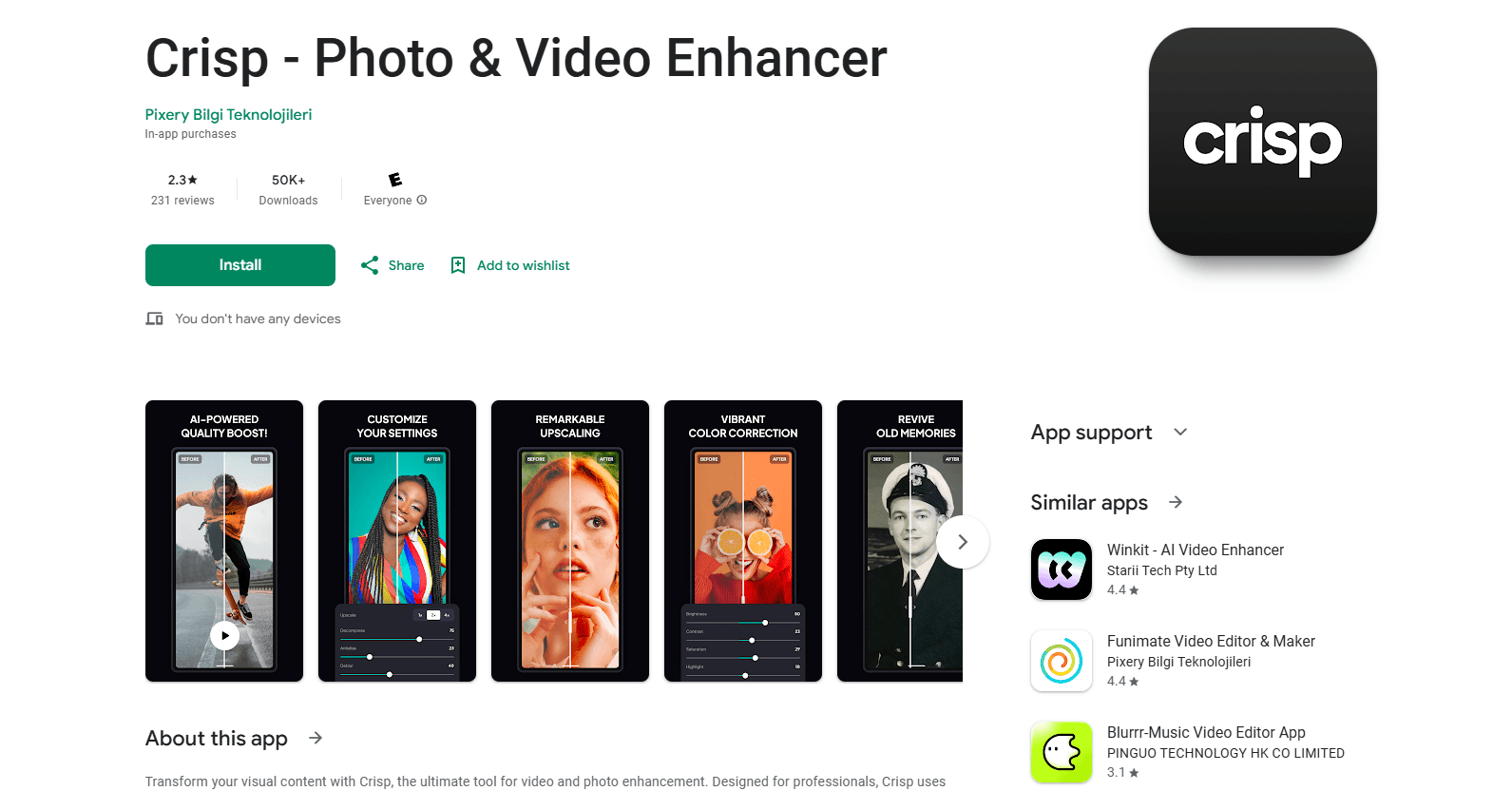
Crisp - AI Photo Enhancer is an Android app that upscales, unblurs, and recolors photos and videos in a few taps, aimed at casual creators.
About Crisp - AI Photo Enhancer
What Is Crisp - AI Photo Enhancer
Crisp - AI Photo Enhancer is a mobile app from Pixery Bilgi Teknolojileri that fixes and upgrades the media already sitting on your phone. It leans on AI models to sharpen soft shots, pull detail back into blurry ones, and colorize images, all without a desktop editor or manual masking work. That's the whole pitch.
The app targets a specific frustration. Most people shoot plenty of photos they never bother to fix, because the tools that could rescue them demand time and skill. Crisp trades control for speed. You upload a file, pick a treatment, and the AI does the rest. That trade-off is also the main limit. Edits go through fixed presets, so you get good results fast but little fine control over how strong a correction is. Heavy upscaling can also invent detail that was never in the original shot, which matters if the image is meant for print.
Getting Started
- Install Crisp - AI Photo Enhancer from Google Play and open it.
- Grant access to your gallery, then pick a photo or video you want to improve.
- Pick a tool such as photo quality upgrade, unblur, or 4x upscale, then let the AI process the file.
- Preview the result and save it back to your device, or share it straight from the app.
Product Information
A quick look at Crisp - AI Photo Enhancer's pricing, supported platforms, and performance.
Best for
The users, tasks, and scenarios where this tool fits best.
Users
- Casual creators
- Social media posters
- Anime and trend fans
Tasks
- Rescuing old or low-resolution shots
- Cleaning up blurred photos
- Colorizing flat images
- Making short anime-style clips
Scenarios
- Prepping a single photo for a profile or post
- Recovering a shot from an older phone
- Joining a trending filter challenge
Key features
4x AI Upscaling
As an AI photo upscaler, Crisp enlarges photos up to four times their original size while the model fills in detail. This 4x upscale is the strongest reason to open the app for product shots or small web images you want to print or post at higher resolution. Just keep in mind the AI guesses at missing detail rather than recovering it.
Unblur and Denoise
The app's denoise photos and unblur tools target soft focus, motion blur, and the grainy noise you get in low light. For phone photos shot indoors without a tripod, this is often the difference between unusable and good enough. Results vary with how damaged the source is, and badly smeared images won't come all the way back.
AI Ghibli Anime Maker
This filter converts a photo or video into a hand-drawn anime style inspired by Studio Ghibli. It's a pure trend play, and that's fine, because it delivers a shareable clip in seconds without any art skills. The output follows the model's look, so expect stylized results rather than a faithful likeness. Fun, not accurate.
Future Baby and Lifetime Effects
Future Baby shows what a couple's child might look like, and Lifetime fast-forwards a face through decades in seconds. These are novelty effects built for sharing. They aren't portrait tools for serious use. Treat the results as entertainment, since they're model guesses, not predictions.
Video Enhancement
Beyond stills, Crisp works as a video enhancer app, processing clips with the same enhancement and stylization pass. That means you can clean up or anime-ify a clip straight on your phone instead of moving it to a desktop. Longer clips take longer to process, and the free tier limits how much you can run.
Simple Tap-Based Workflow
The interface is built around upload, pick, and save. No timeline. No masking. No parameter sliders to learn, which keeps the learning curve flat for beginners. What you give up is fine control, so pros who want to dial in a correction by hand will find it thin. Is that a dealbreaker? Only if you edit for a living.
Built-In Quality and Resolution Tools
Crisp bundles photo quality upgrades and super resolution into the same flow, so improving sharpness and raising resolution happen together. This suits people who want one button for "make this better" rather than juggling separate apps. Results depend on the starting image. The app says as much in its own guidance.
Pros and cons
Pros
- Fast, tap-based upscaling and unblurring that works without any editing skill.
- Handles both photos and video in one app, so you don't need a second tool for clips.
- Trend-ready filters like the Ghibli anime maker and Future Baby keep it current with social media.
- Readily available on Google Play with a free entry point to test before paying.
Cons
- Paid items run from $9.99 to $49.99 per purchase, which adds up if you lean on premium tools often.
- Edits go through fixed presets, so there's no fine-tuning of correction strength.
- Heavy upscaling can invent detail, meaning results look sharp but may not match the real scene.
Frequently asked questions
It enhances photos and videos on Android using AI, covering upscaling up to 4x, unblurring, denoising, and color correction, plus novelty filters like the Ghibli anime maker.
Related content
Explore related tools, skills, and articles for Crisp - AI Photo Enhancer.
Crisp - AI Photo Enhancer Alternatives

Google EmbeddingGemma 2
Google DeepMind · Writing · Image · CodingGoogle EmbeddingGemma 2 is a 740M-parameter open model that turns text, code, images, audio, and video frames into vectors in one 768-dimension space, running on phones and laptops.

Tractionwave
TractionWave · Image · MarketingTractionWave is an AI attention heatmap tool for static ads. Upload a PNG or JPG and it returns predicted attention, ranked hotspots, and fixes before you spend budget.

Imejis.io
Imejis.io · Image · MarketingImejis.io is an AI design studio for agents and marketing teams. Describe an image in plain words, and it writes the copy, builds the layout, reflows it to every size, then exports a finished file.