

Crop.photo AI for Shopify
Crop.photo · Image
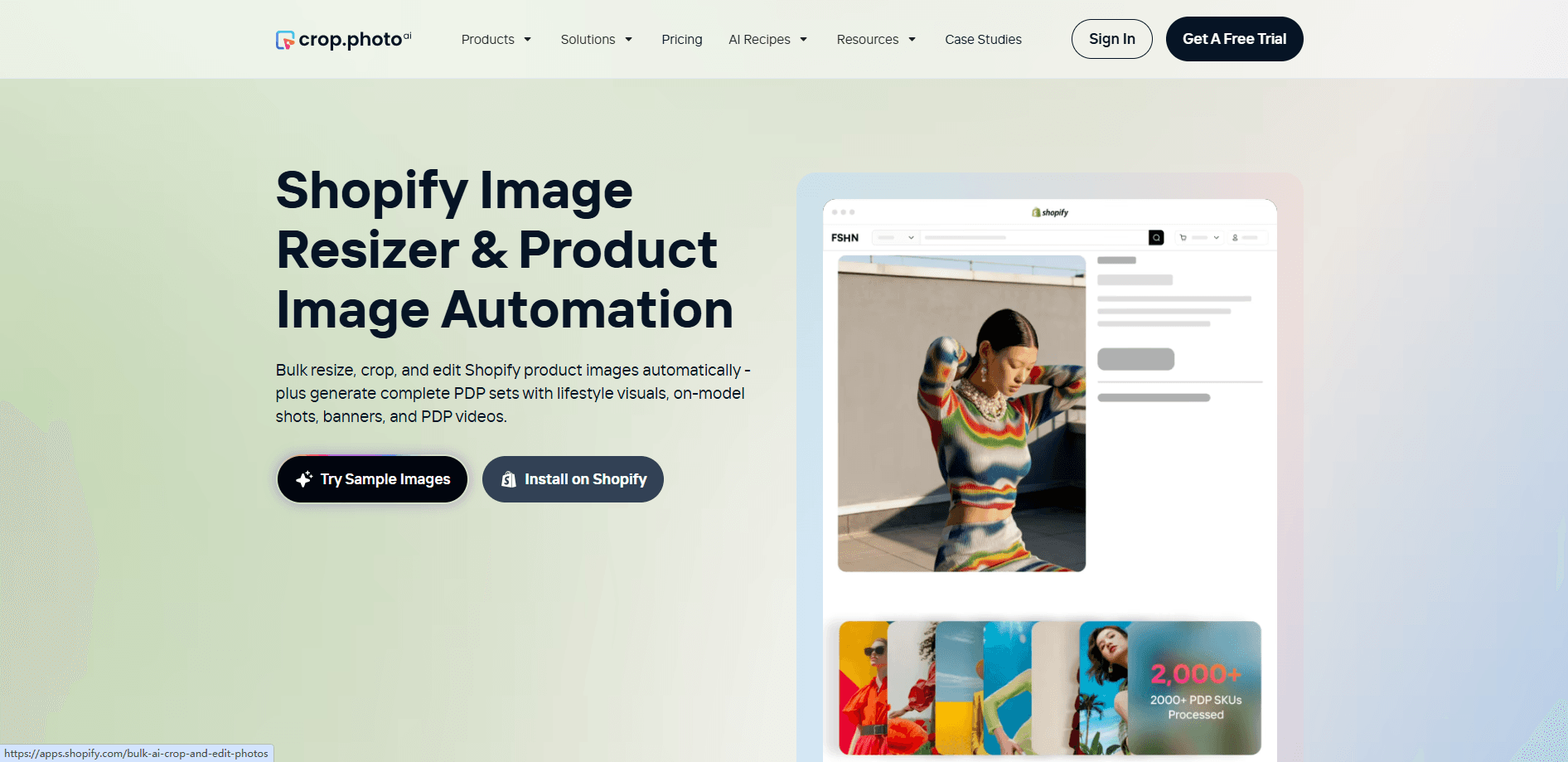
Crop.photo AI for Shopify is a cloud platform that crops, resizes, aligns, upscales, retouches and cleans backgrounds across thousands of product photos at once, then generates new PDP visuals like studio shots, on-model variations, lifestyle scenes, banners and short product videos. It's a Shopify image editing app built for teams running a real catalog. Not for someone editing one picture for a blog post. You connect it to your store or upload a batch through the browser, apply a reusable recipe, and it delivers marketplace-ready assets for Amazon, Zalando, ASOS, Nordstrom and the rest of your sales channels.
About Crop.photo AI for Shopify
What Is Crop.photo AI for Shopify
Crop.photo AI for Shopify is a Shopify app and web platform for high-volume product image production. Its core job is unglamorous but enormous: taking raw supplier photos and turning them into correctly sized, correctly cropped, background-clean images that match every retailer's spec. That's where most ecommerce teams lose their week.
The platform handles two kinds of work. First, fixing what you already have through bulk cropping, body-aware cropping, auto resizing and alignment, DPI correction, background removal and branded backgrounds. Second, generating what you don't have, including AI fashion shoots with on-model shots, AI product photography, lifestyle scenes and product videos built from stills.
The main limitation is scope. It's for product imagery, not for creative design work or video editing beyond short PDP clips. Pricing isn't a flat public number either. You estimate your volume in their savings calculator and they recommend a plan. If you want a simple one-price subscription you can compare in ten seconds, this isn't that.
Getting Started
- Install the Crop.photo app from the Shopify App Store or open the web platform and create an account.
- Set up an editing recipe, choosing crop dimensions, background color, file type and margins, or pick a prebuilt recipe for Amazon, Zalando, ASOS or another marketplace.
- Upload images through the bulk uploader or sync them from your Shopify catalog, then select the ones you want processed.
- Let the AI review each image, pick the right workflow, and run the batch across your SKUs.
- Download or push the finished assets back to your store and channels.
Product Information
A quick look at Crop.photo AI for Shopify's pricing, supported platforms, and performance.
Best for
The users, tasks, and scenarios where this tool fits best.
Users
- Ecommerce operations teams managing hundreds or thousands of SKUs, who need consistent images without a photographer on retainer
- Shopify store owners who list across several marketplaces, because each channel has its own crop, margin and background rules to hit
- Small brands without an in-house studio, since the AI generation features cover on-model and lifestyle shots they'd otherwise outsource
Tasks
- Bulk cropping and resizing product photos to match each retailer's exact spec, including dimensions, DPI and margin
- Removing and replacing backgrounds across a whole catalog rather than one image at a time
- Generating on-model fashion shots and lifestyle scenes from a single product photo
Scenarios
- A seasonal drop where every listing image has to be reformatted for a new marketplace overnight
- Cleaning up inconsistent supplier images before a big promotion goes live
- Producing banner graphics and short product videos for paid ads and social without a separate design tool
Key features
Recipe-Based Bulk Processing
Recipes are the backbone of how Crop.photo AI for Shopify works. You define the target dimensions, DPI, background color, file type and margins once, save it as a recipe, then apply that recipe to a whole batch. Prebuilt recipes exist for major marketplaces like Amazon, Zalando, ASOS, Myntra, Nordstrom and Macy's, so you don't have to reverse-engineer each retailer's spec sheet. Reuse is where the time savings compound. The hundredth image costs you almost nothing once the recipe is set.
Headless and Body-Aware Cropping
Standard cropping tools cut from the center of a frame. Crop.photo's headless crop detects where the model's head is and crops from there. That matters for apparel, where chopping off the top of a shot looks amateur. Body-aware crop frames the product around worn apparel and accessories. Both matter when you're processing thousands of on-model shots and can't check each one by hand.
Background Cleanup and Branded Backgrounds
Background removal runs in bulk, and you can drop products onto your own branded background color or image rather than a plain white. For teams selling across channels with different background requirements, this turns a manual cutout job into a batch operation. The branded background option also helps keep listings visually consistent across a catalog, so a customer scrolling your store sees a coherent look rather than a patchwork of supplier photos.
AI Fashion Shoots and Product Photography
From a single product photo, the platform generates on-model shots and studio-style product photos. This is the feature that replaces the most expensive part of traditional product photography, the shoot itself. It won't beat a professionally lit studio for hero assets on a flagship product, but for the long tail of SKUs that never justified a real shoot, it makes professional-looking imagery affordable.
Product Video Generation
Crop.photo works as a product video generator, turning stills into short clips for product detail pages. Video on PDPs tends to lift engagement. Producing it for every SKU is another matter. Generating clips from images you already have sidesteps the cost of separate video production, and the output is short enough to keep file sizes reasonable.
Shopify Bulk Edit and Listing Analyzer
The Shopify app lets you resize and edit images inside your store admin, so you don't have to bounce files between tools. The Listing Analyzer checks product detail pages against marketplace rules and flags where an image doesn't comply. That check saves teams from rejection notices and relisting work after a batch has already gone live. Unglamorous, but it counts.
Pros and cons
Pros
- Bulk processing is the real strength; recipes applied across thousands of SKUs deliver time savings that scale with catalog size
- Prebuilt marketplace recipes cover major retailers, so you don't have to map each spec manually
- Generation features, including on-model shots, lifestyle scenes and product videos, replace work usually outsourced to studios
- Runs entirely in the cloud through the browser and a Shopify app, with no desktop software to install
- Image optimization and SOC 2 compliance claims address the security questions larger teams ask before uploading client media
Cons
- Pricing isn't a simple published number; you estimate volume in a calculator and get a recommendation, which makes quick budget comparison harder
- The platform is built for product imagery only, so it won't replace a general design tool for creative work
- AI-generated on-model shots can look off on complex garments, so you'll still want human review before publishing
- API availability isn't clearly documented, which leaves integration questions open for teams that need to wire it into a custom pipeline
Frequently asked questions
It edits and generates product images at catalog scale. That covers bulk cropping and resizing, background removal and replacement, upscaling, retouching, and AI generation of on-model shots, lifestyle scenes, banners and short product videos.
Related content
Explore related tools, skills, and articles for Crop.photo AI for Shopify.
Crop.photo AI for Shopify Alternatives

Google EmbeddingGemma 2
Google DeepMind · Writing · Image · CodingGoogle EmbeddingGemma 2 is a 740M-parameter open model that turns text, code, images, audio, and video frames into vectors in one 768-dimension space, running on phones and laptops.

Tractionwave
TractionWave · Image · MarketingTractionWave is an AI attention heatmap tool for static ads. Upload a PNG or JPG and it returns predicted attention, ranked hotspots, and fixes before you spend budget.

Imejis.io
Imejis.io · Image · MarketingImejis.io is an AI design studio for agents and marketing teams. Describe an image in plain words, and it writes the copy, builds the layout, reflows it to every size, then exports a finished file.