

Cue
Cue · Productivity · Marketing
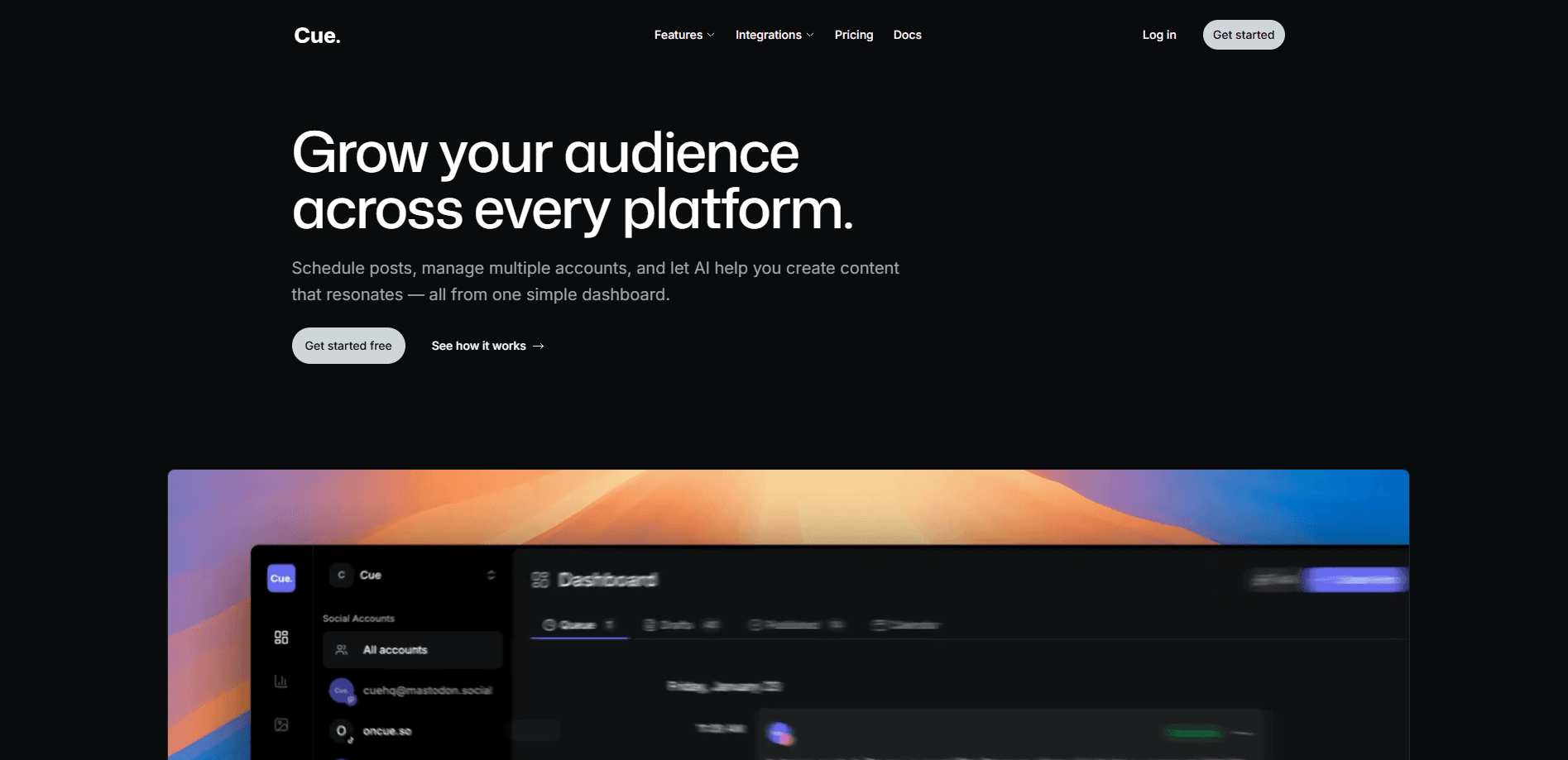
Cue is a social media scheduler that helps creators and small teams plan, publish, and track posts across multiple platforms from one dashboard. It mixes a calendar, a post queue, and an AI content assistant, so you can draft a caption, make an image, and line up a week of posts without switching tabs. Pricing starts with a free tier and scales to paid plans for agencies.
About Cue
What Is Cue
Cue is a social media management tool built around a simple loop: write the post, schedule it, then see how it did. You connect your accounts, drop drafts into a queue, and let the calendar handle the timing. The AI side handles the boring parts. Captions, images, first drafts.
It fits people who post across too many platforms to track by hand. A creator running Instagram and X, a small business juggling Facebook and LinkedIn, or an agency managing a dozen client accounts all run into the same problem: five logins, five calendars, no single view. Cue pulls that into one place. That's the whole pitch.
The main limit is scope. Cue focuses on scheduling, AI drafting, and analytics, not on social listening or inbox management. Need to track brand mentions or reply to DMs from one desk? You'll still need another tool for that. The AI credits are also metered, so heavy generation on the Starter and Growth tiers runs out faster than you'd expect.
Getting Started
- Create a free account at app.oncue.so and confirm your email.
- Connect the social accounts you want to manage, keeping within your plan's account limit.
- Open the calendar or queue and write your first post, or ask the AI content assistant for a caption.
- Attach an image, pick a platform, and set a publish time.
- Track performance in the analytics dashboard once the post goes live.
Product Information
A quick look at Cue's pricing, supported platforms, and performance.
Best for
The users, tasks, and scenarios where this tool fits best.
Users
- Creators posting on several platforms
- Small businesses running their own social
- Agencies and freelancers managing client accounts
Tasks
- Scheduling a week of posts in one sitting
- Drafting captions when you're stuck
- Making a quick image for a post
- Checking which posts performed
- Connecting publishing to your own tools
Scenarios
- Handling a content calendar for a product launch
- Keeping a small brand active during a busy week
- Reporting on social performance for a client
Key features
Multi-Platform Publishing
Cue publishes to several social platforms from a single composer, so you write once and send it out across your connected accounts. There's a thread option for platforms that use them, and you pick which accounts get each post. The point is cutting the copy-paste loop when the same idea goes to three places. Fewer tabs. Less rework.
Schedule Queue and Calendar View
The queue holds your drafts in order, and the calendar lays them out by date. You can move a post by dragging it, which beats re-editing a timestamp field. For anyone planning a week or a month ahead, the two views cover both the "what's next" and "what's the whole month look like" questions. Planning gets faster. Timing stops being guesswork.
AI Content Assistant
The AI content assistant writes captions and post copy from a prompt or a rough idea, which is genuinely useful when you know what you want to say but don't want to stare at a blank box waiting for the right words to show up. It's a first-draft tool, not a publish-it-blindly tool. You still edit the voice to match your brand.
AI Image Generation
AI image generation creates visuals inside Cue, so you don't have to leave for a separate design app just to make a post image. It pulls from the AI credits on your plan, which means heavy use on lower tiers runs them down. Handy for quick graphics. Less so for polished campaign art.
Analytics Dashboard
The analytics dashboard collects performance data from your connected accounts into one screen. You can see which posts did well and adjust the next batch, so the numbers feed back into your planning instead of sitting in a report nobody opens. It won't replace a deep reporting tool, but it answers the everyday question of "what's actually working." That's usually enough.
API Access
Growth, Pro, and Enterprise tiers include API access, so you can push posts or pull data from Cue into your own workflow. That matters if social publishing is one step in a larger automation. The free Starter tier doesn't include it.
Pros and cons
Pros
- Free tier lets you test the whole scheduling flow with 2 accounts and 15 posts a month.
- AI content assistant and image generation cut the time spent on first drafts.
- Queue and calendar views make planning a full week or month quick.
- Pro tier allows unlimited accounts and posts for agencies.
- API access on paid tiers fits teams wiring social into other tools.
Cons
- AI credits are metered, so the Starter tier has none and Growth caps at 500 a month.
- No social listening or unified inbox, meaning brand mentions and DMs need a separate tool.
- Web only, with no mobile app for scheduling on the go.
Frequently asked questions
Cue schedules and publishes social media posts across multiple platforms, drafts captions and images with AI, and tracks performance in a dashboard. It's built for creators and teams who post in more than one place.
Related content
Explore related tools, skills, and articles for Cue.
Cue Alternatives

Base Code
Base44 (Wix) · Coding · ProductivityBase Code is a shared cloud development environment from Base44. Teammates describe changes to an existing GitHub codebase in chat, preview them live and send them back as pull requests.

Knocket
Knocket (Tencent RTC team) · Productivity · Business · ChatbotKnocket is a free live chat and contact page tool that lets visitors message you from your website, app, or a shareable link, with every reply handled from Telegram or one inbox.

FloorGen
Vinit Kumar (FloorGen) · Productivity · China AIFloorGen is a browser-based floor plan maker that turns a sentence or a sketch into an editable 2D plan and a 3D walkthrough. Export to PDF, DXF or video, and draw without an account.