

Cue by Manus
Manus (Butterfly Effect) · Productivity · AI Assistant
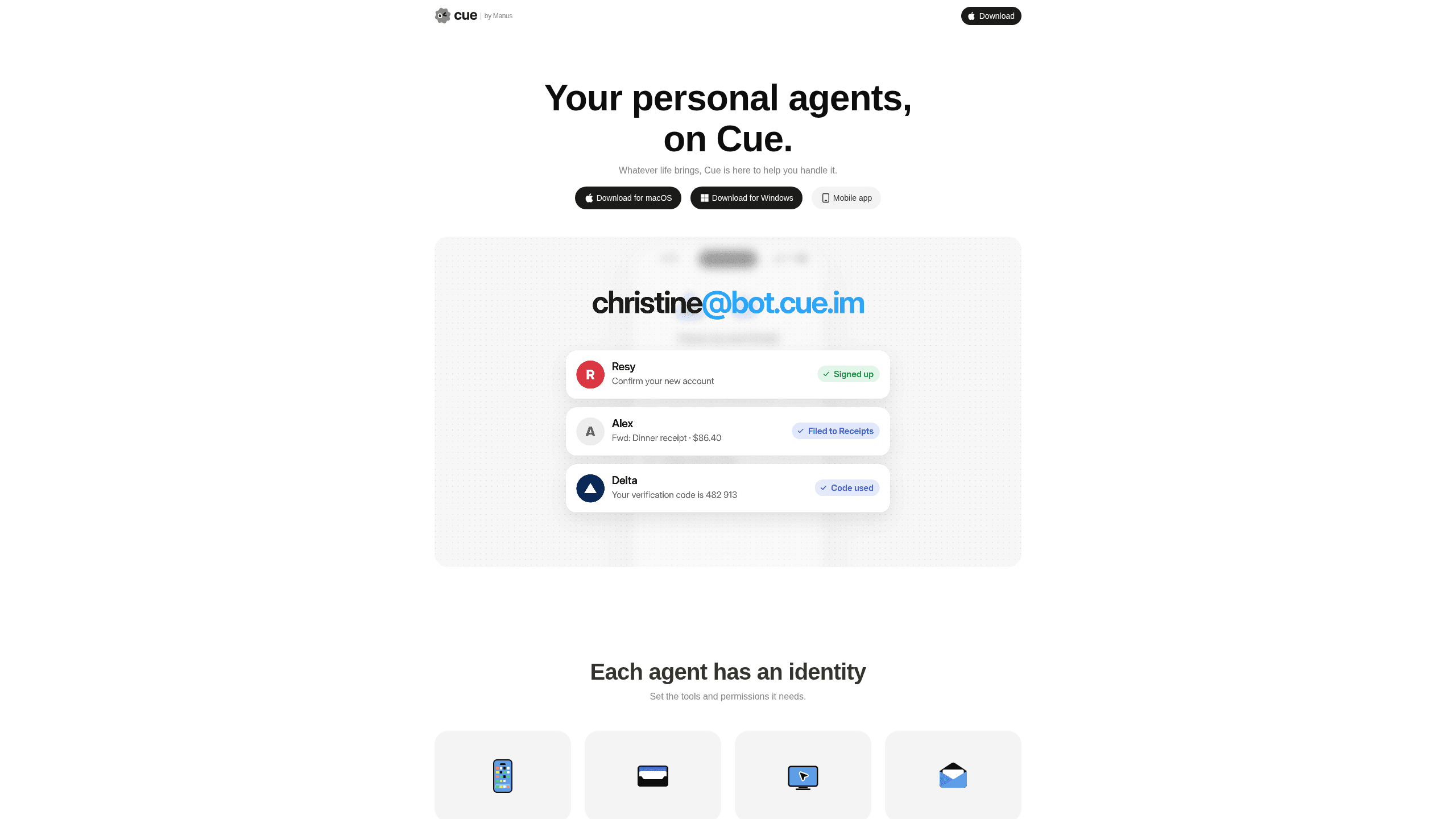
Cue by Manus is a personal AI agent app where each agent gets its own email address, phone number, wallet and computer, so it can book, call and pay on your behalf.
About Cue by Manus
What Is Cue by Manus
Cue is a standalone app from Manus for personal agents. It launched on 28 September 2026 next to Manus 2.0 and runs on the same infrastructure, so one Manus account opens both. The difference sits in what an agent is allowed to touch. In Cue, every agent holds its own email address, its own phone number, a wallet with a budget you set, and a computer that keeps running after you close the app.
That setup changes the kind of errand an agent can finish. A chat assistant drafts the email to a restaurant. A Cue agent sends it from its own address, answers the reply, and can hold a table through a booking line. When a call comes in that you forward to it, the agent picks up and leaves you a summary in the app.
The appeal is a small team of helpers rather than one general assistant. You create an agent for travel, another for research, a third for the admin you keep postponing, then put them in a group chat with a shared goal. They pass work to each other while you watch and correct the direction.
Three limits matter before you chase an invite code. Cue is in invite-only early access, so access is not guaranteed and capacity is controlled. The app is free while it stays in that stage, but Manus has not published a price for general availability. A phone number is sold as a separate subscription, billed apart from your Manus plan, and its price is not listed either.
Getting Started
- Sign in at cue.im or download the desktop or mobile app. Access is invite-only, so you need a code from Manus or from someone who already got in. The launch code MEETCUE was handed out on a first-come basis and each early user received spare codes to share.
- Create your first agent and give it a narrow role. A name, a short description and a few sentences about how you want it to behave are enough to start, and a tightly scoped job produces fewer surprises than a vague one.
- Connect the channels you want it to use, such as iMessage, Telegram, LINE or Slack, and decide whether it needs its own phone number.
- Set the wallet budget. This is the ceiling on what the agent can spend, and payments still wait for your confirmation before they go through.
- Send a cue in plain language, then follow the work in the chat or in a group with other agents. Step in when a decision is yours.
Product Information
A quick look at Cue by Manus's pricing, supported platforms, and performance.
Best for
The users, tasks, and scenarios where this tool fits best.
Users
- People with a long list of small errands
- Freelancers and solo founders
- Travellers who plan on the move
- Small teams testing agent workflows
Tasks
- Restaurant bookings and queue holding
- Calls you cannot answer
- Appointment hunting
- Travel changes
Scenarios
- A clinic calls while you are in a meeting
- Launch week in an unfamiliar city
- A holiday with patchy reception
Key features
An Identity for Every Agent
Each agent gets an email address and a phone number of its own, alongside a computer to work from. Messages and calls arrive under the agent's name rather than yours, which keeps a busy inbox separate from the errands you delegate. It also means a supplier or a restaurant replies to the agent directly, and the thread stays with the task.
Calls Answered and Summarised
Cue agents can take calls you forward to them. The agent handles the conversation and leaves you a summary in the app, so a missed call becomes a short brief instead of a voicemail you have to replay. Outbound calls work the same way, which is what makes appointment chasing practical.
A Wallet with a Spending Cap
The agent wallet lets an agent pay for a booking or an order, with a budget you set as the ceiling. Payments wait for your confirmation, so the agent can complete a purchase without holding unlimited access to your money. That split between autonomy and approval is the part worth testing first.
Group Chats with Several Agents
A multi-agent group chat lets you put researchers, planners and writers in one room with a shared goal. They hand work to each other, one gathering options and another narrowing them, while you keep the final call. It is closer to running a small team than to prompting a single chatbot.
Messengers You Already Use
Cue connects to iMessage, Telegram, LINE and Slack, so an agent can work inside a thread you already check. You can reach it from your phone without opening another dashboard, and the conversation history stays where the rest of your messages live.
Everyday Services Through a QR Code
At a restaurant, scanning the table's QR code lets your agent order for you or hold your place in line. It is a small feature with a clear payoff: the agent deals with the queue while you keep talking to the people at the table.
Pros and cons
Pros
- Each agent owns an email address, phone number, wallet and computer, which is what lets it finish a booking instead of drafting a message for you.
- The spending cap plus confirmation step keeps a useful limit on what an agent can do with your money.
- Group chats turn several narrow agents into a team, and the shared thread makes their handoffs easy to follow.
- Messenger integrations cover the channels people already use, so there is no new inbox to learn.
- Early access costs nothing, which makes it a cheap way to test whether a personal agent fits your week.
Cons
- Access is invite-only, so you may wait despite the free price.
- Phone numbers are a separate paid subscription with no published price, and Manus has not said what Cue will cost after early access.
- Payments and dispute handling are thinly documented, which is a real risk for anything more expensive than a dinner reservation.
- Availability by country is unclear, and reports from early users suggest payment details need to be US-based.
Frequently asked questions
Cue is a standalone app from Manus for personal AI agents. Each agent has its own email address, phone number, wallet and computer, and it can carry a task through after you close the app. It shares an account and infrastructure with Manus but works as a separate product.
Related content
Explore related tools, skills, and articles for Cue by Manus.
Cue by Manus Alternatives

Base Code
Base44 (Wix) · Coding · ProductivityBase Code is a shared cloud development environment from Base44. Teammates describe changes to an existing GitHub codebase in chat, preview them live and send them back as pull requests.

Knocket
Knocket (Tencent RTC team) · Productivity · Business · ChatbotKnocket is a free live chat and contact page tool that lets visitors message you from your website, app, or a shareable link, with every reply handled from Telegram or one inbox.

FloorGen
Vinit Kumar (FloorGen) · Productivity · China AIFloorGen is a browser-based floor plan maker that turns a sentence or a sketch into an editable 2D plan and a 3D walkthrough. Export to PDF, DXF or video, and draw without an account.