

Customuse
Customuse · Image
Customuse is an AI 3D creator that turns prompts and images into game assets, avatars, and outfits, then lets you refine them in a real 3D editor and export Roblox-ready skins.
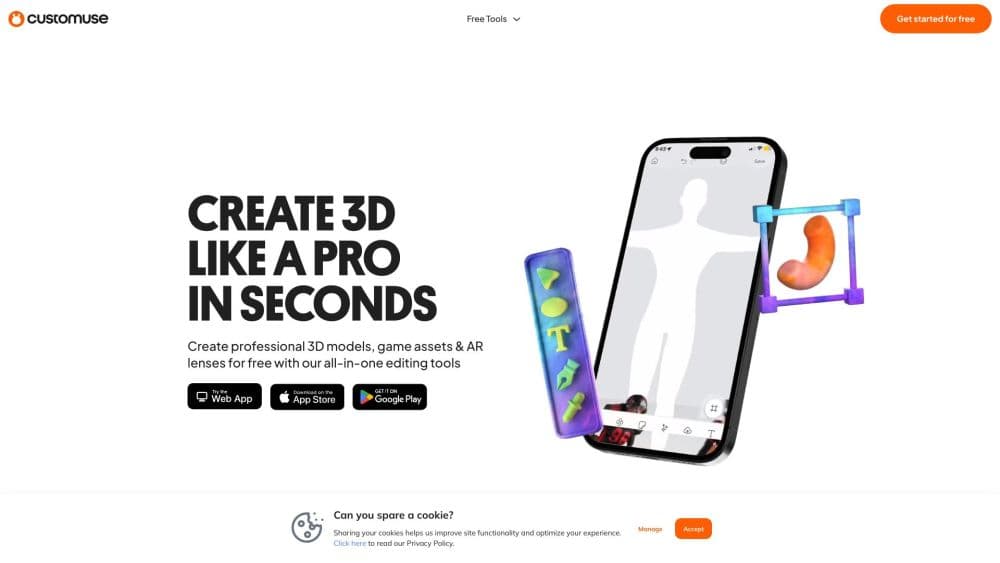
About Customuse
What Is Customuse
Customuse is an AI 3D creator and AI 3D asset generator for building assets, avatars, outfits, textures, scenes, and visuals. It also works as an avatar maker and outfit maker, running in a web browser and as an iOS and Android app, so you can start a design on your phone and finish it on desktop. The company behind it is CUSTOMUSE LIMITED.
The product targets a specific pain: making 3D content and game-ready clothing has always demanded modeling skill. Customuse replaces the blank modeling canvas with AI generation. You describe an idea or drop in a reference image, get multiple concepts in seconds, and then polish the winner in a layered 3D editor with brushes, symmetry, and live preview on a customizable avatar.
The catch is scope and cost. This is not a general 3D modeling suite like Blender. It aims at creator content for avatar and sandbox platforms, Roblox in particular, and the heavier AI tools sit behind a paid credit system. The free plan lets you try core design tools and download a first design, but unlimited exports, watermark removal, and commercial rights need a subscription. Customuse is an independent platform and is not affiliated with Roblox Corporation.
Getting Started
- Sign up with an email address at customuse.com or install the Customuse app on iOS or Android. The account works across web and mobile.
- Pick a starting point: a template, a reference image, or a blank canvas. For avatar work, load a customizable avatar so you see clothing and accessories in real time.
- Generate with AI. Enter a text prompt for assets, accessories, props, or avatar items, and review the variations the model returns.
- Refine in the 3D editor. Use layers, brushes, symmetry, and precision tools to clean up the design, then preview it fit to your character.
- Export or publish. Save versions to your own asset library, export in formats compatible with sandbox and avatar platforms, or publish eligible items directly from Customuse.
Product Information
A quick look at Customuse's pricing, supported platforms, and performance.
Best for
The users, tasks, and scenarios where this tool fits best.
Users
- Roblox developers and players
- Solo creators selling avatar items
- Game studios and indie teams
- Hobbyists new to 3D
Tasks
- Generating skins and outfits from a prompt
- Creating 3D props and accessories
- Making textures and color variants
- Producing marketing thumbnails and images
Scenarios
- Turning a reference photo into a wearable skin
- Stocking a marketplace shop
- Concepting for a studio project
Key features
AI Generation for 3D Assets and Outfits
As an AI 3D asset generator, the core of Customuse is a set of AI models that handle game asset creation for 3D assets, accessories, props, and avatar items from a text prompt or a reference image. It also covers image and video generation, so one workspace handles stills, clips, and meshes. Customuse pulls in outside models for this, including OpenAI GPT Image, Google Nano Banana and Veo, Black Forest Labs FLUX, Kling, ByteDance Seedance, and 3D specialists Tripo, Meshy, and Tencent Hunyuan 3D. The pitch is that you explore many concepts and variations in seconds rather than days.
A Real 3D Editor, Not Just a Prompt Box
Generation is only half of it. Every result lands in a 3D workspace where you refine it instead of accepting the first output. The editor offers layers, brushes, symmetry, and precision tools, plus live 3D preview on a customizable avatar, so clothing and accessories snap to your character as you adjust them. This is the difference between a text-to-3D toy and a tool you can actually finish a design in.
Roblox-Ready Output and Direct Publishing
Customuse is tuned for avatar and sandbox platforms, and Roblox is the headline target. The outfit maker and avatar maker tools generate clothing, Roblox clothing, Roblox skins, and classic avatar clothes, export in formats those platforms accept, and publish eligible items straight from Customuse. For a Roblox developer, the workflow runs from concept to an uploadable asset without leaving the product or reworking files in another tool.
Textures, Materials, and Version Libraries
The platform uses texture generation for texture, palette, and material variations so you can push one design in several directions. Every version is saved to your own asset library, which means you build a reusable collection over time rather than losing earlier attempts. For anyone selling outfits, that library doubles as a back catalog.
Marketplace Sharing and Sales Tracking
Beyond creation, Customuse connects to the business side. You can share work on supported marketplaces, track sales, and see which items resonate with buyers. The company says millions of creators have built an audience and income through the platform, which is why it frames the product as a way to turn a hobby into a business rather than a one-off design tool.
Team Workspace and Enterprise Controls
The higher plans add collaboration. Studio bundles three seats with shared credits, a shared team library, and usage visibility by team. Enterprise layers on custom credit packages, multiple teams, single sign-on, group-based access control, API access, and security reviews. Shared folders carry granular roles, so admins govern access while editors ship assets together.
Pros and cons
Pros
- AI generation across images, video, and 3D means you can go from an idea to a usable asset without modeling skill.
- A genuine 3D editor with layers, brushes, and live avatar preview lets you finish a design, not just spin up concepts.
- Roblox-ready exports and direct publishing fit an existing Roblox workflow, which is the platform's clearest use case.
- Plans scale from a single creator to a team, with credits, seats, and a shared library on the higher tiers.
- A free tier and templates let beginners try core design tools before paying.
Cons
- The heaviest AI tools run on a credit system, and unlimited exports, watermark removal, and commercial rights require a paid plan, so serious use costs money.
- Paid plans start at $14.99 a month for Starter, which is a real commitment for someone only experimenting.
- It is not a general 3D suite. If you need full modeling, rigging, or animation beyond avatar and game assets, Customuse is not the tool.
- The focus on Roblox and avatar platforms means other 3D workflows get less attention, so creators outside that niche may find it limiting.
Frequently asked questions
Customuse is used to create AI-generated 3D assets, avatars, outfits, and game content, then refine and export them. Its strongest fit is Roblox, where you can design clothing and skins and publish eligible items. It also covers images, video, and textures for game and social work.
Related content
Explore related tools, skills, and articles for Customuse.
Customuse Alternatives

Google EmbeddingGemma 2
Google DeepMind · Writing · Image · CodingGoogle EmbeddingGemma 2 is a 740M-parameter open model that turns text, code, images, audio, and video frames into vectors in one 768-dimension space, running on phones and laptops.

Tractionwave
TractionWave · Image · MarketingTractionWave is an AI attention heatmap tool for static ads. Upload a PNG or JPG and it returns predicted attention, ranked hotspots, and fixes before you spend budget.

Imejis.io
Imejis.io · Image · MarketingImejis.io is an AI design studio for agents and marketing teams. Describe an image in plain words, and it writes the copy, builds the layout, reflows it to every size, then exports a finished file.