
Cutout Pro
Cutout Pro · Image · China AI
Cutout Pro is an AI photo and video editing platform for removing backgrounds, retouching images, generating product visuals and editing videos from a browser, app or API.
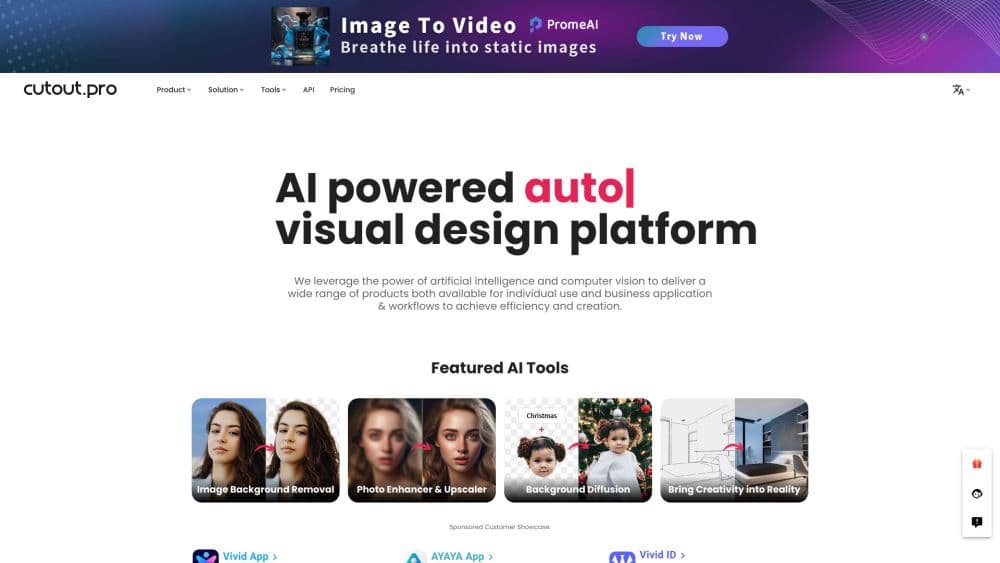
About Cutout Pro
What Is Cutout Pro
Cutout Pro is a web-based AI visual design platform from the team behind it. It bundles a background remover, retouch tools, a photo enhancer, passport photo maker and e-commerce image generators into one account. You upload a photo or video, pick a tool, and the AI does the heavy work in seconds.
The AI photo editor solves a common problem for people who edit images often: most tools do one thing well and charge you separately. Cutout Pro puts background removal, object removal, upscaling and product image generation in the same place, so sellers, designers and creators can finish a batch of edits without juggling five subscriptions.
Its main limits are speed on large batches and the learning curve behind the dashboard. The free tier is fine for testing, but heavy users hit credit limits, and the sheer number of tools can feel overwhelming at first.
Getting Started
- Create an account on the Cutout Pro website, or install the mobile or desktop app.
- Upload a photo or video from your device or drag it into the editor.
- Pick a tool, such as the background remover or the photo enhancer, and let the AI process it.
- Fine-tune the result with the built-in editor, then download it in PNG, JPG or a transparent format.
Product Information
A quick look at Cutout Pro's pricing, supported platforms, and performance.
Best for
The users, tasks, and scenarios where this tool fits best.
Users
- E-commerce sellers
- Designers and marketers
- Casual creators
Tasks
- Removing or replacing a background
- Restoring and upscaling old photos
- Creating passport and ID photos
Scenarios
- Preparing a batch of marketplace listings before a launch
- Building marketing visuals for a small campaign
Key features
AI Background Remover
The background remover detects the subject in a photo and cuts it out automatically, keeping tricky edges like hair, fur and fabric. You can export a transparent PNG or drop in a new background. It works on product shots, portraits, pets and logos, and a bulk mode handles several images at once for catalog work.
Retouch and Object Removal
The retouch tool erases unwanted objects, people, blemishes or text from a photo and rebuilds the background behind them. Instead of complex masking by hand, you brush over the area and the AI fills the gap. It is the fastest way to clean a product photo or fix a crowded travel shot.
Photo Enhancer and Upscaler
This tool sharpens blurry images, restores faded detail and raises resolution up to print-ready sizes. Old family photos and low-quality marketplace images come out noticeably cleaner. It handles faces, textures and text, so screenshots and scanned documents also benefit.
Passport and ID Photo Maker
The passport photo maker produces compliant photos for many countries in standard sizes, with automatic background replacement and a printable layout. You upload one selfie and choose the country and size. It is aimed at people who would rather not pay a shop for a single ID photo.
E-commerce and Product Image Tools
The e-commerce suite generates white-background listings, virtual models and product staging scenes. Sellers can turn a plain phone photo into a storefront-ready image or a lifestyle shot. This is where the platform leans hardest into commercial users, not just hobbyists.
AI Video Editing and Generation
Beyond images, Cutout Pro removes or replaces video backgrounds, animates photos and generates short clips. You can generate up to 30 seconds in a single pass with newer video models. Text to speech and digital human tools round out the video side for social content.
Developer API
The API lets businesses plug the same image and video processing into their own apps, websites or internal workflows. There are endpoints for background removal, retouch, face cutout and enhancement. It is meant for teams that want the AI power without building and training their own models.
Pros and cons
Pros
- Wide toolset: background removal, retouch, enhancement, passport photos and e-commerce images live in one account.
- Strong edge handling: cutouts keep hair, fur and fine detail that simpler tools blur or chop off.
- API access: developers can integrate the same processing without training their own models.
- Multiple platforms: use it in a browser, on mobile, on desktop or through a Shopify plugin.
Cons
- Credit limits: heavy batch users hit monthly caps, and topping up adds cost on top of the subscription.
- Dashboard overload: the large number of tools and menus takes time to learn.
- Result variance: very busy or low-contrast backgrounds still need manual cleanup after the AI pass.
Frequently asked questions
Cutout Pro is used to edit photos and videos with AI. Common jobs include background removal, object erasing, image enhancement and upscaling, and making passport or e-commerce product photos. As an AI photo editor it also handles e-commerce product image tool work such as white-background listings and virtual models.
Related content
Explore related tools, skills, and articles for Cutout Pro.
Cutout Pro Alternatives

Google EmbeddingGemma 2
Google DeepMind · Writing · Image · CodingGoogle EmbeddingGemma 2 is a 740M-parameter open model that turns text, code, images, audio, and video frames into vectors in one 768-dimension space, running on phones and laptops.

Tractionwave
TractionWave · Image · MarketingTractionWave is an AI attention heatmap tool for static ads. Upload a PNG or JPG and it returns predicted attention, ranked hotspots, and fixes before you spend budget.

Imejis.io
Imejis.io · Image · MarketingImejis.io is an AI design studio for agents and marketing teams. Describe an image in plain words, and it writes the copy, builds the layout, reflows it to every size, then exports a finished file.