
D-ID
D-ID · Image · Video
D-ID is a generative AI platform that turns a photo or script into talking-head avatar videos and interactive agents. It ships a web studio, an iOS app, and an API for 120+ languages.
About D-ID
What Is D-ID
D-ID is a digital human platform built around one job: making a still face talk. You feed it an image and a script or audio clip, and it produces an AI video generator output, an AI presenter speaking with matched lip movement. The company started in 2017 with de-identification tech for face-recognition privacy, then pivoted that same face-animation research into a content tool.
The product now covers two paths. The web studio handles scripted videos, translations, and slide or document imports. The real-time avatar API handles live streaming, so a chatbot or app can generate a talking face on demand instead of pre-rendering clips.
Two boundaries shape when it fits. Rendering costs come off a monthly minute balance, so heavy video pipelines need a paid tier to avoid watermarks and caps. And the output is a presenter, not an editor: you get a talking avatar, not a full post-production suite. For training, marketing, and support teams that need faces on screen fast, that trade-off is usually fine.
Getting Started
- Create an account at d-id.com. Sign in with email or Google, then grab an API key from the account page if you plan to build.
- Pick an avatar. Choose a stock presenter, upload a photo (JPEG, JPG, or PNG, up to 10 MB), or generate a new face from a text prompt.
- Add the voice. Type a script and let the built-in text-to-speech read it, or upload your own audio to drive the mouth.
- Generate the video. Set the language and style, hit generate, and pull the MP4 from your video library when it finishes.
- Scale it. Move to the API or bulk tools when you need many videos, or deploy a real-time agent for live interaction.
Product Information
A quick look at D-ID's pricing, supported platforms, and performance.
Best for
The users, tasks, and scenarios where this tool fits best.
Users
- Learning and development teams
- Marketing and social media creators
- Developers and product teams
Tasks
- Making a photo talk
- Translating existing videos
- Building an interactive agent
- Localizing training content
Scenarios
- Shipping weekly product updates
- Running a multilingual support desk
- Prototyping a video feature before launch
Key features
Photo and Script to Talking Video
The core move is simple: hand over one image and a script, and get back an MP4 of a speaking presenter. D-ID accepts a stock face, an uploaded photo, or a generated one, then drives the mouth from text-to-speech or your own recording. Video runs up to 5 minutes per clip, and inputs cap at 10 MB. This is the feature most people come for, and it works with almost no editing skill.
Real-Time Streaming API
The API generates video synchronistically from an image and an audio file rather than queueing a render. At roughly 100 FPS, D-ID says it runs four times faster than real time, and the company reports over 150 million videos generated to date. That speed is what makes live use possible: chatbot faces, video-call avatars, and in-app characters that respond as the user speaks.
120+ Language Support
D-ID creates video and runs real-time interaction in more than 120 languages, so one presenter can address audiences worldwide. You pick the language and a voice from hundreds of text-to-speech options, or supply your own audio. For teams that used to hire voice actors per market, this folds localization into the same account.
Creative Reality Studio
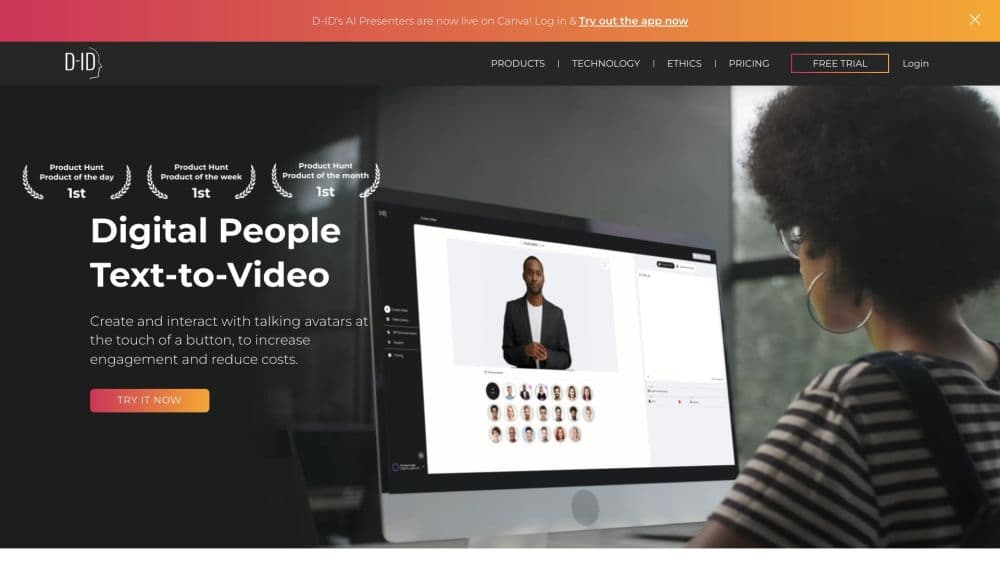
The studio is the self-serve workspace: choose a face, write the script, set the voice, and generate. It also handles Video Translate, bulk production, and imports from tools like PowerPoint, Canva, and Google Slides. The point is that non-technical staff can produce a polished clip without touching the API.
Interactive Visual AI Agents
Beyond one-off videos, D-ID deploys agents that listen and answer in real time, powered by an underlying language model. You can point an agent at your own knowledge base and let it serve as a tutor, a sales guide, or a support rep. It's the shift from a static clip to a two-way conversation with a face.
Enterprise Controls and Self-Hosting
For larger organizations, D-ID offers permission controls, compliant infrastructure, and self-hosting options, plus a V4 Expressive Avatar line with sharper facial detail. These matter when a company needs its avatar data and deployment kept inside its own environment.
Pros and cons
Pros
- Turns a single photo plus a script into a talking video with almost no editing knowledge.
- Real-time API runs fast enough for chatbots, call avatars, and in-app characters, not just pre-rendered clips.
- Covers 120+ languages from one account, which suits training and global marketing.
- The web studio, iPhone app, and API share the same account and minute balance.
- Free trial lets you test output quality before paying.
Cons
- Free and Lite plans stamp a watermark on output, so commercial work needs a paid tier.
- Video length caps at 5 minutes per clip, which rules out longer presentations as single files.
- Minute-based pricing punishes high volume; teams producing large batches should expect a higher tier.
- The tool focuses on presenters, so serious editing still happens in a separate video editor.
- Uploaded photos need clear, front-facing shots; poor input leads to odd facial motion.
Frequently asked questions
D-ID makes a still image speak. You supply a face and a script or audio, and it returns a video of a digital presenter with synced lip movement. It also runs that same tech in real time through an API.
Related content
Explore related tools, skills, and articles for D-ID.
D-ID Alternatives

Google EmbeddingGemma 2
Google DeepMind · Writing · Image · CodingGoogle EmbeddingGemma 2 is a 740M-parameter open model that turns text, code, images, audio, and video frames into vectors in one 768-dimension space, running on phones and laptops.

Tractionwave
TractionWave · Image · MarketingTractionWave is an AI attention heatmap tool for static ads. Upload a PNG or JPG and it returns predicted attention, ranked hotspots, and fixes before you spend budget.

Imejis.io
Imejis.io · Image · MarketingImejis.io is an AI design studio for agents and marketing teams. Describe an image in plain words, and it writes the copy, builds the layout, reflows it to every size, then exports a finished file.