

DataCamp
DataCamp, Inc. · Leaning
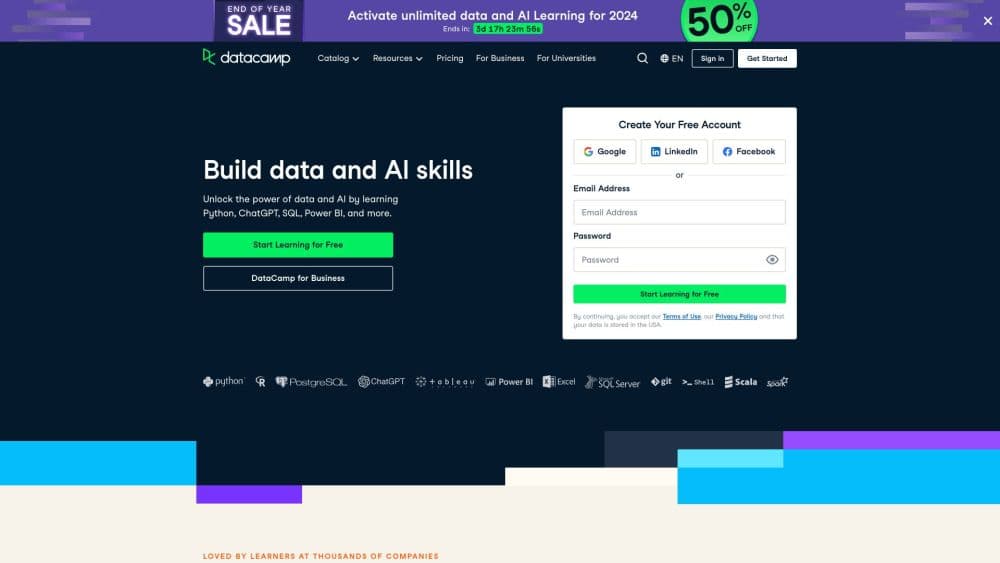
DataCamp is an online learning platform with 790+ interactive courses to learn Python and SQL online, covering data science and AI with browser-based certifications.
About DataCamp
What Is DataCamp
DataCamp is a browser-based learning platform for data skills. Instead of watching lectures, you write real code in a built-in editor and get checked after every line. The catalog covers Python, R, SQL, Power BI, Tableau, Excel, and AI topics, with career tracks that tie courses into a job-ready path. More than 20 million learners have used it, and the company says 80 percent of the Fortune 1000 train teams on it.
The platform solves a common problem with self-paced data learning: most people quit because nothing forces them to practice. DataCamp's short videos switch to hands-on exercises fast, and its skill assessments point out gaps before you commit to a track. Certifications at the end give you something concrete to show employers.
The main limits are cost and depth. The free tier only unlocks the first chapter of each course, and serious access means a paid subscription. For advanced research topics, largely academic subjects, or hands-on hardware work, a university program or a specialized bootcamp usually goes further.
Getting Started
- Create a free account with an email address or a Google, LinkedIn, or GitHub login.
- Take a skill assessment to see which tracks match your current level.
- Pick a course or career track and start the first chapter at no cost.
- Upgrade to Premium if you want the full course library, projects, and certificates.
- Run the in-browser coding exercises, then download or share your completion certificate.
Product Information
A quick look at DataCamp's pricing, supported platforms, and performance.
Best for
The users, tasks, and scenarios where this tool fits best.
Users
- Beginners with no coding background
- Career switchers targeting data analyst or data scientist roles
- Working professionals who need Python or SQL on the job
Tasks
- Learning Python or R from scratch
- Building SQL and database query skills
- Earning a shareable data analytics certification
- Preparing a team for data and AI tools
Scenarios
- Fitting study into evenings after work
- Trying a subject before committing money
- Refreshing skills before a job interview
- Rolling out upskilling across a department
Key features
Interactive Coding Exercises
Every lesson moves straight from a short video into a live editor where you write and run real Python, R, or SQL code. The platform checks your answer the moment you submit it, so errors surface while the concept is still fresh. This hands-on loop is the main reason people finish courses here instead of abandoning them. Cheat sheets and tutorials sit alongside each track for quick reference.
790+ Courses Across Data and AI
The catalog spans Python, R, SQL, Power BI, Tableau, Excel, Git, Docker, Snowflake, and Databricks, plus AI and ChatGPT topics such as working with the OpenAI API. Courses are grouped into career tracks and skill tracks, so you follow a sequence instead of guessing what to learn next. Most individual courses run two to six hours, which keeps each step small enough to finish in a sitting or two.
Industry Certifications and Assessments
Skill assessments start the journey by pinpointing your current level, and courses end with completion certificates you can add to a professional profile. DataCamp also offers partner certifications built with vendors such as Microsoft Azure, Power BI, and Alteryx, which carry more weight with employers than a generic course badge. These credentials are the platform's main answer to the question of whether online learning counts for anything.
DataLab and Live Code-Alongs
DataLab gives subscribers a cloud workspace for analysis without local setup, and live code-alongs let you follow an instructor building a project in real time. Competitions add a social layer for people who want a project deadline. Together these features push past passive learning into work you can put in a portfolio and share.
Teams, SSO, and Progress Tracking
Business plans add an admin dashboard, license management, team performance reports, and Google or Microsoft SSO. Managers can see who is active and where a group is stuck. This turns DataCamp from a personal study tool into something a company can roll out across a department without chasing spreadsheets.
AI Tutor and AI-Native Course Credits
An AI Tutor gives in-course help when an exercise stalls, and Premium subscriptions now include AI-native course credits. The credits fund AI-assisted features across the platform, reflecting the shift toward AI as both a subject and a learning aid. The AI for Work course shows the same idea from the learner's side: using AI tools responsibly to get work done faster.
Pros and cons
Pros
- The free tier lets you sample the first chapter of every course, which lowers the risk of paying for a teaching style you dislike.
- Interactive exercises check your code immediately, so you learn by doing instead of watching.
- Career and skill tracks remove the guesswork about what to study next and in what order.
- Industry partner certifications from Azure, Power BI, and Alteryx carry real weight on a resume.
- Courses are short, mostly two to six hours, so building a habit is realistic around a job.
Cons
- The free Basic plan only unlocks first chapters, so most of the catalog sits behind the $14/month Premium tier.
- The yearly plan is billed up front at roughly $168, which is a bigger commitment than the advertised monthly figure suggests.
- Advanced or research-level topics are thin compared with university courses and specialized bootcamps.
- Learning stays inside the browser, so you never set up a local environment the way real projects often require.
Frequently asked questions
Partially. The Basic plan is free and gives you the first chapter of every course, a professional profile, and completion certificates. Full access to all 790+ courses, projects, and career tracks requires a paid Premium subscription.
Related content
Explore related tools, skills, and articles for DataCamp.
DataCamp Alternatives

HireKey
HireKey · Voice & Language · Productivity · LeaningHireKey is an AI job search copilot built by a former tech recruiter. It checks role fit, tailors resumes, runs interview practice and tracks every application.

Lune
Retrograde Labs · Productivity · LeaningLune is a research search engine for scientific AI agents. It runs as an MCP server that lets Claude, ChatGPT and Cursor search peer-reviewed computer science papers and cite them.
Coddy
Coddy · Coding · LeaningCoddy is a gamified platform to learn to code through short interactive lessons in 20+ languages, with a browser editor, an AI tutor and free certificates.