
Dayli
Sangkwon Kim · Productivity
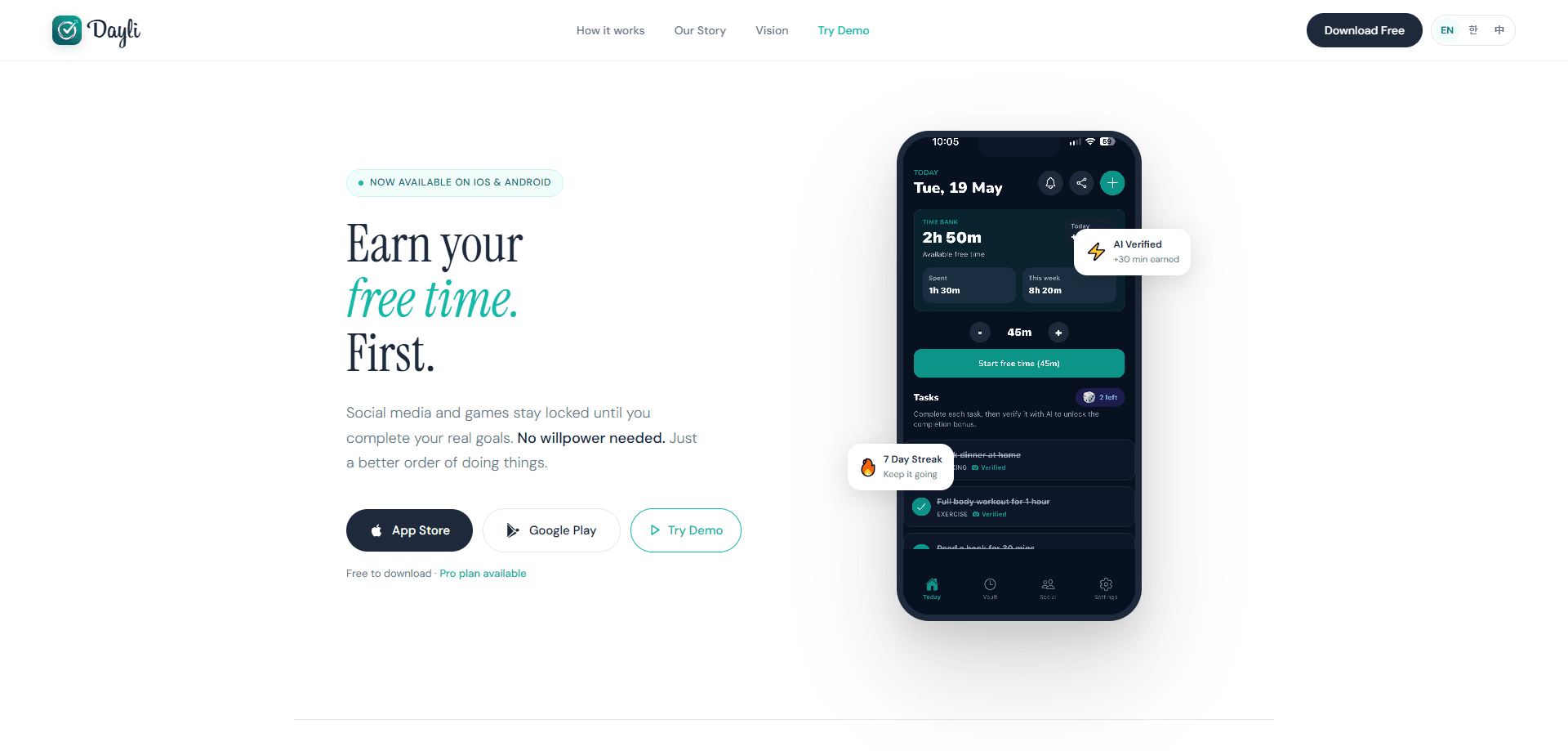
Dayli is a goal-based app blocker for iOS and Android that flips the usual restriction model. Instead of banning apps outright, it keeps your social apps and games shut until you finish real-world tasks. Complete a goal, submit a photo, and Gemini checks the proof in seconds, then credits earned minutes to a Time Bank you spend on Instagram, YouTube, or a game. It suits students, remote workers, and anyone who keeps losing evenings to autoplay. The pitch is simple, and the developer states it plainly: earn your free time first.
About Dayli
What Is Dayli
Dayli is an app from developer Sangkwon Kim built around one rule: do what matters first, then open the apps you want. Where most screen time control apps just measure and nag, Dayli makes access something you pay for with effort. Your chosen apps stay locked until you set and complete daily goals like exercise, reading, study, or cooking.
The problem it targets is willpower. The developer's own story is blunt about it: every app blocker and habit tracker failed, not from weakness but because the tools were built around restriction rather than reward. Dayli is an app blocker that rewards you instead, moving the payoff to the front. Finish the goal, earn the minutes, then spend them without guilt.
So what's the catch? Earned access depends on verification, and that means a goal only pays out when you can actually show it happened. Tasks verified by photo pass through Gemini, and Apple Health can auto-confirm fitness goals on iPhone, but a goal you can't demonstrate is a goal that won't credit time. If you want a plain timer-based blocker with no check-ins, this isn't that.
Getting Started
- Download Dayli from the App Store or Google Play and set up your account.
- Add the goals that matter for today, such as exercise, reading, or study. Your locked apps stay shut until those goals are done.
- Finish a goal and submit a photo as proof. Gemini AI checks it in seconds and adds earned minutes to your Time Bank.
- Optionally connect Apple Health on iPhone so fitness and activity goals verify themselves without a photo.
- Spend your earned minutes on the apps you picked, then track the week in the Vault screen.
Product Information
A quick look at Dayli's pricing, supported platforms, and performance.
Best for
The users, tasks, and scenarios where this tool fits best.
Users
- Students
- Remote workers
- People who failed with hard blockers
Tasks
- Earning screen time
- Verifying exercise
- Tracking weekly habits
Scenarios
- Cutting down on late-night scrolling without deleting Instagram or YouTube. A social media blocker that only opens once you've earned it does the rest.
- Building a morning routine where a short workout earns your first phone session.
- Studying for an exam when the reward for finishing a session is a set amount of gaming time.
- Replacing a willpower-only setup with an earn screen time app that pays you for the work first.
Key features
Earned Access via a Time Bank
Dayli's core loop is a bank of minutes, not a blanket ban. Every completed goal deposits free time, and every session on a locked app withdraws from it. Run the balance to zero and the apps stay shut. That's the whole trick. This is what separates it from a standard app blocker: the block is a price, not a wall.
AI Photo Verification
When you finish a goal, you submit a photo as proof. Gemini checks the image in seconds and credits earned minutes if it holds up. The feature exists because self-reported habit trackers are easy to fake, and a check-in you can't fake is what makes the reward mean anything. Unverifiable goals simply won't earn time. That's the point.
Apple Health Auto-Verification
On iPhone, connecting Apple Health lets fitness and activity goals complete themselves. No photo, no manual check-in. Walk, run, or log a workout and Dayli confirms it, which removes the friction that usually kills a fitness goal by week two.
Home Screen Widgets
Widgets show your Time Bank balance and today's goal progress without opening the app. It sounds minor until you're deciding whether to pick up the phone: seeing that you have zero minutes left changes the decision before you make it, because you already know the app won't open no matter how many times you tap the icon.
Vault and Weekly Stats
The Vault breaks down the week, showing how much time you earned, how much you spent, and which goals you actually finished. It's the accountability half of the loop, and it's where you spot the goal you keep skipping.
Friend Challenges
You can share goals with friends and work a challenge together. Habits that won't survive solo often hold when someone else is tracking the same streak, because the mild social pressure of not breaking a shared run does more than any notification you set for yourself. It's the social nudge without a public leaderboard.
Dayli Pro
Pro adds AI goal recommendations, AI verification, Apple Health sync, widgets, advanced stats, and richer goal and schedule management. Some of it sits behind the subscription, which is worth knowing before you plan around it. Not cheap, but not steep either.
Pros and cons
Pros
- The reward model gives a reason to do the goal, not just a reason to fear the app.
- AI photo verification makes earned minutes something you can't fake by tapping a checkbox.
- Apple Health auto-verification removes the manual step for fitness goals on iPhone.
- Runs on both iOS and Android, so the loop carries across phones.
- Free to download, with the core earn-and-spend mechanic usable before paying.
Cons
- Goals you can't photograph or auto-verify, like "be more present," won't credit time, so the system favors demonstrable tasks.
- Several features, such as AI verification and advanced stats, need the Dayli Pro subscription.
- When you ask AI to judge a photo, an unclear or ambiguous picture may not count, and you can't argue with the result.
- It's a young app with very few ratings so far, so the long track record is thin.
Frequently asked questions
It locks the apps you choose, like Instagram, YouTube, or a game, until you complete real-life goals. Finish a goal, verify it with a photo or Apple Health, and you earn minutes you spend on those apps. The app calls this earned access.
Related content
Explore related tools, skills, and articles for Dayli.
Dayli Alternatives

Base Code
Base44 (Wix) · Coding · ProductivityBase Code is a shared cloud development environment from Base44. Teammates describe changes to an existing GitHub codebase in chat, preview them live and send them back as pull requests.

Knocket
Knocket (Tencent RTC team) · Productivity · Business · ChatbotKnocket is a free live chat and contact page tool that lets visitors message you from your website, app, or a shareable link, with every reply handled from Telegram or one inbox.

FloorGen
Vinit Kumar (FloorGen) · Productivity · China AIFloorGen is a browser-based floor plan maker that turns a sentence or a sketch into an editable 2D plan and a 3D walkthrough. Export to PDF, DXF or video, and draw without an account.