

DaysAround
ZEROCREW AI LTD · AI Assistant
DaysAround is a privacy-first travel tracking app for iPhone that counts how many days you spend in each country without GPS tracking or cloud storage. It rebuilds your travel timeline from the photo metadata already on your phone, then uses those day counts to flag tax residency thresholds like the 183-day rule. If you split your year across countries and want proof of your days, it's built for exactly that. Does it work? Yes, with one catch you'll read about below.
About DaysAround
What Is DaysAround
DaysAround tracks your country visits and turns them into a dated record you can actually use. It's aimed at digital nomads, remote workers, and anyone juggling tax residency across borders. That's the target. Everyone else can skip it.
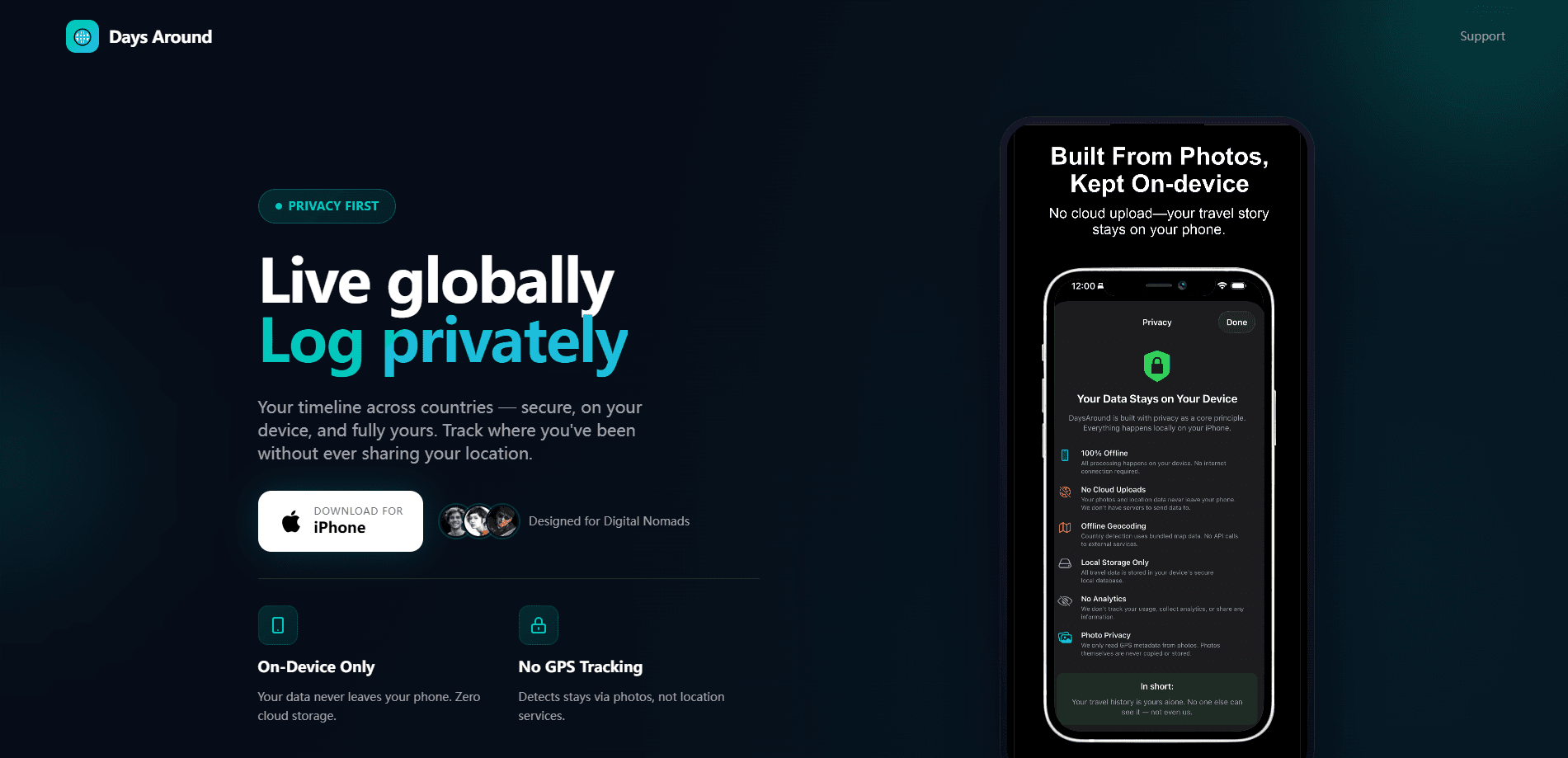
The app's whole pitch is what it doesn't do. There's no GPS, no account, no sign-up, and no server holding your movements. It reads the dates and regions your photos already store, builds a timeline from them, and keeps everything on your device in Apple's SwiftData. That matters because where you sleep is sensitive, and an app that can't see your data can't leak it.
The honest limits: it's iPhone-only, it needs your photo library to work well, and it doesn't give tax advice. It counts days and hands the numbers to the professional who does. That's it.
Getting Started
- Download DaysAround from the App Store and open it. No account or email is required.
- Grant photo library access when asked. The app reads dates and coarse regions from your existing photos to detect when you entered and left each country.
- Review the trips it suggests, then confirm or fix each one in a couple of taps. Missing stays can be added by hand.
- Pick the countries you want to watch, then check your days against the 183-day rule and each country's own thresholds.
- Export an advisor-ready day-count report for any jurisdiction if you need documentation.
Product Information
A quick look at DaysAround's pricing, supported platforms, and performance.
Best for
The users, tasks, and scenarios where this tool fits best.
Users
- Digital nomads
- Remote workers splitting a year between two countries
- Freelancers and contractors
Tasks
- Checking the 183-day rule
- Rebuilding a travel history
- Estimating tax across locations
- Exporting proof of days
Scenarios
- Planning next year's travel
- Preparing for a tax conversation
- Auditing your own year
Key features
Travel timeline from photo metadata
DaysAround reads the date and coarse region that your photos store, using offline maps on the device, and rebuilds where you were. You confirm each trip in a couple of taps, or add a missing stay by hand. There's no location permission and no background tracking involved.
Day counts against the 183-day rule
The app totals your days in each country the way that country's tax authority counts them, then gives a plain verdict: resident, not resident, approaching, or over. It sorts every jurisdiction you watch by risk and pins your primary residence to the top.
Tax residency thresholds and ties
It's not only about days. DaysAround lets you flag where your home, family, or work is, because for many countries those ties can make you resident regardless of your day count. The UK's Statutory Residence Test uses those ties to lower your day limit. Miss that, and your day count alone won't save you.
Tax simulator with your numbers
The simulator shows what your tax bill would look like in different countries or US states, using your own income and your actual days. Rates for roughly 239 countries plus all 50 US states and DC are included, each on its own tax year. The figures are for planning conversations, not advice.
Advisor-ready day-count export
If a tax authority ever asks about a year, it asks in days. DaysAround keeps every day sourced, either photo-confirmed or entered by you, and exports a day-count report for any jurisdiction in one tap. No spreadsheet required.
Private by construction
There's no account, no email, no analytics SDK, and no DaysAround server. Data lives on your iPhone in SwiftData. If you turn on sync, it runs through your own private iCloud and can be switched off with one tap. Delete the app and the record is gone. Simple.
Pros and cons
Pros
- Works without GPS, an account, or a cloud server, so residency data never leaves your iPhone.
- Rebuilds travel history from photos you already have, which saves hours of manual logging.
- Counts days against the 183-day rule and per-country thresholds instead of a single generic number.
- Exports a sorted, sourced day-count report an accountant can use directly.
- Covers roughly 239 countries plus all 50 US states and DC, each on its own tax year.
Cons
- iPhone only, so Android users can't use it at all.
- Heavy reliance on photo metadata means an empty or sparse photo library gives a weaker timeline, and you'll fix gaps by hand.
- The tax estimates are planning aids, not advice, so you still need a professional for decisions.
- The exact subscription price only appears inside the App Store listing, which makes budgeting awkward before you download.
Frequently asked questions
It counts the days you spend in each country and turns them into a dated travel record, then flags tax residency thresholds like the 183-day rule. You get a ranked view of every jurisdiction you track, plus a report you can export for an advisor.
Related content
Explore related tools, skills, and articles for DaysAround.
DaysAround Alternatives

Iplan AI
Iplan AI · Productivity · AI AssistantIplan AI is an AI travel planner that turns a few trip details into a full day-by-day itinerary in seconds. You answer questions about your destination, interests, budget, and travel companions, and the tool builds a plan you can edit, share, and carry with you on any device. It targets travelers who want a solid draft without spending hours in spreadsheets and browser tabs. Think of it as an itinerary generator that does the tedious part for you.

Screenhelp
Screenhelp · Productivity · AI AssistantScreenhelp is an AI screen assistant that turns a single keyboard shortcut into real-time help. You press Ctrl+Shift+Space, it captures what's on your screen, and it streams an answer into a private panel in about two seconds. Think of it as an AI screenshot helper you trigger on demand. It runs on Mac, Windows, and the web, starts free with 30 answers a month, and stays invisible during screen sharing on Zoom, Teams, and Google Meet.

Rainbow
Rainbow · AI AssistantRainbow is an AI weather forecast app built around short-term precipitation nowcasting. Its engine pushes min-by-min rain and snow predictions up to four hours ahead, blending live satellite and radar feeds into hyperlocal forecasts. The app adds live rain radar, a seven-day outlook, precipitation alerts, home-screen widgets, and a hurricane tracker, and it runs on both Android and iOS with a free tier plus paid upgrades.